
Announced: 10 April 2025, in the ESXi 8.0 Update 3e release notes
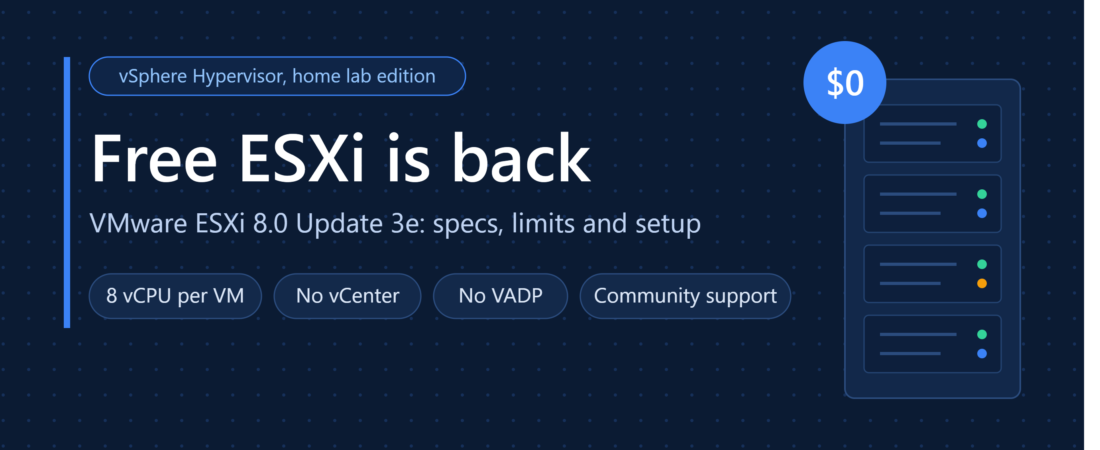
Broadcom brought back free ESXi on 10 April 2025, and plenty of people still haven’t noticed. There was no press release. Just a single line in the ESXi 8.0 Update 3e release notes.
If you’ve been waiting to get back into VMware at home, it’s worth a look. Just know where the walls are before you rebuild anything.
How we got here
After the VMware acquisition, Broadcom moved everything to subscriptions and dropped the free vSphere Hypervisor in February 2024. Students, home labbers and small shops lost the easiest way into VMware. About fourteen months later it came back. Quietly, and only on the 8.0 branch.
What the free licence gives you
The free download is the same build as the paid release (8.0 U3e, build 24677879). Broadcom is clear that the software is identical and the licence decides what it will do. From Broadcom KB 399823:
| Item | Free ESXi 8.0 U3e |
|---|---|
| VMs per host | Unlimited, within hardware limits |
| Physical CPUs per host | Up to 2 |
| vCPUs per VM | 8 |
| Management | vSphere Host Client (web UI on the host) |
| Hardware health and logging | Basic |
| vCenter | Not supported |
| vMotion, DRS, HA | Not available |
| VADP-based backups | Not available |
| API host management | Not supported, read-only at best |
| Support | None from Broadcom |
The limits that bite
Two sockets, eight vCPUs
A few write-ups claim unlimited physical CPUs. Broadcom’s own KB says two per host. That still covers most lab kit, including dual-socket 1U boxes like the R640s in my lab.
The 8 vCPU cap is the tighter one. A VM configured with more than eight won’t power on. If you run nested ESXi or chunky appliances, check your sizing first.
No vCenter
Every host is an island. No vMotion, no HA, no DRS, no vSphere Replication. You manage each box on its own through the Host Client, and that’s it.
Backups
This is the one I care about most. VADP-based backups are off, so third-party backup tools can’t take host-level image backups of your VMs. Your options are an agent inside each guest, or exporting VMs by hand from the Host Client.
Broadcom also says API-based host management isn’t supported and may only return read-only data. So don’t plan on PowerCLI automation either.
No support
Broadcom pitches it at home labs and dev/test. The KB does call the build production-ready whatever licence you apply. Even so, when I’m working with a client, an unsupported host with no backup API is a hard no.
How to download it
The steps from Broadcom’s KB:
- Log in to the Broadcom Support Portal. Registration is free.
- Go to My Downloads.
- Click the box that says Free Software Downloads available HERE.
- Search for VMware vSphere Hypervisor.
- Accept the terms and download the ISO.
You don’t need a licence key. The free key is embedded in the download, so there’s nothing to paste into the Host Client afterwards. Finding it in the portal takes a few clicks, and if you haven’t logged in since the VMware days you may need a password reset.
Installing
- Enable Intel VT-x or AMD-V in the BIOS/UEFI.
- Write the ISO to a USB stick with Rufus or Ventoy and boot from it.
- Press Enter at the installer, then F11 to accept the EULA.
- Pick an SSD or NVMe disk for the install (32 GB minimum). Don’t use an SD card or USB stick as the boot device on ESXi 8.
- Choose your keyboard layout, set the root password, and press F11 to install. Remove the USB and reboot.
- At the DCUI, press F2, go to Configure Management Network > IPv4 Configuration and set a static IP, mask and gateway.
- Browse to
https://<host-ip>/, accept the self-signed cert warning and log in as root. Check Manage > Licensing to confirm which licence is applied.
Where I land
If you want to learn ESXi, study for a VMware cert or get comfortable in the Host Client, this is good news. Download it and go.
For a lab that runs services you actually depend on, I’d hesitate. The vCPU cap is livable. The missing backup API isn’t, at least not for me.