
Update, October 2026: the R620 has been retired. TrueNAS now runs on a Dell R730xd with far more storage, covered in Part 6. The steps in this post still apply on the new server.
Parts 1 through 3 covered installing TrueNAS Scale on the Dell R620, creating the ZFS pool and NFS share, and tuning ZFS for maximum performance with 384GB of RAM. This part connects the HPE DL380 G9 management host to the NFS datastore through vCenter and validates the connection.
Adding the NFS Datastore in vCenter
Navigate to the HPE host (esx-host.example.internal) in the vCenter inventory, go to the Datastores tab, and open Actions > Storage > New Datastore.
 Storage > New Datastore” class=”wp-image-1529″/>
Step 1 — Type
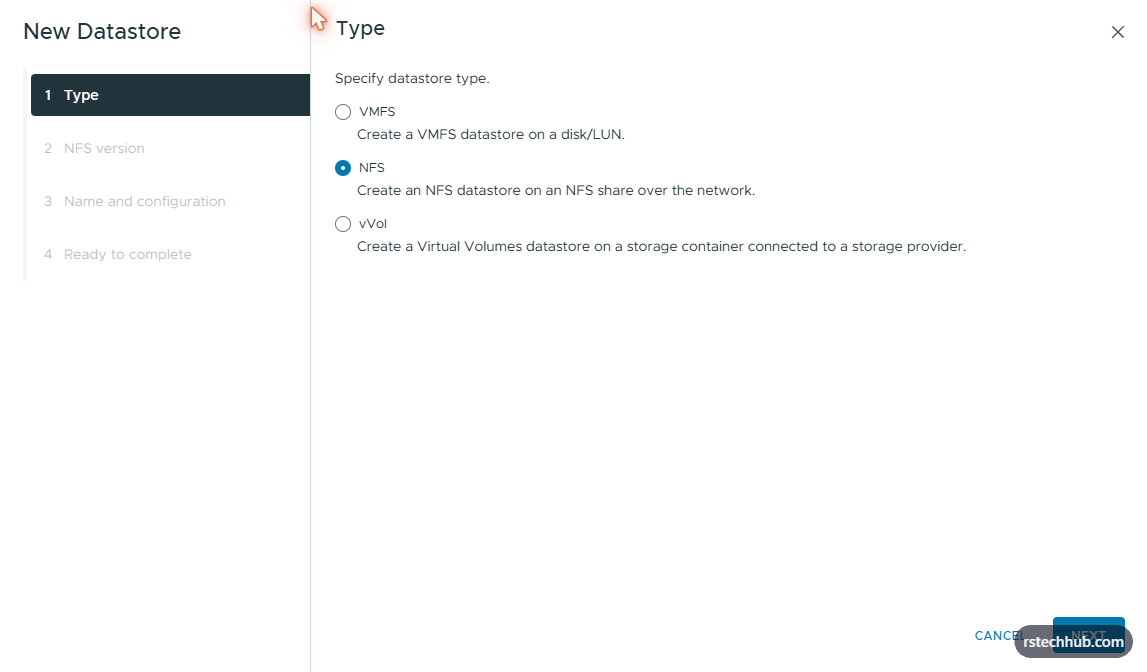
Select NFS and click Next.
Step 2 — NFS Version
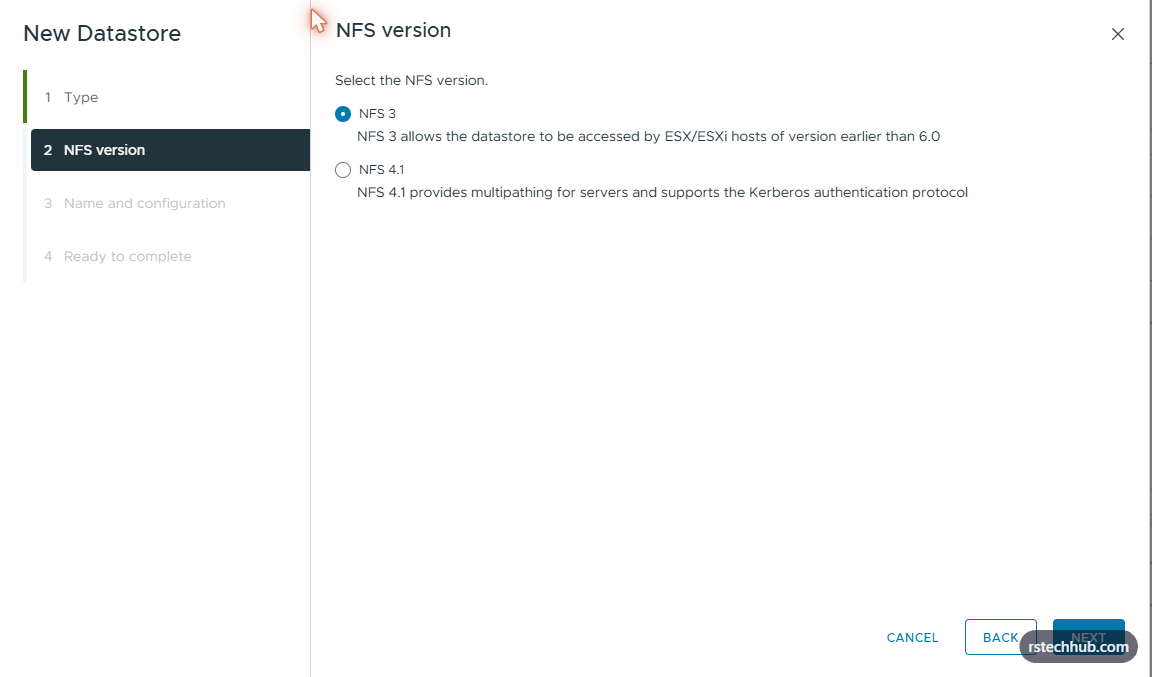
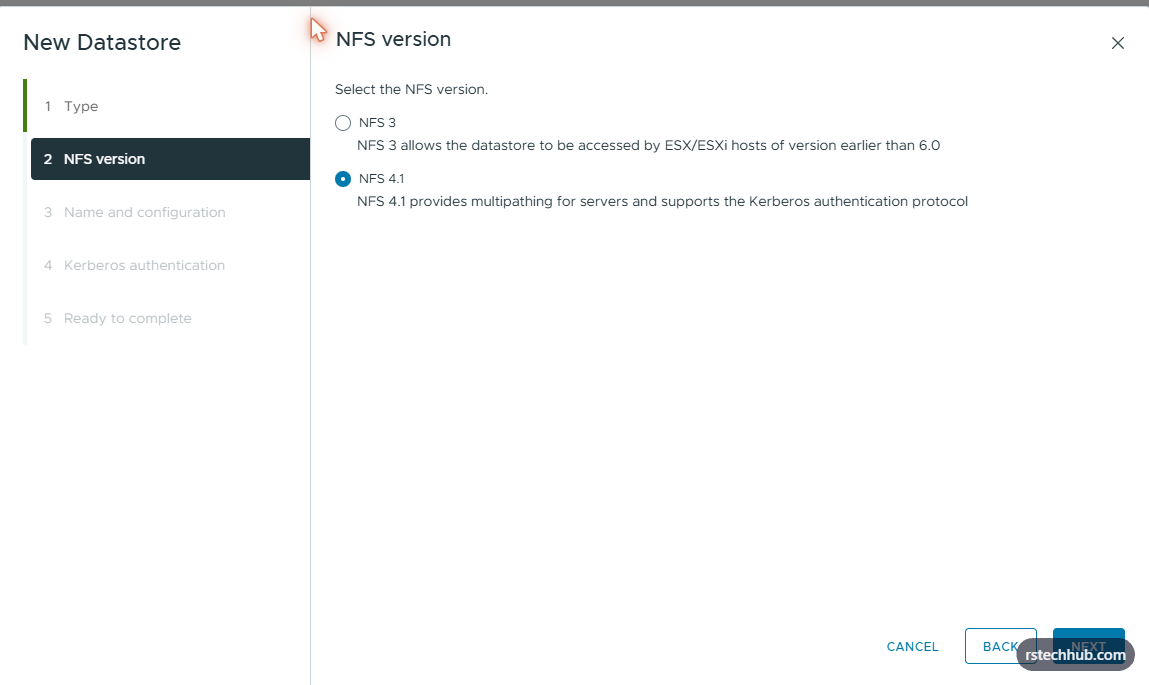
Select NFS 4.1. NFS 3 is the default but 4.1 supports multipathing and performs better under parallel access from multiple VMs. The TrueNAS NFS service has NFSv4 enabled so both sides are aligned. Click Next.
Step 3 — Name and Configuration
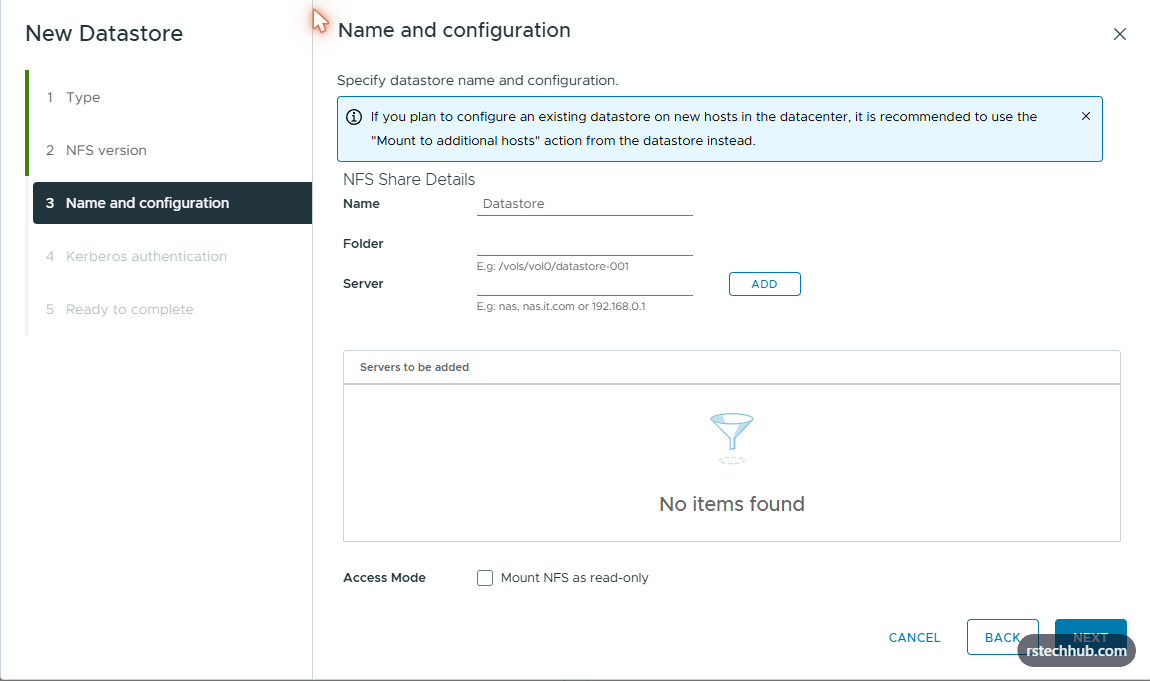
- Name: Rr620-nfs-vmware
- Folder: /mnt/tank/vmware
- Server: x.x.x.x (TrueNAS management IP on the I350 1GbE port)
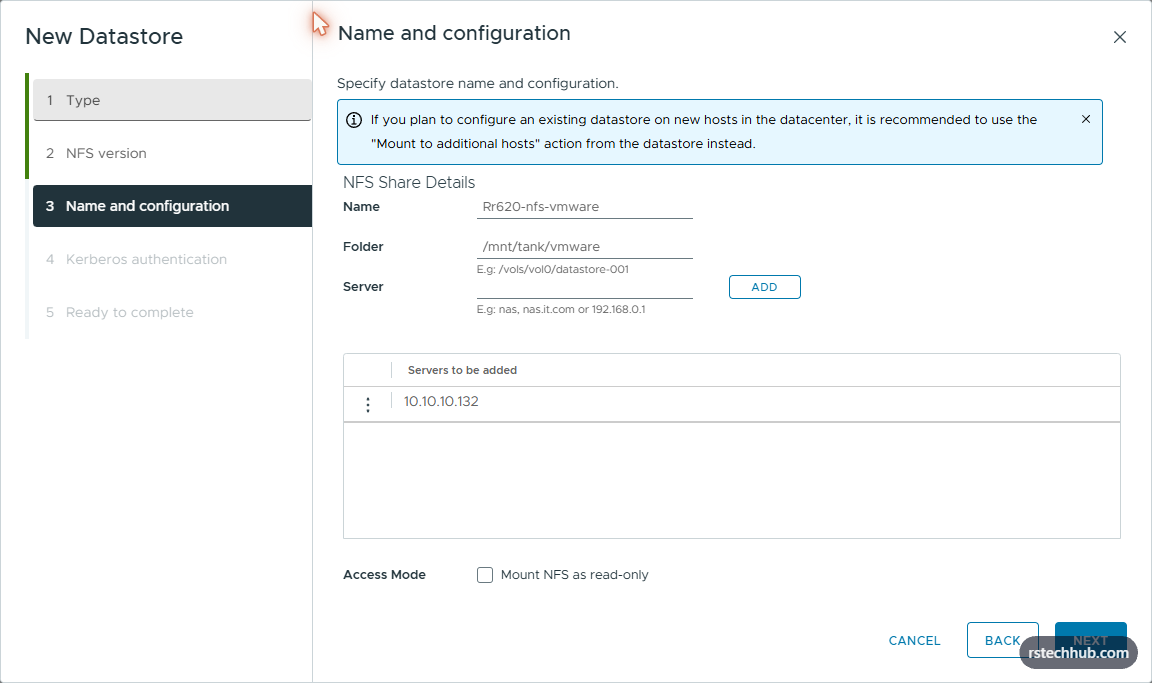
One note on the server IP. The TrueNAS R620 has two NIC types — the X520 10GbE on eno1 has the static NFS IP x.x.x.x, and the I350 1GbE management port is on x.x.x.x. The HPE G9 management host sits on the x.x.x.x/24 management network and can only reach x.x.x.x. For a management host running DC, DNS, SDDC Manager and a handful of VMs, 1GbE is sufficient. The X520 10GbE path is reserved for the R740xd compute hosts on the storage VLAN.
Step 4 — Kerberos Authentication
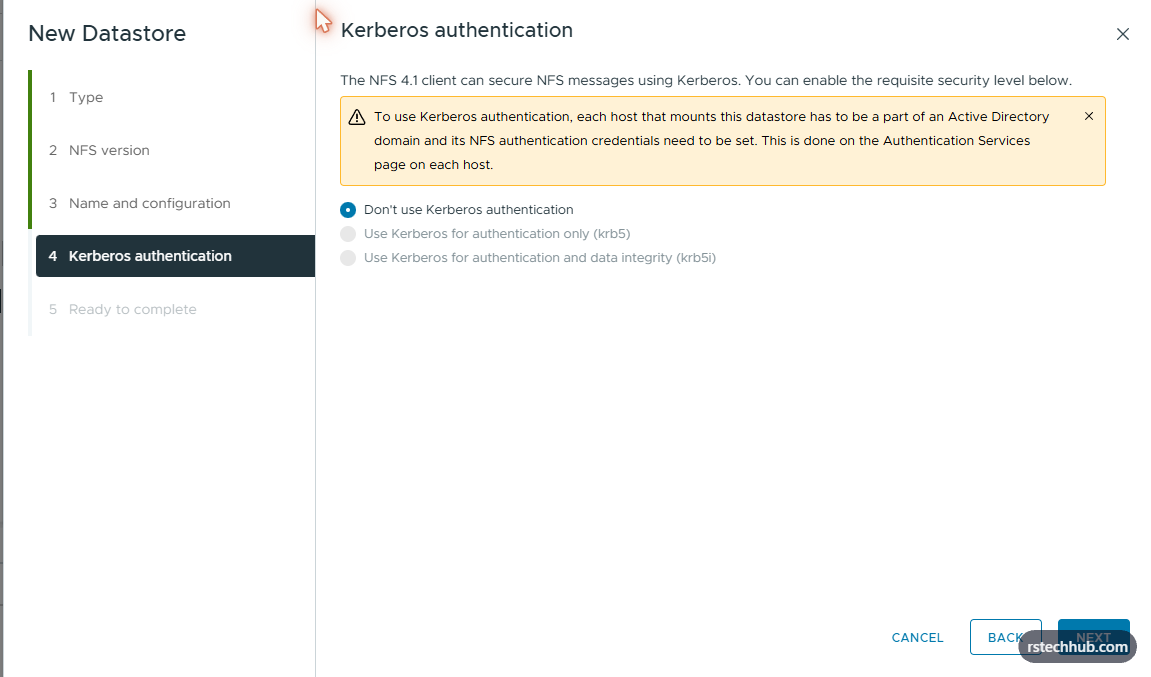
Leave Kerberos disabled. This is a lab environment and the TrueNAS NFS share uses maproot authentication. Click Next.
Step 5 — Ready to Complete

Review confirms NFS 4.1, correct server and folder, read-write access, Kerberos disabled. Click Finish.
Datastore Mounted

The datastore appears immediately. NFS 4.1, 8.17 TB capacity. Status shows Unknown initially — resolves to Normal within 30-60 seconds as ESXi completes the NFS handshake.
Fixing Write Permissions
After mounting, creating a folder on the datastore fails. ESXi connects but does not have root write access. The fix is on the TrueNAS side — setting maproot user and group so ESXi’s root user maps through correctly.
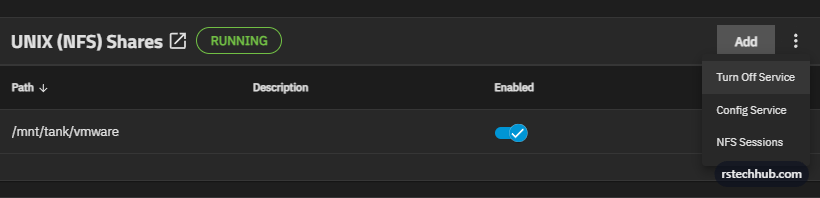
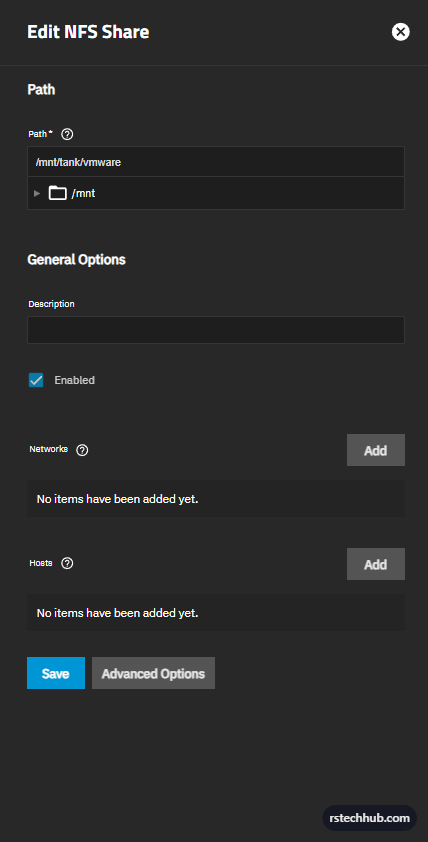
Click Advanced Options to expose the access control settings.
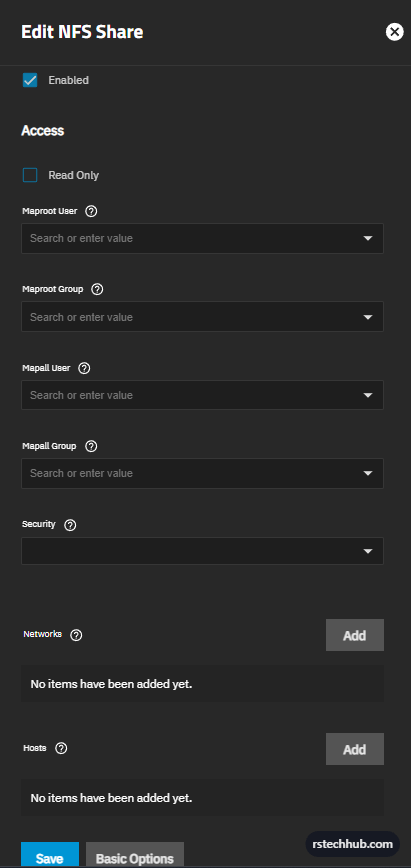
- Maproot User: root
- Maproot Group: wheel

Save. The NFS share now maps ESXi’s root user through as root on TrueNAS, allowing datastore operations — creating folders, uploading ISOs, deploying VMs. No NFS service restart required, the change applies immediately.
What’s Next
The HPE management host is connected to the R620 NFS datastore. Part 5 will cover validating NFS throughput — deploying VMs to the datastore and measuring read/write performance, then connecting the R740xd hosts over the 10GbE storage path.
Infrastructure: Dell PowerEdge R620 (TrueNAS Scale 25.10.4), HPE DL380 G9 (esx-host.example.internal), vCenter 8.0.3 (vcenter.example.internal). NFS 4.1 over 1GbE management network.