
Why log management, and why now
The day-one health check in Part 6 flagged two alarms: ESX remote syslog and NSX remote logging. Nothing in my lab was shipping logs anywhere. The hosts kept their logs locally. I wanted a copy of the host logs somewhere else, so that a dead host or a reboot would not take the evidence with it.
What changed in 9.1
Log management is no longer its own appliance. In 9.1 it is a day-2 component that runs as a service on the VCF management services cluster, and I deploy it from VCF Operations. The logs then appear under Operate in the same console. It is not part of the day-0 bring-up, so a fresh fleet has no logging until you add it.
The decision
Small size, one replica, nothing imported because I have no earlier instance. It needs 8 vCPU, 16 GB of RAM and 575 GB of disk, the heaviest single component I have added since bring-up.
Installing it
Log management is not part of the day-0 fleet, so I added it afterwards from VCF Operations with the Add Component wizard. It is a short form. I picked version 9.1.0.0, gave it a new FQDN, and chose Small with one replica.

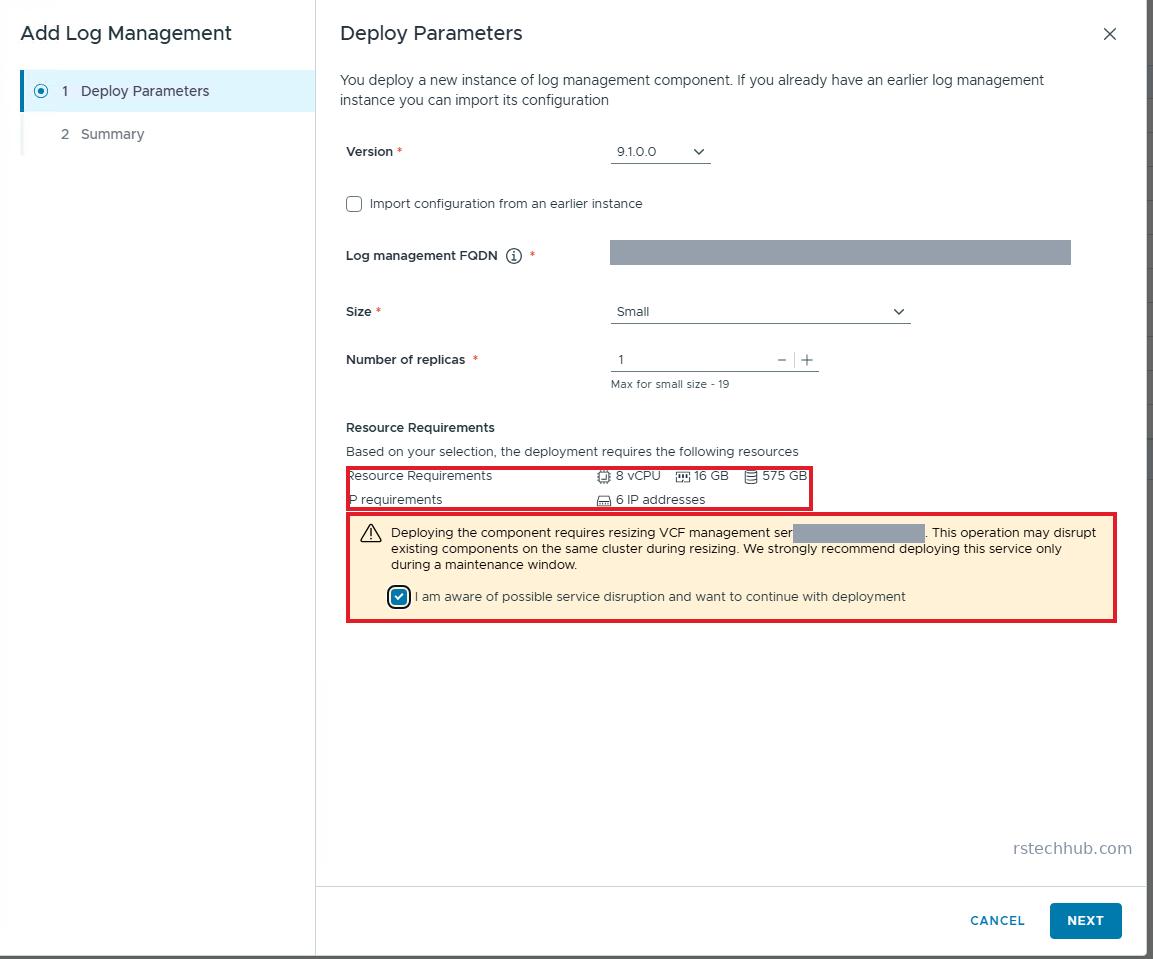
Read the resource panel before you click Next. Small asks for 8 vCPU, 16 GB of RAM, 575 GB of disk and 6 IP addresses. Below it, a warning says the management services cluster will be resized and other components on it may be disrupted, and you have to tick a box to carry on. That is fine in a lab. On a production fleet I would take the advice and book a maintenance window.
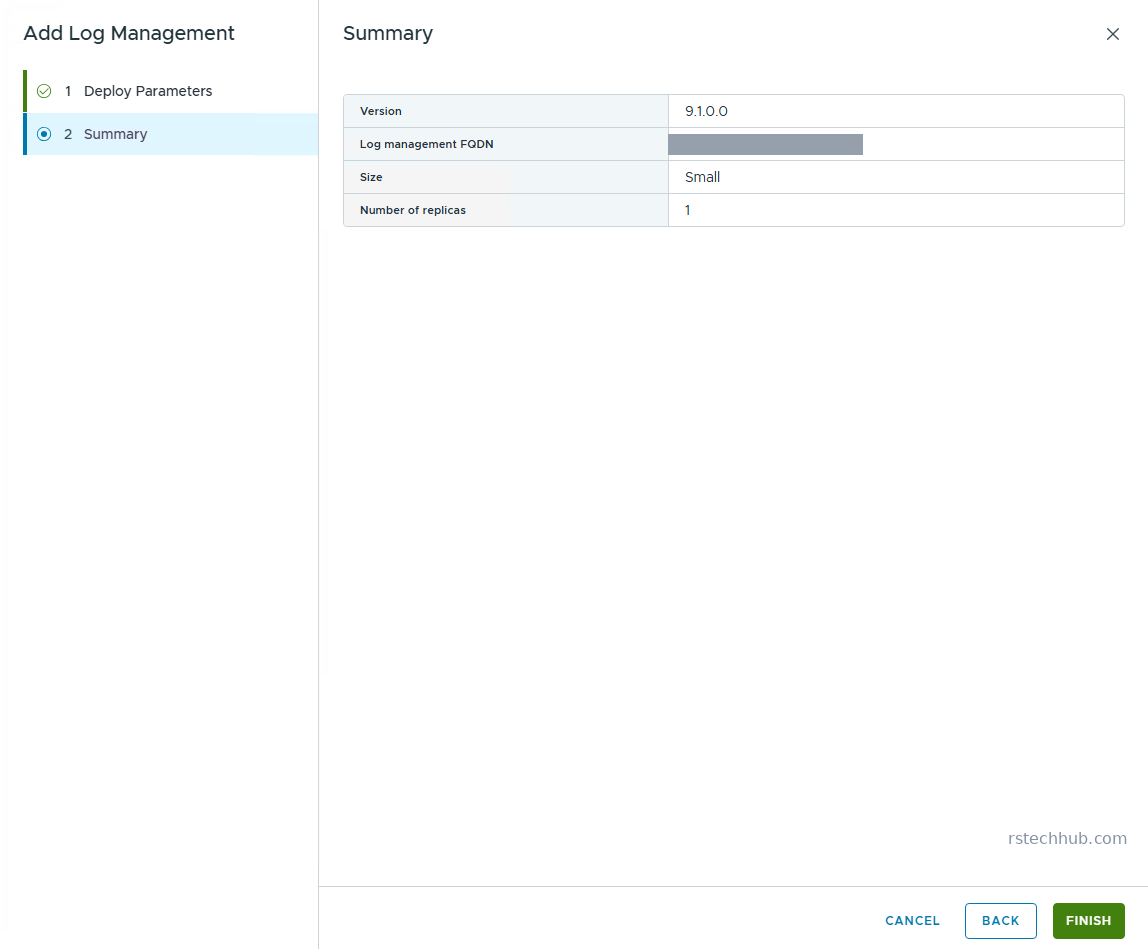
The summary page repeats the four values and nothing else. The six addresses are taken from the management services pool without asking you, which caught me out. I clicked Finish at 17:04 on 27 October.
The task view tells you more than the wizard does. The checks and staging finished in about seven minutes. The long step is Install VCF services runtime, where the cluster resizes and the component deploys. That step took about ten minutes, and the whole task finished at 17:33, 29 minutes after I started.

The gotcha
The wizard warns that adding it resizes the management services cluster and can disrupt other components. The resize took about ten minutes, and the task view showed only Info messages, no warnings.
A second thing caught me out. SDDC Manager’s backup does not cover the management services, and the separate backup page for them was empty. When I tried to add my Synology as the location, it refused with an SSH fingerprint error. Broadcom’s knowledge base says this backup needs the SFTP server to offer both an RSA and an ECDSA host key, and my NAS only offered ECDSA. I skipped it for now and will come back to it.
Turning on log collection
Deploying log management does not send it a single log. That is a separate switch, and it was not where I looked first. It sits under Operate, Administration, Integrations. I opened the VMware Cloud Foundation account, clicked Edit, went to Domains and ticked Activate Log Collection on the vCenter tab. NSX has its own tab and its own tick box.
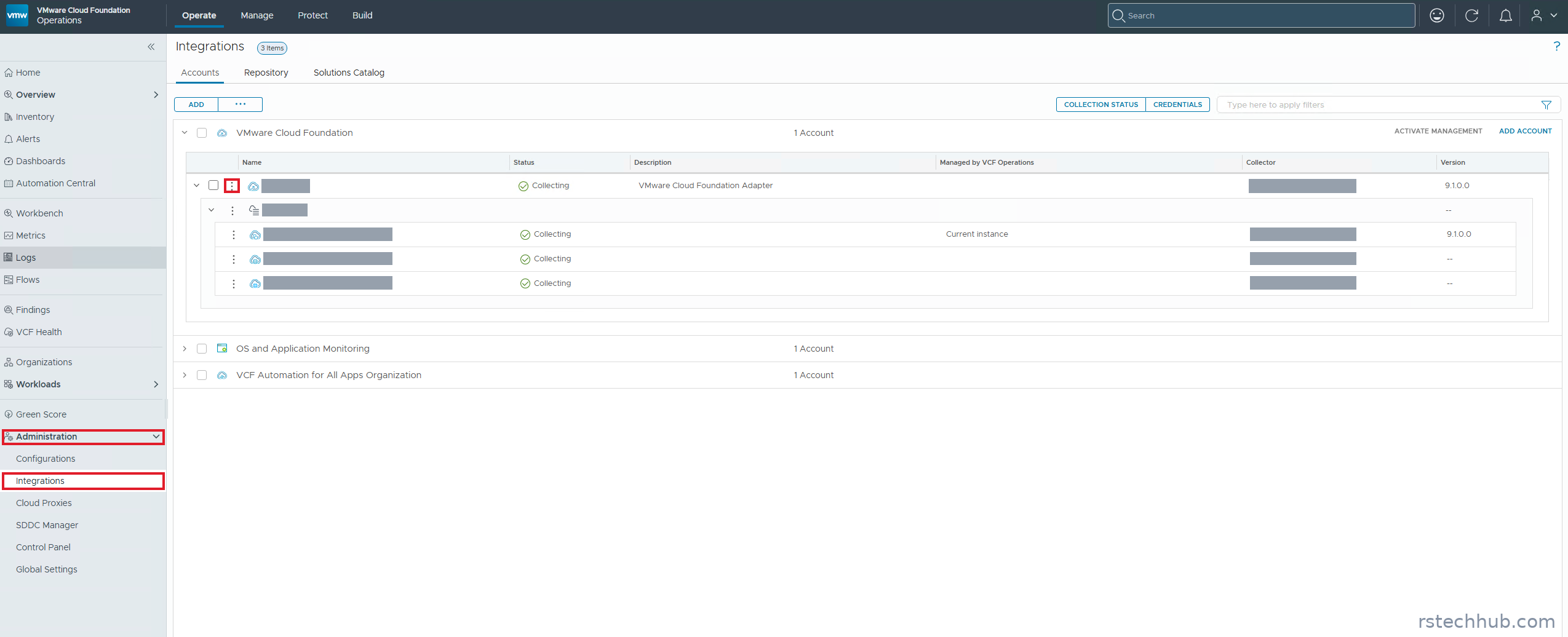


I kept the default of collecting logs directly into the Logs cluster. Broadcom has a KB warning about Small cloud proxies, and I did not fancy finding that out the hard way. Saving the change overwrites the log settings on vCenter and NSX and adds the new target to every ESX host, so anything you set by hand there is replaced.
Result
The deployment took 29 minutes. A few minutes after I saved the domain settings, Operate, Logs showed events from all four ESX hosts (tens of thousands each in the first hour), VCF Operations, NSX Manager and vCenter. vCenter was the quiet one at 10 to 40 events a minute.
The NSX Remote Logging Not Configured alarms went to Resolved without any help from me. The ESX remote syslog finding in VCF Health still shows, because its last check ran at 17:33, before I turned collection on. The hosts now send over TLS to the log management address and keep a persistent copy on local disk, so I expect it to clear on the next scheduled run. If it does not, I will update this post.
Keeping the volume down
I measured the load a day after turning collection on. The fleet sends about 66 million events a day, roughly 760 a second, with seven active connections and nothing dropped. Used Storage read 3% the first night and 6.7% the next morning, on a disk of about 500 GB.
The partitions tell the better story. Audit Records holds 4 GB and keeps everything forever. vsan-trace holds 3.8 GB on a 3 day retention. Default holds 14 GB on 7 days. That is about 22 GB in total, so disk is not a worry in this lab. If it were, three things shrink it: a shorter Default retention, Log Filtering to drop noisy sources, and a keen eye on Audit Records, the one partition with no limit.
One alert showed up: Log Management availability issues detected, with the symptom Log Store health is Warning. It started before my certificate work and no service was down. Broadcom’s text says a score of 1 means a degraded store where further failures could hurt availability, and that you should look for other active symptoms. There were none. With one log instance there is no second store to absorb a failure, so the score sits at 1 and the warning stays. I treat it as expected for this layout and leave it open. The symptom I act on is High Log Store Memory Pressure, which sat at 67% against a threshold near 68%. If it fires, I cut volume or move to a larger component size.
Lesson
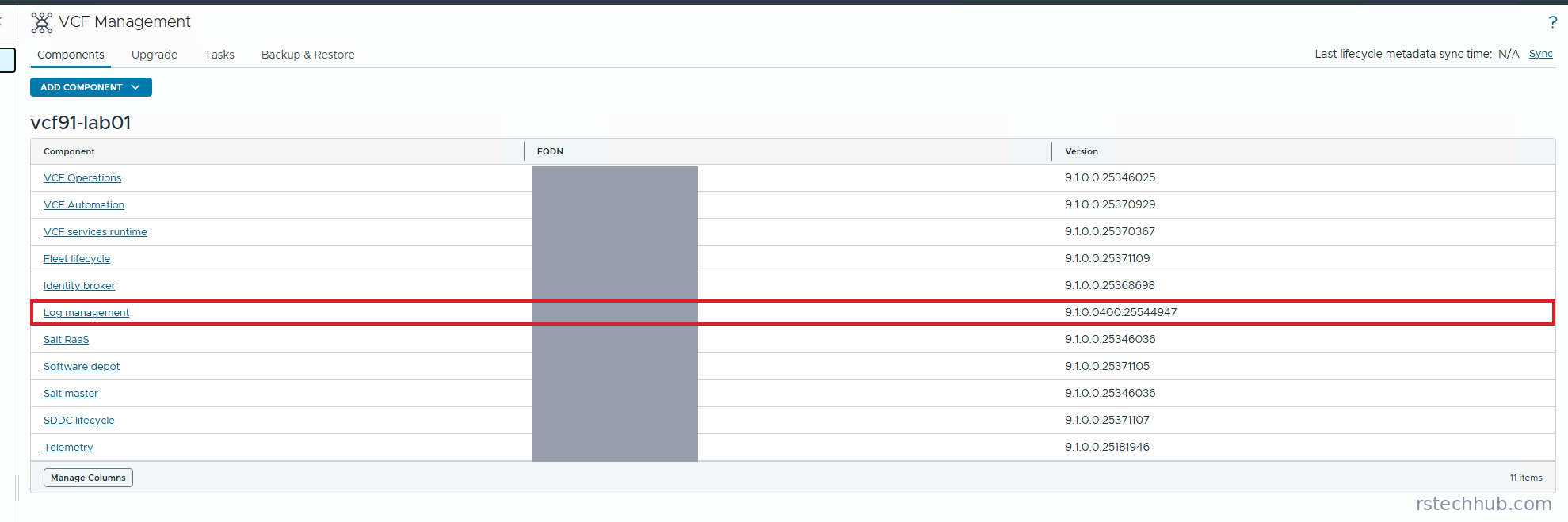
Deploying log management and sending it logs are two separate jobs, and the second one hides in Integrations rather than in the log management pages. Check the component list afterwards too. Mine installed at 9.1.0.0400 while everything else sits on the GA build, which I need to remember for the patching part.
Next
Part 11 covers certificates. Log collection can show Failed after a certificate rotation and recover about an hour later, so I will watch for that.