
Why I added a second Synology repo
I already have a 10Gb Synology that takes my Veeam backups. One copy of a backup is a hope, not a plan, so I added a second Synology as a Backup Copy target.
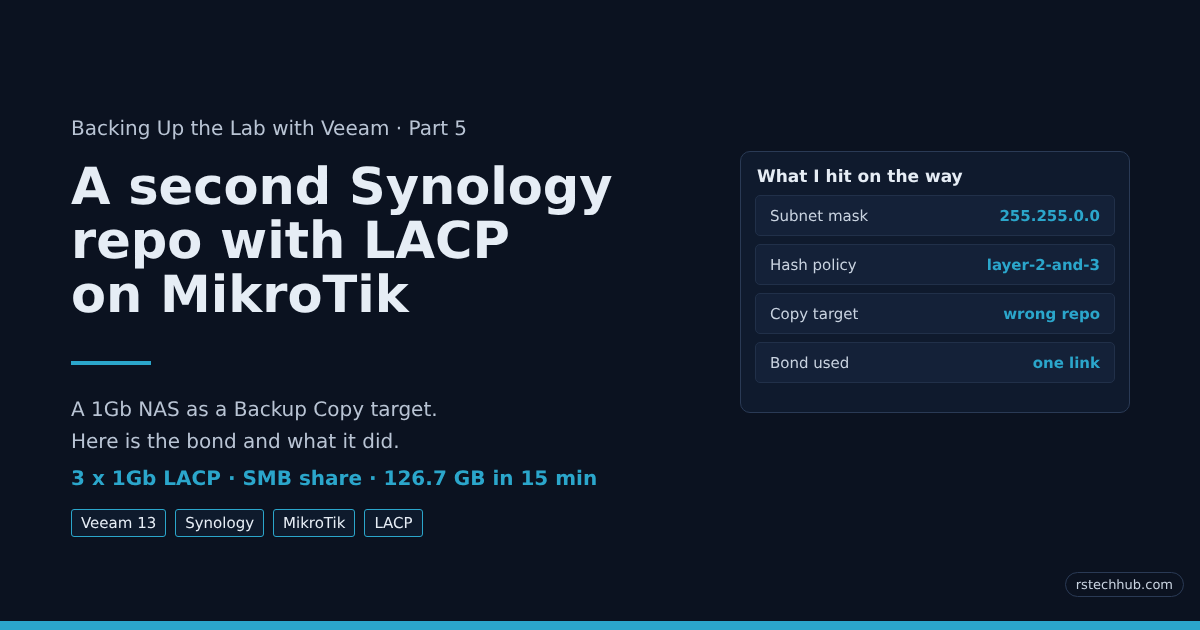
This one only has 1Gb ports. Four of them. A single 1Gb link would crawl through a first full copy, so I bonded three with LACP and expected the copy to spread across them. It did not. This post covers the MikroTik and Synology config, the Veeam setup, one subnet mask mistake, and what the switch counters showed when I ran the copy.
The lab layout
Three MikroTik switches carry everything. A CRS309 does all the routing with L3 hardware offload. A CRS326-24S+2Q+RM switches at 10Gb. A CRS326-24G-2S+RM handles out-of-band management and the new Synology. Storage traffic lives on VLAN 48 (192.168.50.0/24) with MTU 9000, and the CRS309 is the gateway and DHCP server for it.
| Link | From | To | Carries |
|---|---|---|---|
| Trunk | CRS309 sfp-sfpplus8 | CRS326-24S sfp-sfpplus24 | Tagged VLANs |
| Trunk | CRS326-24S sfp-sfpplus21 | CRS326-24G sfp1 | Tagged VLANs |
| Access | CRS326-24G ether9 | Synology LAN 1 | VLAN 48, management |
| LACP | CRS326-24G ether10, ether11, ether12 | Synology LAN 2, 3, 4 | VLAN 48, bond |
The Synology has six HDDs in SHR (21.8TB usable, one-drive protection) and two 112GB SSDs as a RAID 1 cache. LAN 1 stays outside the bond on purpose. The box is remote, and if the bond ever misbehaves I still have a way in.
MikroTik side
I took an export before touching anything, then moved the three ports out of the bridge and into an 802.3ad bond.
/export file=crs326-24g-oob-before-lacp
/interface bridge port remove [find where interface=ether10 or interface=ether11 or interface=ether12]
/interface bonding add name=bond-nas slaves=ether10,ether11,ether12 mode=802.3ad transmit-hash-policy=layer-3-and-4 mtu=9000 comment="Synology LAN2-4 LACP"
/interface bridge port add bridge=bridge-mgmt interface=bond-nas pvid=48 comment="Synology LACP"
The hash policy decides which link a connection uses. With layer-2-and-3 the switch hashes on MAC and IP addresses, so one Veeam server talking to one NAS always picks the same link. Layer-3-and-4 adds the TCP ports.
I recreated this bond when I went from two ports to three, and I never read the policy back. When I finally did, in the middle of testing, it said layer-2-and-3. I changed it with one command:
/interface bonding set bond-nas transmit-hash-policy=layer-3-and-4The bond stayed up, all three ports active. Read the policy back after you create a bond. It takes one line.
The VLAN 48 entry on the bridge did not need touching. The bond gets its untagged VLAN 48 membership from the pvid.
Synology side
I started with a two-port bond (LAN 3 and LAN 4) as a test, then wanted LAN 2 in it too. DSM would not add a port to an existing bond, so I deleted it and built a new one.
- Control Panel, Network, Network Interface, Create, Create Bond.
- Pick IEEE 802.3ad Dynamic Link Aggregation.
- Select LAN 2, LAN 3 and LAN 4. Leave LAN 1 alone.
- Use manual configuration: IP 192.168.50.20, mask 255.255.255.0, gateway 192.168.50.1, DNS 1.1.1.1.
- Enable jumbo frames, MTU 9000.
Do this from LAN 1. The repo address is gone from the moment you delete the old bond until the new one is up. When it works, the bond page shows 3000 Mbps and all three members at 1000 Mbps full duplex.
The mistake that cost me an hour
The bond came up and my own PC reached the NAS right away. The management PC on VLAN 41 could not.
The switch config was fine. The CRS309 routed VLAN 41 to VLAN 48 without trouble. The problem was one field in DSM: the bond had a subnet mask of 255.255.0.0, while LAN 1 correctly had 255.255.255.0.
With a /16, the NAS believes all of 192.168.x.x is on its own wire. A client at 192.168.40.x looks local, so the NAS never sends the reply to the gateway. It asks for that client on VLAN 48, where it does not exist, and the traffic dies. Setting the mask to 255.255.255.0 fixed it instantly.
I would have found it faster if I had compared the two interface cards side by side first. Next time I will.
Checking the bond
A link light and a ping prove very little. LACP can fail and traffic still flows on one port. The switch tells you the truth:
/interface bonding monitor bond-nas onceHere is the three-port output, with the MAC addresses masked. All three ports are in active-ports, inactive-ports is empty, and the partner system ID belongs to the Synology. That last line shows the NAS negotiated LACP.
                    mode: 802.3ad
            active-ports: ether10
                          ether11
                          ether12
          inactive-ports:
          lacp-system-id: xx:xx:xx:xx:xx:xx
  lacp-partner-system-id: xx:xx:xx:xx:xx:xx
Then a jumbo ping with the don’t-fragment bit set, from the CRS309:
/ping 192.168.50.20 size=8972 do-not-fragment count=3Replies at 8972 bytes with 0% loss mean MTU 9000 works end to end. Mine averaged about 0.9ms.
Configuring Veeam
This is the path from an empty share to a finished Backup Copy job on Veeam Backup & Replication v13. Menu wording can differ slightly between builds.
1. Prepare the share on the Synology
- Control Panel, Shared Folder, Create. Name it veeam-copy, on Volume 1.
- Leave compression off. Veeam already compresses and dedupes, so a second pass only costs CPU. Leave the Btrfs checksum on.
- Create a local user called veeam-svc and give it read/write on that folder only. I allowed it SMB access and nothing else.
- Under File Services, SMB, Advanced Settings, set the minimum protocol to “SMB2 and Large MTU” and the maximum to SMB3. The DSM list on my box had no plain “SMB3” entry for the minimum.
2. Add the repository
- Backup Infrastructure, Backup Repositories, Add Repository, Network attached storage, SMB share.
- Name: Synology-Copy. Path:
\\192.168.50.20\veeam-copy. Use the veeam-svc account. - Gateway server: I used the Veeam server itself. It has a second NIC on VLAN 48, in the same subnet as the NAS, so the copy traffic does not cross the router.
- Tick Limit concurrent tasks and set it to 4.
- Finish the wizard and let Veeam test the path.
An SMB share cannot be made immutable in Veeam. This copy protects against a dead NAS. It does not protect against ransomware that holds the share credentials.
3. Create the Backup Copy job
- Home, Backup Copy, Periodic copy.
- Objects: the nightly backup job,
lab-core-nightly. - Target: Synology-Copy, 7 restore points.
- Leave the schedule on the default.
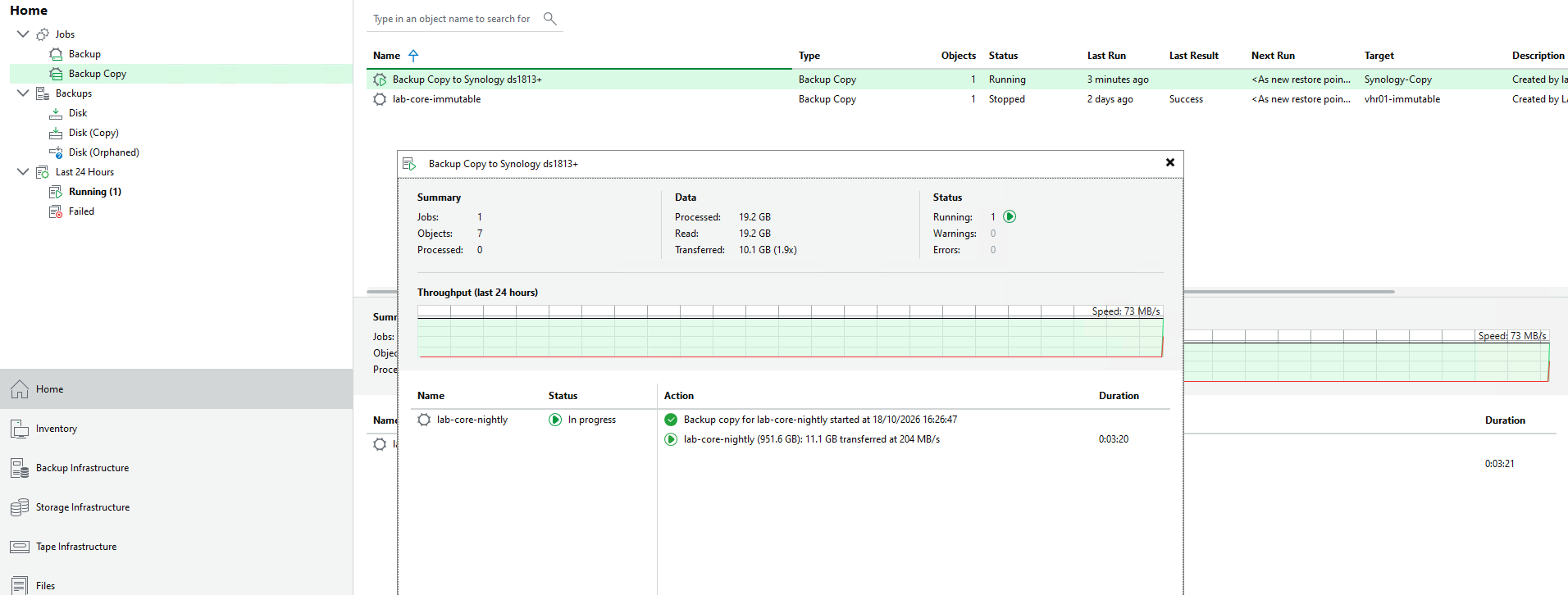
My first attempt picked the default repository, which is a folder on the Veeam server’s C: drive. I caught it when the target column in the job list read the wrong repository. Changing the target on the existing job failed with “Disable the primary job and all dependent secondary jobs before detaching the backup.” I deleted the copy job and made a new one instead, which left my primary jobs alone.
What the copy did
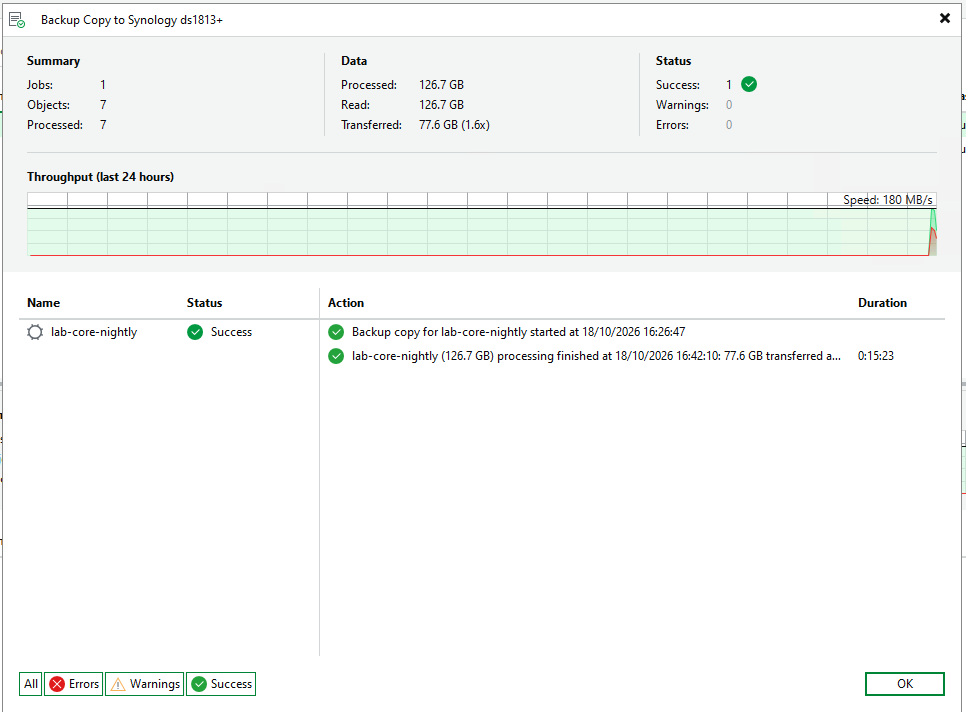
The job read 126.7 GB and sent 77.6 GB over the wire (1.6x reduction). It took 15 minutes 23 seconds. By my arithmetic from those figures that is about 137 MB/s read and about 84 MB/s sent.
I never ran a single-port baseline, so I have no clean before-and-after for the bond. What I have is the switch counters. During the copy, ether12 carried the traffic and ether10 and ether11 stayed idle. Four VMs copied in parallel and it made no difference.

My first guess was the hash policy, because the bond was on layer-2-and-3. I fixed that and ran a robocopy with 8 threads from a Windows PC on VLAN 41. Same result: ether12 only. On that PC I ran:
Get-SmbConnection
Get-SmbMultichannelConnection
Get-NetTCPConnection -RemotePort 445 -RemoteAddress 192.168.50.20
One SMB connection, no multichannel, one TCP socket (local port 61416). All eight threads shared that socket. That PC is not the Veeam server, so this shows how Windows SMB behaves, not what Veeam does. The Veeam server has its own NIC on VLAN 48, and I still need to repeat the test from it.

Two caveats on the numbers. The /interface monitor-traffic readings on ether12 were 821 Mbps, 760.9 Mbps and once 1256.5 Mbps on a port that negotiated 1 Gbps full duplex, so I use them only to show which port carried traffic. And on this CRS the copy showed in the plain tx row while the fp rows stayed at 0, so the fp rows told me nothing here.
The three-port bond gives me failover and room for several clients at once. In my tests so far it has not sped up a single copy. SMB Multichannel might, since it opens several connections, and the Veeam server has two NICs. I have not tried it yet. That will be a follow-up.
What I would repeat and what I would change
- Export the config before each change. It took ten seconds and I never needed it, which is the point.
- Test with two ports first, then grow the bond.
- Keep one port out of the bond on a remote box.
- Read the hash policy back after creating the bond.
- Check how many TCP connections your copy actually opens before you count on a bond.
- Compare the NAS interface cards line by line. The wrong mask sat there in plain sight.