
In Part 4 I took the VCF Installer wizard to a clean validation and clicked Deploy. This part covers what happened next: the bring-up itself and a first look at each console. The eighteen passwords the installer generated belong with the rest of password management, which gets its own chapter later in the series. The warnings I found on day one get their own post, Part 6.
The bring-up
The progress page splits the deployment into milestones, each with its own task list. On four R640s with the Simple / Small sizing, this is how it went:
| Milestone | Tasks | What I saw |
|---|---|---|
| Deploy vCenter | 13 | Started 14:09, done by 14:32, including the vSAN ESA datastore |
| Deploy SDDC Manager | 18 | About 20 minutes |
| Configure vSphere cluster | 132 | Quick, given the count (the list said 133 before it started) |
| Deploy and configure NSX | 97 | Done shortly after 15:15 |
| VCF Management Platform | 14 | The services runtime nodes, the slow part |
| Operations appliance | 14 | VCF Operations and its cloud proxy. These two together ran from about 15:45 to 18:30 |
| VCF Management Services | 17 | Identity broker, Salt server and Salt master, 18:30 to 19:31 |
| VCF Automation | 7 | The last one, started at 19:31 (the list said 8 until it ran) |

No task failed. The only scare came when NSX finished and the installer moved on to the management platform: the page threw a “Connectivity Issue” dialog and an HTTP error. The first task of that milestone replaces the SDDC Manager certificate, and my browser lost its session. Reload Browser brought the page back and the deployment hadn’t missed a beat. The dialog only concerns the web page, so don’t restart anything. One side effect: the Download JSON Spec button disappeared from the progress page after the reload, so download the spec before you deploy if you want it.
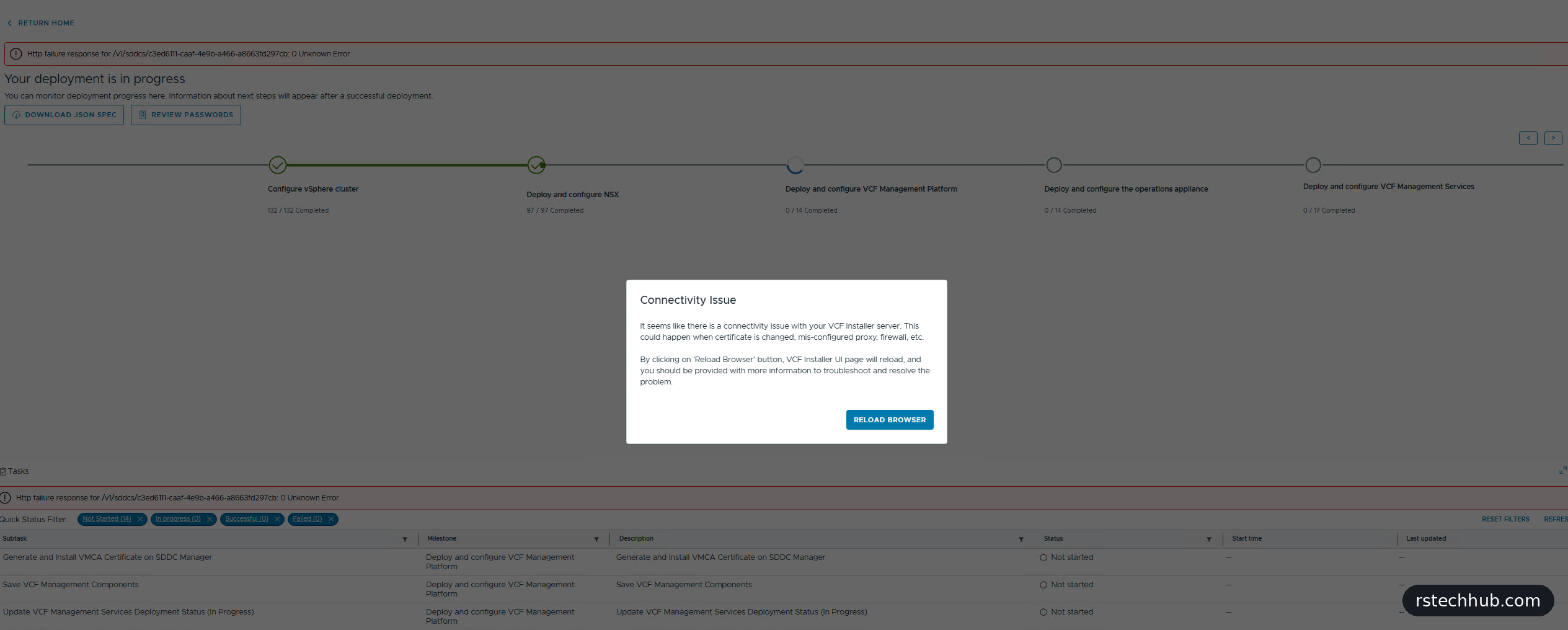
The management platform milestone can sit on “Monitor VCF Management Services Deployment Task” for a long time without the counter moving. That’s the new services runtime being built: Kubernetes nodes on the IP range from the wizard. Leave it alone.
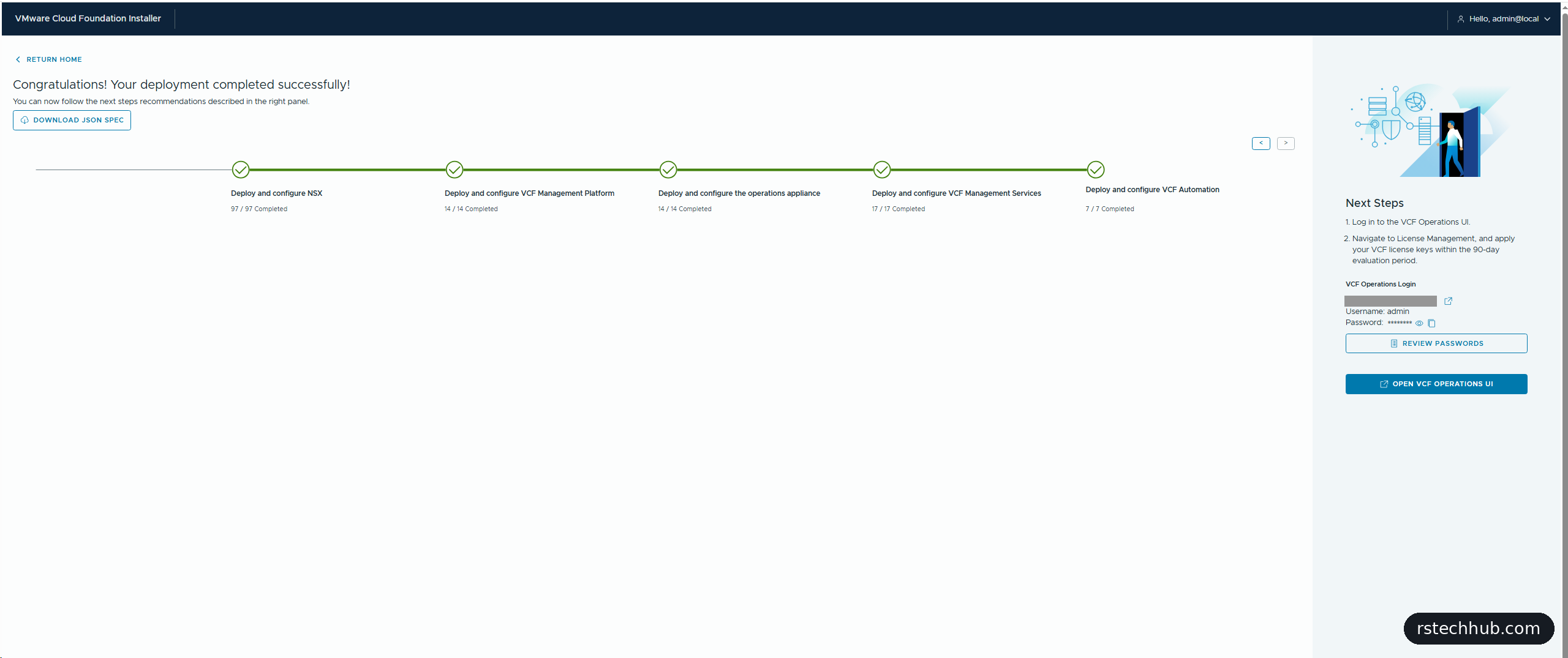
VCF Automation finished that evening and the page turned into “Congratulations! Your deployment completed successfully”, with every milestone green. The next-steps panel points you at VCF Operations to apply licences within the 90-day evaluation. SDDC Manager’s task history later filled in some of the gaps: SDDC Manager initialised at 15:08, the vSphere Lifecycle Manager image upload ran at 15:42, the first services runtime cluster was created at 15:45, ESX metadata and vendor add-ons downloaded at 17:14, and VCF Automation’s runtime cluster was created at 19:32.
First logins
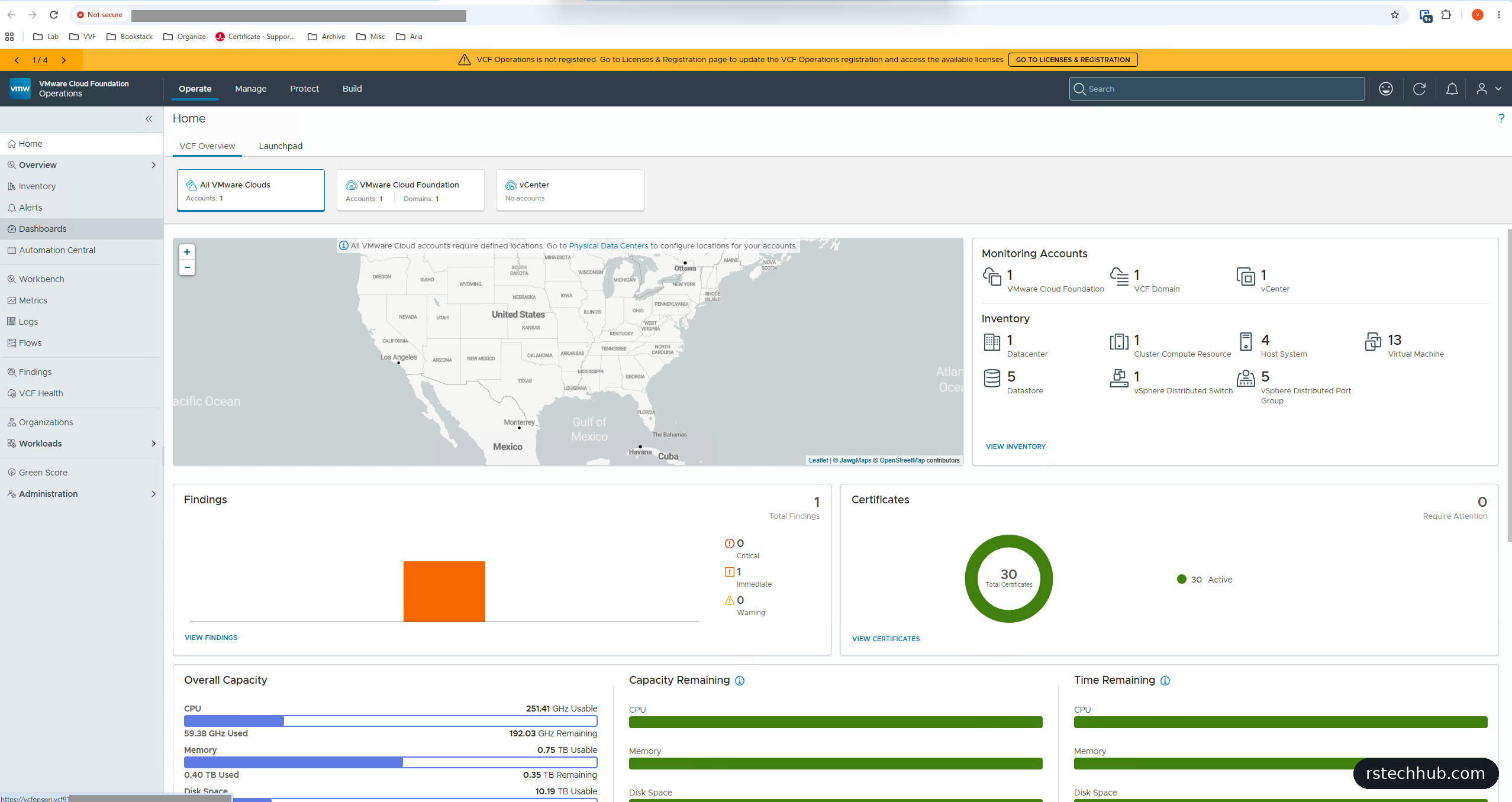
VCF Operations is the front door in 9.1. It was already monitoring the instance: one VCF domain, four hosts, the VMs, 30 certificates (all active), and capacity data. An orange banner says it isn’t registered, which is the licensing step in Part 8. It also had one finding, which I cover with the other day-one warnings in Part 6.
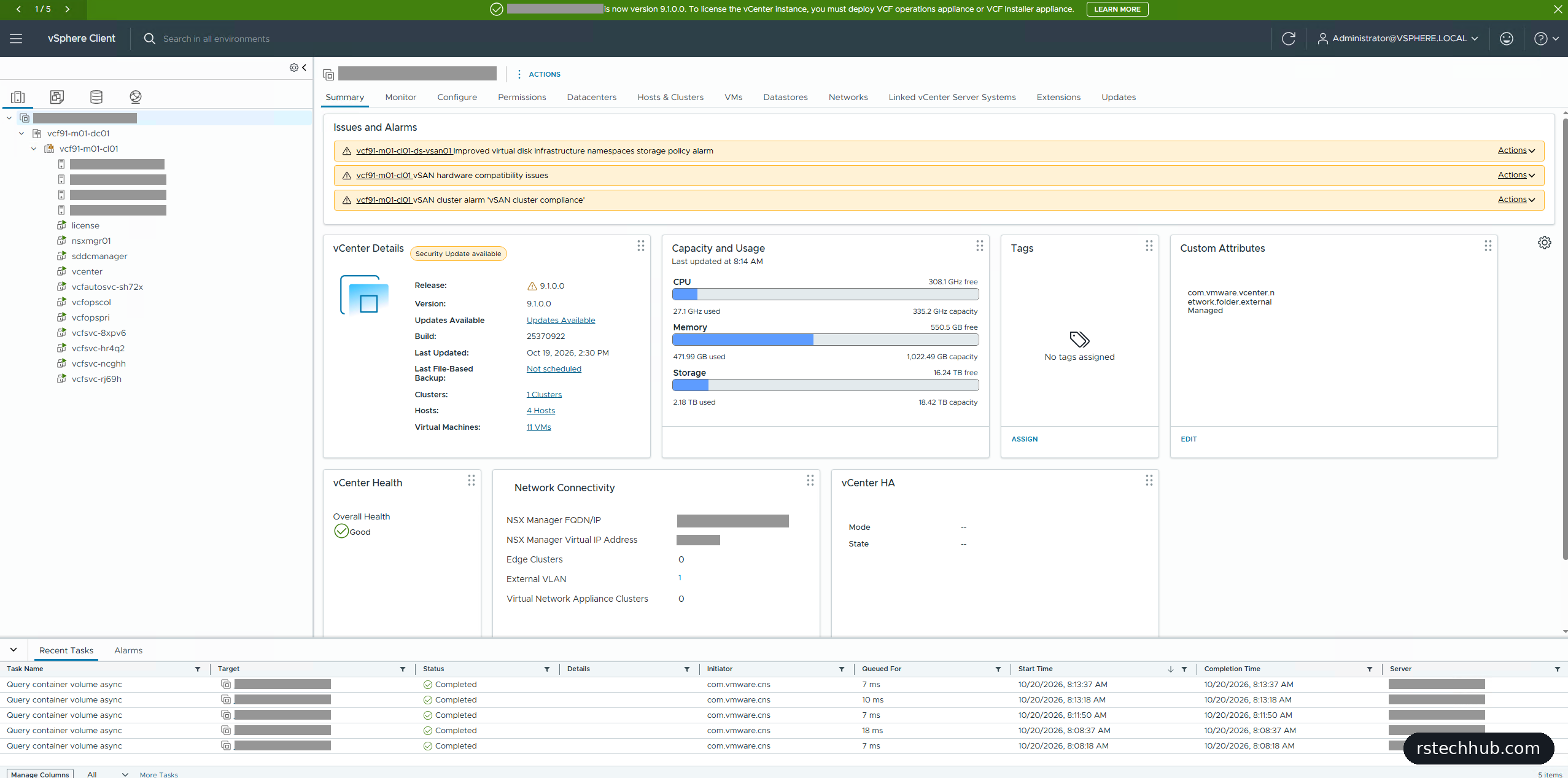
vCenter showed one cluster, four hosts and eleven VMs. Five of those are new in 9.1: four nodes for the VCF services runtime and one for VCF Automation’s own runtime. The “Security update available” label is expected, because I deployed 9.1.0.0 GA on purpose. Management uses roughly 470 GB of the 1 TB of host memory and about 2.2 TB of the 18.4 TB vSAN datastore. The summary also says “Last file-based backup: Not scheduled”, which Part 7 fixes.
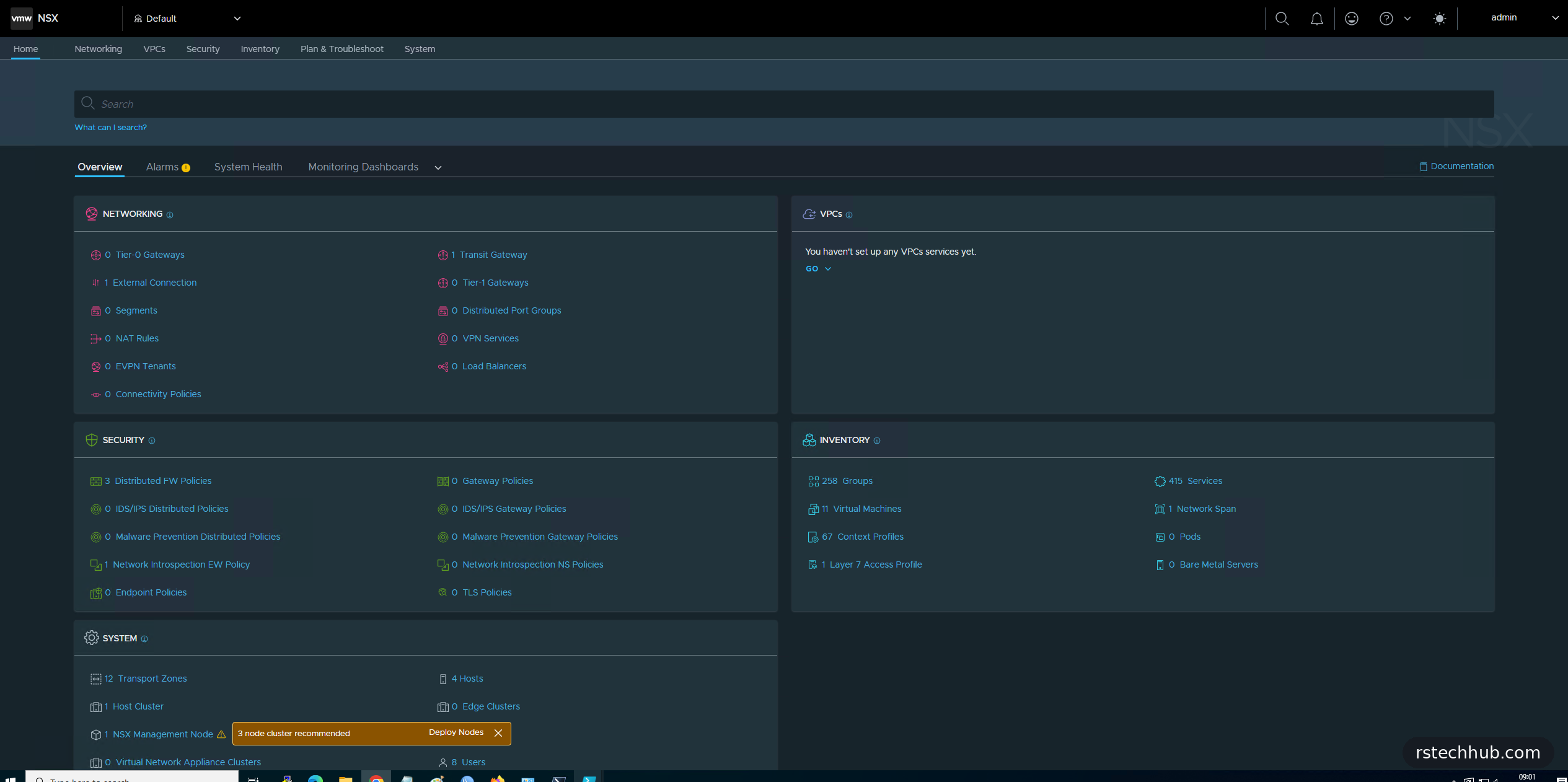
NSX shows exactly what the distributed transit gateway option promised: one transit gateway, one external connection, and no Tier-0, Tier-1 or edge clusters. VPCs can work without edges. A banner next to the single NSX Manager recommends a three-node cluster, which is expected in the Simple model.
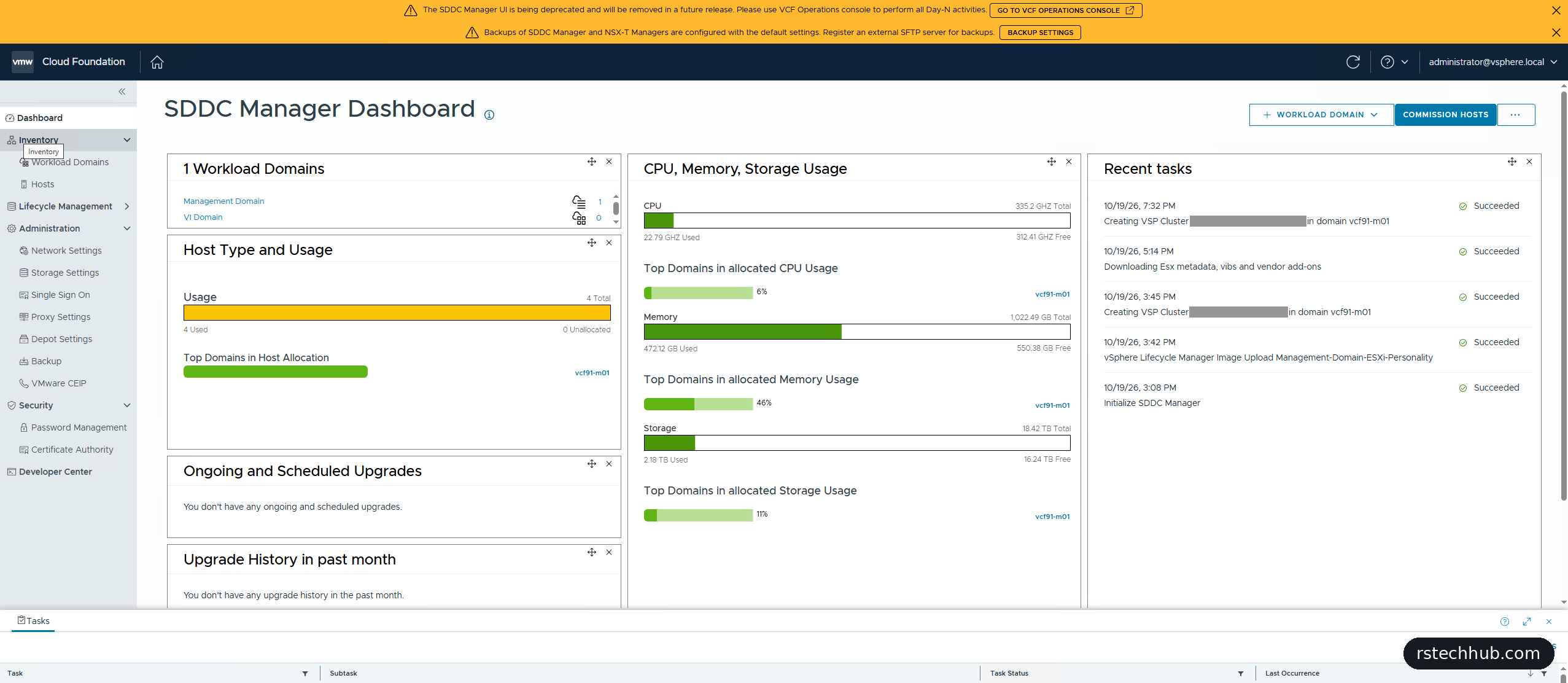
SDDC Manager surprised me. Its address now sends you to the vCenter sign-in page, and after logging in with the SSO administrator you land back on the SDDC Manager dashboard. A banner says the UI is deprecated and will be removed, with day-N work moving to VCF Operations. For now it still holds backup settings, password management, depot settings and the certificate authority. A second banner warns that SDDC Manager and NSX backups are still on default settings, which is where Part 7 starts.
What’s next
The management domain is up and every console answers. Part 6 works through the day-one warnings, grouped by component. Then Part 7 sets up backups to my Synology over SFTP, and Part 8 covers licensing with VMUG Advantage.