
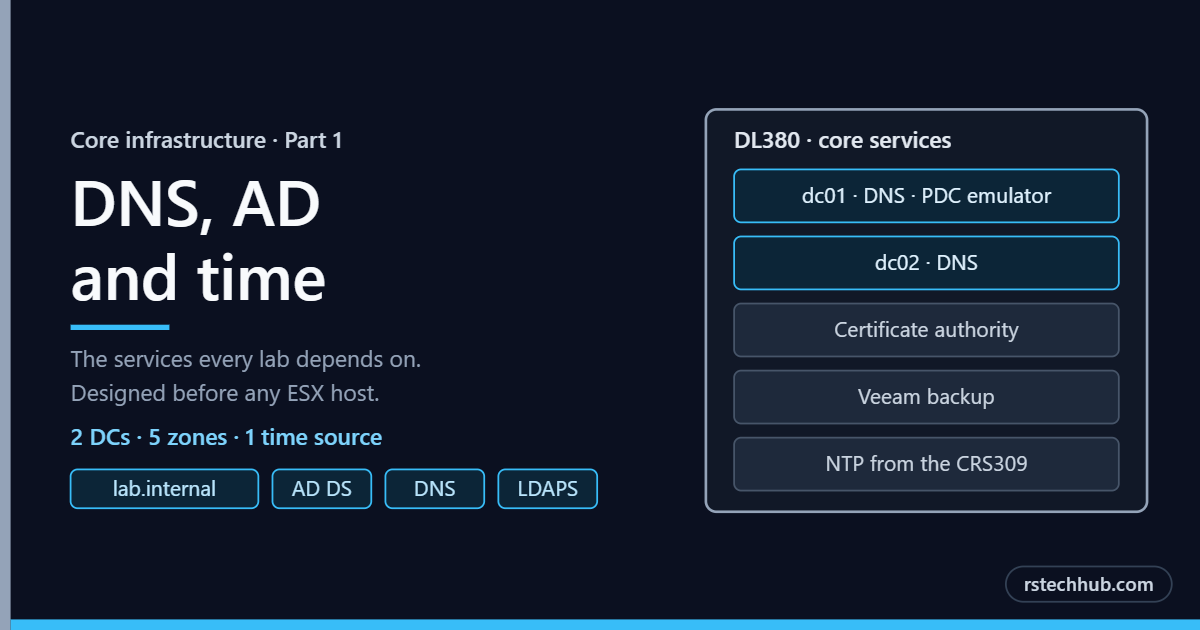
Every lab I run resolves names, authenticates and keeps time through the same small set of services. Before a single ESX host gets installed, those services have to be designed properly. This post is the design: where the domain controllers live, which DNS zones exist, how time flows, and how every lab address is allocated. The build follows from Part 2 onwards.
It sits alongside the VCF 9 Lab, Part 1: The MikroTik Network, which covers the VLANs these services live on.
Why this comes first
The VCF Installer validates forward and reverse DNS for every host and appliance, and checks that time is in sync, before it builds anything. Get either wrong and the deployment stops at validation. The same applies to the nested VCF 9.1, VVF and legacy VCF 5.x labs, so these services are shared rather than rebuilt per lab.
Placement: the DL380 management host
Both domain controllers run on the HPE DL380 Gen9, next to the other management VMs. The rule is simple. The services a VCF domain depends on must never run inside that domain, or it can never start cleanly after a full shutdown.
| VM | Role |
|---|---|
| dc01 | Domain controller, DNS, PDC emulator |
| dc02 | Domain controller, DNS |
| Lab vCenter | Manages the lab hosts and nested environments |
| Certificate authority | Issues the LDAPS and appliance certificates |
| Veeam | Backup, including both domain controllers |
| VCF Installer | Deploys the VCF fleet |
The trade-off is that the DL380 becomes a single point of failure. If it goes down, DNS disappears for every lab. For a lab I accept that, with three mitigations:
- Veeam backs up both domain controllers, so a restore is quick.
- The CRS309 stays a known-good fallback resolver for internet names.
- Longer term, dc02 moves to an R740xd so the two controllers never share a host.
DNS zones
The domain is lab.internal. ICANN reserved .internal in 2024 for private networks and will never delegate it on the public internet, so the lab can be torn down and rebuilt as often as I like without touching a real domain, and nothing inside it can shadow a public name.
Each lab gets its own forward zone. That keeps names readable, lets a lab be torn down by deleting one zone, and means the same short name (vcenter, for example) can exist in every lab without a clash.
| Zone | Type | Used by |
|---|---|---|
| lab.internal | Forward, AD-integrated | The AD domain and core services |
| vcf9.lab.internal | Forward, AD-integrated | Physical VCF 9.0 management domain (R640 ×4) |
| vcf91.lab.internal | Forward, AD-integrated | Nested VCF 9.1 lab |
| vvf9.lab.internal | Forward, AD-integrated | VVF 9 lab |
| vcf5.lab.internal | Forward, AD-integrated | Legacy VCF 5.x lab |
| Management VLAN reverse zone | Reverse, AD-integrated | PTR records for every lab host and appliance |
| NFS VLAN reverse zone | Reverse, AD-integrated | PTR records for the storage network |
Zone settings, the same across all of them:
- AD-integrated and replicated forest-wide, so both controllers hold every zone.
- Secure dynamic updates only.
- Scavenging off. Every lab record is static, and I never want a VCF appliance record aged out.
- Forwarders to public resolvers for every name outside the lab zones.
The address plan
Four labs share one management /24, so every range is allocated up front in a single file: core services at the bottom, one contiguous block per lab, and every pool that VCF manages for itself reserved with no DNS records so nothing else can take it. DHCP sits at the very top of the subnet.
Putting every lab in one file showed that most of the nested 9.1 block sat inside the old DHCP range. Moving the pool to the top of the subnet fixed it without renumbering anything.
Time
Time flows from one source. The CRS309 syncs to uk.pool.ntp.org and serves NTP to the lab. The PDC emulator (dc01) syncs from it, the other controller follows the domain hierarchy, and the ESX hosts and VCF appliances point at the CRS309 directly. Everything ends up on the same clock.
On dc01:
w32tm /config /manualpeerlist:"<router-ip>,0x8" /syncfromflags:manual /reliable:yes /update
Restart-Service w32time
w32tm /resync /force
On dc02:
w32tm /config /syncfromflags:domhier /update
Restart-Service w32time
Adding the lab records
All the lab records go in with one PowerShell script run on dc01. It creates any missing zones, adds each A record with its PTR, skips anything that already exists instead of overwriting it, and finishes by checking every name in both directions.
Any line that ends in CHECK instead of OK gets fixed before the VCF Installer is anywhere near the network.
Preparing AD for VCF
vCenter 9 no longer supports Integrated Windows Authentication, so Active Directory is connected over LDAPS. That needs three things in place:
- A dedicated, non-privileged service account for the LDAP bind.
- Security groups for VCF administrators and read-only operators, so access is granted by group rather than per user.
- LDAPS on both controllers, using certificates issued by certsrv01, and the CA certificate exported for the VCF identity source.
Validation checklist
Before moving on to the hosts, all of these have to come back clean:
dcdiag /q                        # no errors
repadmin /replsummary            # 0 failures
Resolve-DnsName <appliance-fqdn> # returns its IP
Resolve-DnsName <appliance-ip>   # returns its FQDN
w32tm /query /status             # source is the router or dc01
w32tm /monitor                   # offsets in milliseconds
Part 2 documents the DL380 core host these services run on. Parts 3 and 4 build and promote dc01 and dc02 and work through this checklist on real output, and Part 5 adds the certificate authority and LDAPS.