
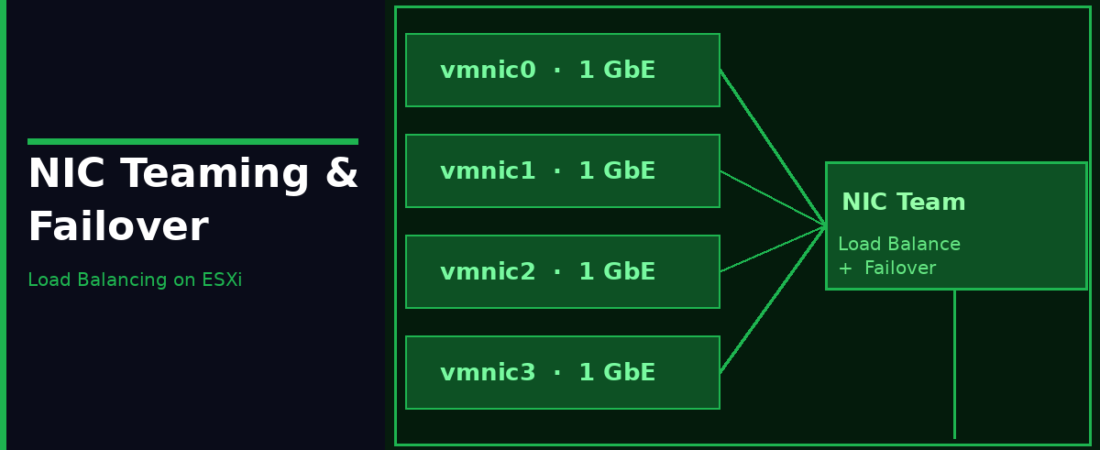
NIC teaming is one of those topics where people often set it and forget it, usually leaving the default and hoping for the best. That works fine until something goes wrong, or until someone asks you why one of four NICs is handling 90% of the traffic while the others sit idle. Understanding the load balancing algorithms and when to use each one makes a real difference, both for performance and for building a resilient network.
What NIC Teaming Does
NIC teaming on ESXi lets you assign multiple physical NICs (uplinks) to a single virtual switch. The switch distributes traffic across those uplinks according to whatever load balancing policy you’ve configured, and automatically fails over to a working adapter if one goes down. Two key goals: more bandwidth capacity, and redundancy. A single VM’s flow still only uses one uplink at a time, the distribution happens across multiple VMs.
Load Balancing Algorithms
Route Based on Originating Virtual Port (Default)
Each VM’s virtual port is assigned to an uplink when the VM powers on, and stays on that uplink until something changes (failover, explicit migration). The assignment is based on virtual port ID modulo the number of active uplinks, not dynamic. A heavily loaded VM doesn’t automatically move to a less busy uplink.
Works with: Standard VLAN trunks, no special physical switch configuration needed.
Limitation: Uneven distribution if VMs have very different traffic patterns.
Route Based on IP Hash
Calculates which uplink to use based on source and destination IP addresses. Different flows to different destinations can use different uplinks, which is the only algorithm that can provide true per-flow load distribution.
Critical requirement: The physical switch must be configured with Static EtherChannel only on the ports connected to your ESXi uplinks. Without this, the physical switch sees MAC address flapping and puts the port in an error state. Also, all uplinks must be Active (no Standby), and failover detection must be Link Status Only.
# Check current load balancing policy on vSS
esxcli network vswitch standard policy failover get --vswitch-name=vSwitch0
Route Based on Source MAC Hash
Selects the uplink based on source MAC address. Similar to originating virtual port but uses MAC rather than port ID. Rarely preferred, originating virtual port is usually better. Some older environments use this for compatibility.
Route Based on Physical NIC Load (VDS Only)
Starts as originating virtual port routing but monitors actual uplink utilisation. If an uplink is overloaded, the VDS dynamically moves some virtual ports to less-loaded uplinks. Best option when you have uneven VM traffic patterns and want automatic self-correction. Check interval is 30 seconds by default. Requires a Distributed Switch (VDS), which is bundled natively inside modern VVF and VCF subscription packages.
Use Explicit Failover Order
No load balancing, you specify Active and Standby uplinks in order. Traffic uses Active uplinks only. If all Active uplinks fail, it falls over to the first Standby. Use this when you want deterministic control: management VMkernel always on vmnic0, falling back to vmnic1 only on failure.
Failover Detection Methods
Link Status Only
Monitors physical link state. If the NIC loses its link, ESXi immediately fails over. Fast and simple, but can’t detect failures further upstream, a working physical link to a switch that lost its uplink looks fine here.
Beacon Probing
ESXi sends beacon frames on all uplinks and listens for them on all other uplinks. Can detect failures that Link Status alone misses, like a switch losing its upstream connection while the physical link to the host stays up. Three or more uplinks are recommended for reliable failure detection (two is the minimum). Beacon Probing must only be paired with “Originating Virtual Port” or “Source MAC Hash” — it is strictly unsupported with “Route Based on IP Hash” or “Route Based on Physical NIC Load (LBT)”. Those algorithms’ out-of-order routing conflicts with beacon frame listening and will produce unreliable failover behaviour.
Active, Standby, and Unused Uplinks
- Active. Used for traffic normally
- Standby. Not used until an Active uplink fails
- Unused. Excluded from this port group (available for other port groups)
A common 4-NIC traffic separation pattern:
Management Port Group:  Active: vmnic0  Standby: vmnic2  Unused: vmnic1, vmnic3
vMotion Port Group:     Active: vmnic1  Standby: vmnic3  Unused: vmnic0, vmnic2
VM Traffic Port Group:  Active: vmnic2, vmnic3  Standby: vmnic0, vmnic1
Failback
When a failed Active uplink comes back online, Failback controls whether traffic automatically moves back to it. Default is Yes, traffic moves back when the link recovers. Setting to No means traffic stays on the failover uplink until you manually intervene, which can be useful in environments where links bounce frequently.
Quick Decision Guide
| Load Balancing Mode | Physical Switch Config | Notes |
|---|---|---|
| Originating Virtual Port | None required | Default, simple, one uplink per VM |
| IP Hash | Static EtherChannel required (Dynamic LACP requires VDS LAG) | True per-flow distribution |
| Source MAC Hash | None required | Rarely preferred over virtual port |
| Physical NIC Load | None required | VDS only, dynamic rebalancing |
| Explicit Failover | None required | No LB, deterministic active/standby |