
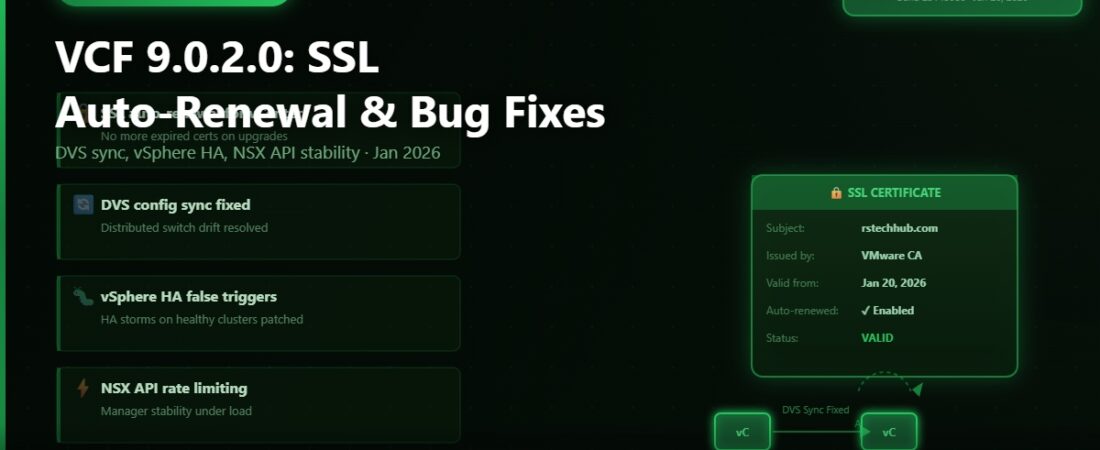
VMware Cloud Foundation 9.0.2.0 dropped on 20 January 2026. No CVEs this time, which is a nice change of pace from 9.0.1.0. What you do get is a set of operational improvements, some genuinely useful new automation for SSL certificates, and a solid round of bug fixes that address a few pain points I’d been seeing reported in the community since the initial 9.0 launch.
Let me walk through what changed and why some of it actually matters in practice.
SSL Certificate Auto-Renewal
This is the headline feature for 9.0.2.0, and it’s one of those things you don’t appreciate until you’ve dealt with an expired VMCA certificate at 2am.
Starting with this release, vCenter will automatically renew its own VMCA-signed certificate when there are fewer than 5 days remaining before expiry. The renewed cert is valid for 2 years. ESXi hosts get the same treatment, but with slightly different thresholds — auto-renewal kicks in when fewer than 10 days remain, and the new certificate is valid for 5 years.
In my lab I’ve had a couple of situations where I let VMCA certs slide past their expiry date during extended lab shutdowns. The resulting error chain when vCenter tries to reconnect to ESXi hosts after a long gap is genuinely unpleasant to unwind. Auto-renewal won’t save you if your environment is powered off for months, but for production environments that run continuously, this removes a whole category of preventable outages.
The auto-renewal runs as a background task managed by vCenter. You don’t need to configure anything. It’s on by default in 9.0.2.0 and will start working immediately after upgrade.
Default Supervisor Control Plane Backup in VAMI
If you’re running vSphere with Tanzu (the IaaS control plane that ships with VVF and VCF), you’ll notice a new default behaviour in the vCenter Appliance Management Interface. Supervisor Control Plane backup is now enabled by default when you configure a Supervisor. Previously you had to remember to turn this on manually, and based on the number of “how do I recover my Supervisor” posts I’ve seen in the community, a lot of people didn’t.
The backup data goes to an NFS or vSphere datastore endpoint you specify. If you’re already running VAMI-based vCenter backups, check that your storage target has enough room for the additional Supervisor state data.
Bug Fixes Worth Knowing About
The fix list in 9.0.2.0 is shorter than 9.0.1.0 but the individual items are more targeted. Here are the ones most likely to affect you.
SSO OAuth 2.0 client credentials — vCenter SSO was expiring OAuth 2.0 client credentials after 90 days as part of the standard rotation cycle, but the re-issue process was failing silently in some configurations. The result was authentication failures for API clients and integrations that relied on OAuth 2.0 tokens. If you’ve seen unexplained 401 errors from automation scripts around the 90-day mark since upgrading to VCF 9.0, this is the fix you’ve been waiting for.
vpxd crash on parallel VMODL2 API calls — The vCenter management daemon (vpxd) was crashing under certain race conditions when parallel VMODL2 API calls were issued simultaneously. This was intermittent and hard to reproduce, but environments with heavy API automation — Terraform providers, Ansible playbooks running concurrently, custom integrations — were more likely to hit it. The fix improves locking around the affected code paths.
Distributed Virtual Switch port-to-host sync — DVS port-to-host associations were getting out of sync after certain host maintenance operations. The practical symptom was port groups appearing assigned correctly in the vSphere Client but not being enforced on the host, which showed up as VMs on the wrong VLAN or VMs that couldn’t communicate despite apparently being on the same network. This was particularly tricky to diagnose because the UI looked fine. Fixed in 9.0.2.0.
HPE hosts and DPM — If you’re running HPE hardware and use Distributed Power Management, you may have noticed DPM was taking 40 or more extra minutes to bring hosts back online after a power-off event, specifically when IPMI/DCMI over LAN was disabled. The fix makes the power-on path time out appropriately and fall back to alternative wake mechanisms instead of waiting indefinitely for an IPMI response.
Container volumes disappearing from CNS — Environments using vSphere CSI and Cloud Native Storage were hitting a case where persistent volume claims would show as lost in Kubernetes after all hosts in a cluster were removed and readded. The CNS volume registration was not being rebuilt correctly during the host re-add process. This is now handled properly.
ELM false replication alarm — Enhanced Linked Mode was generating spurious replication alarms when certain object types were deleted from one vCenter in a linked mode group. The objects were deleted correctly, but ELM was treating the deletion event as a replication failure. That alarm noise is gone.
Tag-based VM Storage Policy via REST API — The vCenter REST API endpoint for creating VM Storage Policies with tag-based placement rules was returning errors even with valid input. PowerCLI and the vSphere Client were unaffected because they use different code paths, but if you were creating storage policies through the REST API directly (or through tools that rely on it), this broke things. The fix brings the REST API into line with the other access methods.
Bill of Materials — VCF 9.0.2.0
Full component versions for this release are below. The jump in vCenter and ESXi build numbers from 9.0.1.0 reflects both the bug fixes and the SSL auto-renewal work.
| Component | Version | Build |
|---|---|---|
| ESXi | 9.0.2.0 | 25148076 |
| vCenter Server | 9.0.2.0 | 25148086 |
| NSX | 9.0.2.0 | 25150386 |
| SDDC Manager | 9.0.2.0 | 25151285 |
| VMware Tools | 13.0.10 | 25056151 |
| VMware Remote Console | 13.0.2 | 25127503 |
| VMware Live Recovery | 9.0.5 | 25103105 |
| Data Services Manager | 9.0.2.0 | 25094784 |
Getting the Update
Same process as 9.0.1.0 — download bundles from the Broadcom Support Portal, import into SDDC Manager’s depot, and run the LCM upgrade workflow. The bundle set includes SDDC Manager, ESXi, vCenter, and NSX.
One thing to be aware of: if you’re jumping from 9.0 directly to 9.0.2.0 without going through 9.0.1.0 first, check the upgrade path documentation on Broadcom TechDocs. Some VCF releases support skip-level upgrades within the same major version; some don’t. As of writing, the supported path for 9.0 environments is sequential (9.0 to 9.0.1.0 to 9.0.2.0), but confirm this against the current release notes before you start.
For maintenance window planning, budget similar time to 9.0.1.0 — around 3 to 4 hours for a standard management domain, with NSX adding time based on host count. The SSL auto-renewal feature activates immediately after the vCenter upgrade step completes. You’ll see it in the certificate management section of VAMI.
Release notes are on Broadcom TechDocs if you want the full list of fixes.
VMware Cloud Foundation 9.0.2.0 Release Notes — Broadcom TechDocs