
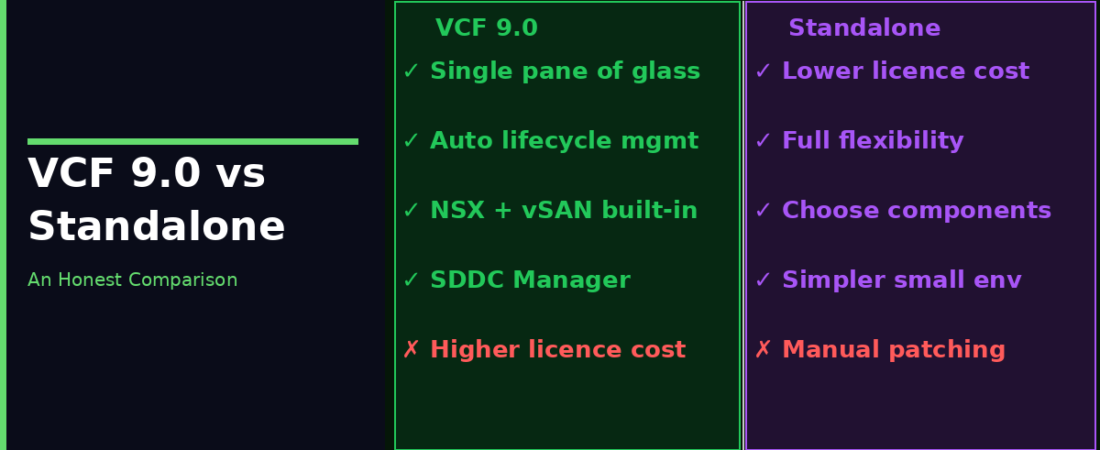
Every VMware infrastructure environment is built on vSphere, and many enterprise deployments also include vSAN and NSX. The question isn’t whether you need those three products, you probably do. The question is whether you let Broadcom bundle and manage them as VCF, or whether you handle the integration, lifecycle management, and operational tooling yourself.
I get asked this question a lot: is full VCF actually worth it, or can we just run VVF and bolt things on? Honest answer: it depends. But it’s a more nuanced question than it looks, and the licensing changes make it even more interesting now.
I’ve seen both approaches work and both approaches fail. Here’s an unvarnished look at where each one has the edge.
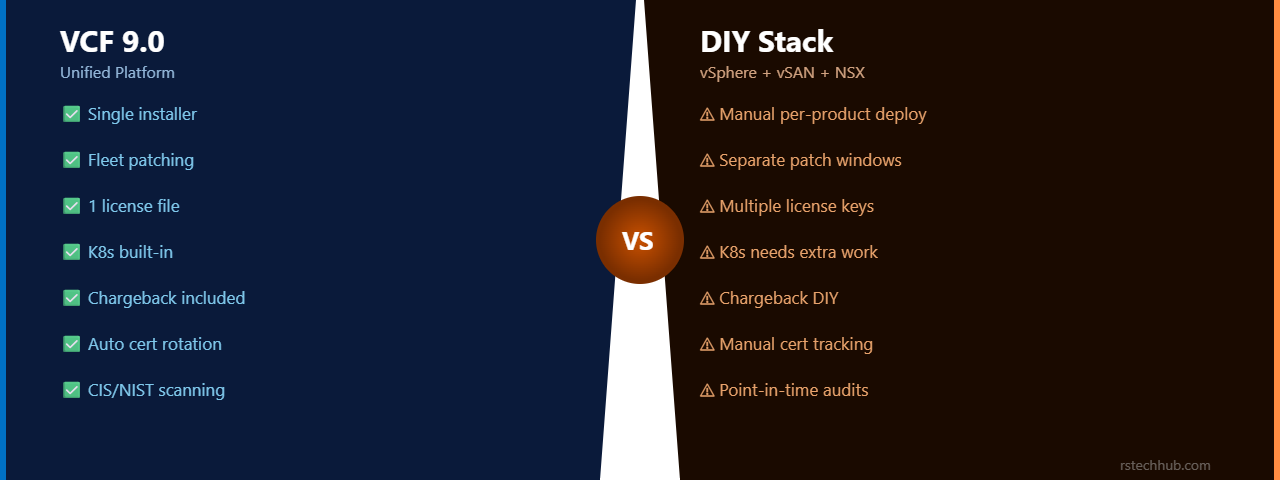
The Side-by-Side Breakdown
| Area | VCF 9.0 Platform | vSphere Foundation (VVF) + Add-ons |
|---|---|---|
| Day-0 Deployment | VCF Installer, full stack in hours, validated interoperability at deployment | Manual per-product deployment; interoperability testing falls to your team |
| Patching & Upgrades | Fleet-wide from one console, pre-checks, phased rollout across all components | Per-product, separate maintenance windows, manual sequencing |
| Licensing | Single license file covers the full stack | Single VVF subscription, with NSX or advanced storage as unified capacity add-ons. Standalone à-la-carte product keys are no longer sold by Broadcom |
| Kubernetes | Integrated vSphere with Tanzu (TKG) with GitOps support and compatibility with Argo CD-based workflows and compatibility with Argo CD-based workflows, allowing Kubernetes and VMs to share the same infrastructure platform | Manual Tanzu install or external K8s cluster alongside vSphere |
| Cost Visibility | Integrated showback and chargeback capabilities through VCF Operations when configured | Aria Operations is included in the base VVF subscription, but requires manual setup to build custom multi-tenant showback dashboards |
| Security Compliance | Continuous compliance assessment against CIS and NIST frameworks, with remediation guidance and automated remediation for selected configuration drift | Point-in-time audits, manual remediation, separate tooling |
| Certificate Management | Centralized certificate lifecycle management with automated handling of supported platform certificates | Manual per-component cert tracking, a common audit finding |
| Multi-Site Ops | Fleet management, one console, consistent policy across sites | Each site managed independently, configuration drift inevitable |
| Platform Cost | Depending on licensing entitlements and deployment size, VCF may represent a higher software investment than managing products separately, while reducing operational overhead | Lower per-product licensing cost at smaller scale |
| Flexibility | Prescriptive, you work within VCF’s design decisions | Full control, configure each product exactly as needed |
Where VMware Cloud Foundation 9.0 Provides the Greatest Value
Operational Scale
The argument for VCF gets stronger with every host you add. In many environments, once infrastructure grows beyond approximately 50–75 hosts (especially once you add multiple sites) the operational overhead of managing each product independently becomes significantly more noticeable. Coordinating patch schedules, certificate renewals, and configuration drift across separate products becomes a real FTE cost. VCF Operations handles that coordination automatically, which translates directly to headcount at scale.
Compliance-Heavy Environments
For teams regularly audited against CIS, NIST, or a regulated framework, the continuous compliance scanning in VCF 9.0 can significantly reduce the effort required for audit preparation. Automated remediation for selected drift items means common findings get closed before they reach an auditor rather than after. For organizations where a failed audit carries financial or reputational consequences, that shift in operational model is worth evaluating carefully against the platform cost.
Developer Self-Service at Scale
When your infra team spends meaningful hours each week processing VM provisioning requests and Kubernetes namespace tickets, VCF Automation’s self-service catalog and API surface can significantly reduce operational effort and improve provisioning times. The infra team sets policy once; developers self-serve within it. At 500+ VMs, that’s a meaningfully different staffing equation than managing access to vCenter directly.
Where a VVF-Based Deployment Still Makes Sense
Considering an Existing Brownfield Environment
Organizations with mature vSphere environments should factor in the effort required to transition into VCF. Existing operational processes, networking designs, and lifecycle practices may already be well established and working reliably. While VCF provides long-term operational benefits, the migration effort (including potential networking redesign and staff retraining) should be evaluated alongside licensing and infrastructure requirements. This doesn’t disqualify VCF; it just means the decision deserves a realistic project scoping conversation before it’s made.
The Decision Framework
The real question is whether your operational scale, compliance requirements, and developer experience expectations justify the platform investment. Answer yes to two or more of the following and VCF 9.0 is likely worth evaluating:
Do you run more than 75 hosts? Do you have more than one site? Are you regularly audited for security compliance? Do developers raise infrastructure requests that take more than 24 hours to fulfill? Are you planning to run Kubernetes workloads alongside VMs? Are you evaluating moving AI/GPU workloads on-premises?
If most of those are no, your independently managed stack may serve you well for some time, and the licensing delta is better spent on capacity.
VMware Cloud Foundation 9.0 isn’t the right choice for every environment, and that’s perfectly reasonable. Smaller deployments with experienced administrators may continue to benefit from managing products individually. As environments grow in scale, complexity, or compliance requirements, however, the operational efficiencies provided by VCF become increasingly compelling. The decision should be based on operational goals, staffing, and long-term strategy rather than licensing cost alone.