
If you work with VMware Cloud Foundation, NSX, or vSAN in production, VMware Explore in Las Vegas is the one event where you can get your questions answered by the people who built the platform. Not the marketing team — the engineers. That alone makes the trip worth serious thought.
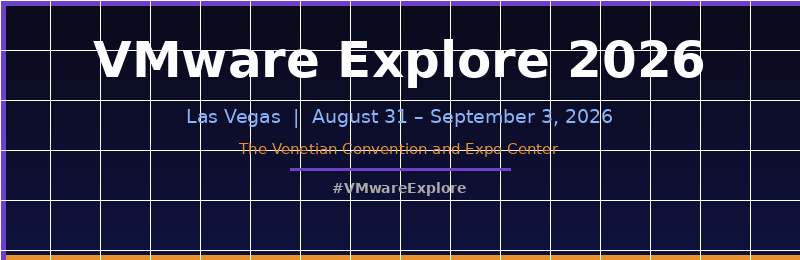
VMware Explore Las Vegas 2026 runs August 31 – September 3 at The Venetian Convention and Expo Center. Registration is open now at vmware.com/explore/us.
Why 2026 Is a Better Year to Attend
Last year the event was heavy on roadmap previews — lots of “here’s what’s coming in VCF 9.x.” This year is different. VCF 9.1 went GA in May 2026, which means by the time August rolls around, sessions will be full of people who have actually run the platform in production for several months. That’s a different kind of knowledge than what documentation gives you.
A polished demo shows you the happy path. A breakout session three months after GA is where someone finally admits what broke at 2 AM during a maintenance window and how they worked around it. The 2026 agenda leans hard toward the second kind.
What’s on the Agenda
Broadcom has organised the content catalog around four official tracks: Cloud Infrastructure, Security, App Modernization, and Innovation. There will be hundreds of technical sessions, Hands-on Labs, expert roundtables, Quick Talks, and certification opportunities throughout the week.
If you are running VCF in production, these are the areas worth building your schedule around.
VCF 9.1 Operational Maturity
Live patching is one of the bigger operational wins in 9.1. Broadcom is claiming up to 80% of patch cases handled without host evacuation — no maintenance window, no vMotion storm, no 2 AM wake-up for a routine patch. Even if your estate lands at 60%, that’s a genuine change to your operations calendar. Sessions at Explore will be the first place to hear from practitioners who have stress-tested this in the real world, not in a demo lab.
Parallel cluster upgrades now support a much higher ceiling and run roughly four times faster than previous versions. For large estates, the math here matters — multi-weekend upgrade cycles should compress considerably, driven by your slowest cluster rather than serialization overhead.
NVMe memory tiering is new in 9.1. Hot data stays in DRAM, colder pages offload to NVMe. Broadcom puts a ~40% server TCO reduction figure on it. That number deserves healthy scepticism until you hear it defended by someone who ran it against a real memory-bound workload — which is exactly what Explore is built for. This is one to corner an engineer on.
VCF now scales to 5,000 ESX hosts per instance, double what was supported in 9.0. Irrelevant in smaller environments, but a meaningful instance-consolidation story for large estates — fewer endpoints, fewer certificates, fewer upgrade cycles. Just remember a larger blast radius cuts both ways.
Storage: vSAN Gets Meaningful Updates
Global dedup and enhanced compression in vSAN 9.1 runs continuously in the background and works in encrypted environments, with a claimed ~39% storage TCO reduction. If you are already on vSAN ESA, this is a software upgrade away from real capacity headroom without touching hardware.
vSAN replication now works from any source — VMFS, NFS, or vSAN — into a vSAN target. vSAN for Recovery ties deep snapshots to integrated replication for DR and ransomware recovery scenarios. If you have been stitching together DR workflows from multiple tools, this is worth a close look.
Networking and Security
Hardware-offloaded encrypted vMotion uses Intel QuickAssist to handle the crypto work, with claims of roughly 70% CPU savings during migrations. The practical upshot is that encrypted vMotion finally gets cheap enough to leave on as a default rather than something you toggle only for sensitive workloads.
vDefend is scaling significantly — multi-terabit threat inspection per instance, more application IDs, and distributed IDS/IPS now extending to Kubernetes workloads. If you run VM and container workloads side by side, this closes a visibility gap that has been there since VKS arrived.
Kubernetes and Modern Apps
VKS now scales to 500 clusters per Supervisor, and live application-stack blueprints let you turn a running multi-VM application into a reusable template. CrowdStrike Falcon clean-room recovery is also new — recovered workloads get scanned in isolated environments before returning to production, which matters if you have ever wondered whether your “clean” backups were actually clean.
Pass Types — Choose Carefully
There are three pass tiers in 2026 and the differences are real.
The Full Event Pass covers everything: the plenary keynote, all breakout sessions, Hands-on Labs, certifications, The Party, The Hub, event meals, and a complimentary VCF certification exam voucher. That voucher makes the pass worth calculating — VCF certs are not cheap, and getting one included is a solid deal if you have been meaning to certify. This is the pass for anyone who plans to actually use the conference rather than just attend it.
The Essentials Pass gives you breakout sessions, exhibitor access, business meetings, the plenary, and The Hub — no labs, no cert voucher, no event meals. It works if your budget is tight but you still want session access and floor time.
The Meetings+ Pass is built for partners and vendor-facing roles: The Hub, Community Sessions, the plenary, and The Meeting Center for scheduled one-on-ones. You cannot pre-schedule sessions or attend most breakouts with this pass, so do not buy it expecting a full technical week.
Pass pricing and the full inclusion matrix are on the official registration page at vmware.com/explore/us. VMUG Advantage members get an additional $100 off — worth checking before you register.
Key Dates
July 21, 2026 — Session pre-scheduling opens for Full Event Pass holders. Sessions fill fast; build your schedule on day one.
July 28, 6:00 PM PDT — Refund cutoff. Full refund before this time, nothing after.
August 30, 12:00 PM — Onsite registration and badge pickup opens. Arrive early to beat the queues before the main day starts.
August 31 – September 3 — The event itself. Sessions run daily 8:00 AM to 5:45 PM, with the plenary on Monday August 31.
How to Spend Your Week
The biggest mistake at Explore is treating it like a lecture series. Every breakout session gets recorded and goes on demand within days of the event. What does not scale are lab seats, certification slots, and time with the engineers who built the product.
Pre-book Hands-on Labs and cert slots the moment scheduling opens on July 21. Labs fill fast and they are some of the best low-pressure environments to get hands-on with VCF 9.1 features before bringing them into production. If your Full Event Pass includes a cert voucher, line up your exam for the week — knocking out a VCF certification in Vegas while everything is fresh is an efficient use of the trip.
Spend real time in The Hub. This is where vExperts, VMUG leaders, and engineers actually hang out between sessions. A fifteen-minute conversation comparing what is working and what is still rough in production is often worth more than a polished ninety-minute breakout. Come with specific questions about your environment, not generic ones.
Do not skip the Quick Talks. Fifteen to twenty minutes, engineer-led, no room for marketing fluff. You can fit four of them in the time one standard breakout takes, and they tend to be the most honest technical content at the event.
Block time before you fly home to write down what you are actually going to change when you get back. Without that, the week dissolves into a pile of notes and a vague sense that something was important.
Questions Worth Asking the Engineers
Explore pays for itself when you use the access to the people who built the platform. Come with a list and make them answer it.
On live patching: which patch classes are genuinely covered without host evacuation, and what is still excluded? The 80% headline only matters if your actual patch types fall inside it.
On NVMe memory tiering: does the ~40% TCO figure hold up on memory-bound database workloads, or is it built around a favourable demo mix? What is the failure behaviour of the software mirroring layer?
On encrypted vMotion offload: which NIC and CPU generations actually expose Intel QuickAssist? Confirm your hardware is on the HCL before building plans around this feature.
On licensing: which 9.1 capabilities are gated behind Advanced Services for VCF — vDefend, Avi Load Balancer, Aria Automation Cloud Connectivity — versus what is in the base entitlement? Map features to what you own before planning a rollout, not after.
Can’t Make Las Vegas?
VMware Explore on Tour brings a condensed version to several cities in 2026 — Mumbai, Singapore, Tokyo, Frankfurt, and London. There is also a new U.S. public-sector stop in Washington, D.C. on December 8 at the Ronald Reagan Building. Each stop delivers a curated session subset, Hands-on Labs, and regional networking over two days. Less spectacle, more enablement — which suits a lot of practitioners better than the main-stage format.
Register
Registration is open now. Official event page: vmware.com/explore/us. The session catalog went live June 23, and pre-scheduling for Full Event Pass holders opens July 21. For answers to common questions on passes, refunds, and logistics, Broadcom’s FAQ page is at vmware.com/explore/us/attend/faqs.
If you are running VCF, NSX, or vSAN in production, the combination of Hands-on Labs, cert vouchers, and direct access to engineering teams makes this one of the better uses of a training budget. Session pre-scheduling opens this month — worth getting registered before the good lab slots go.