
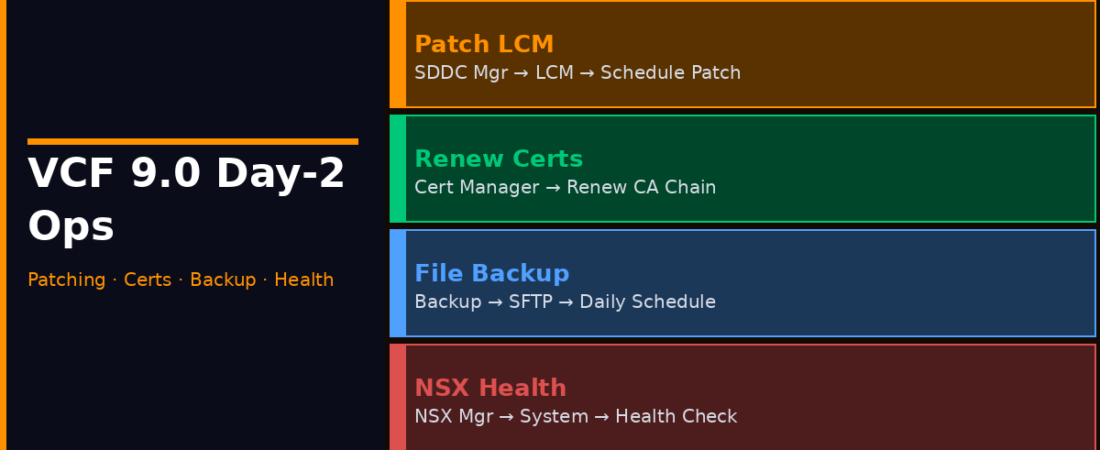
Day-0 gets all the attention. Day-2 is where environments either stay healthy or quietly accumulate technical debt. VCF 9.0 made significant changes to how day-2 operations work, and this is the part that actually affects your team’s daily life.
Day-2 work is where most VCF deployments either hold together or quietly start to rot. I’ve seen both. The environments that age well are the ones where someone actually scheduled the maintenance windows and stuck to them.
1. Patching and Lifecycle Upgrades
The Old Way vs. The VCF 9.0 Way
In a DIY vSphere/vSAN/NSX environment, patching meant coordinating separate maintenance windows for each product, manually verifying interoperability between versions, and running multiple upgrade workflows in the right sequence. Miss a step and you’d find out during the next upgrade that your vSAN version no longer supports the same vSphere build.
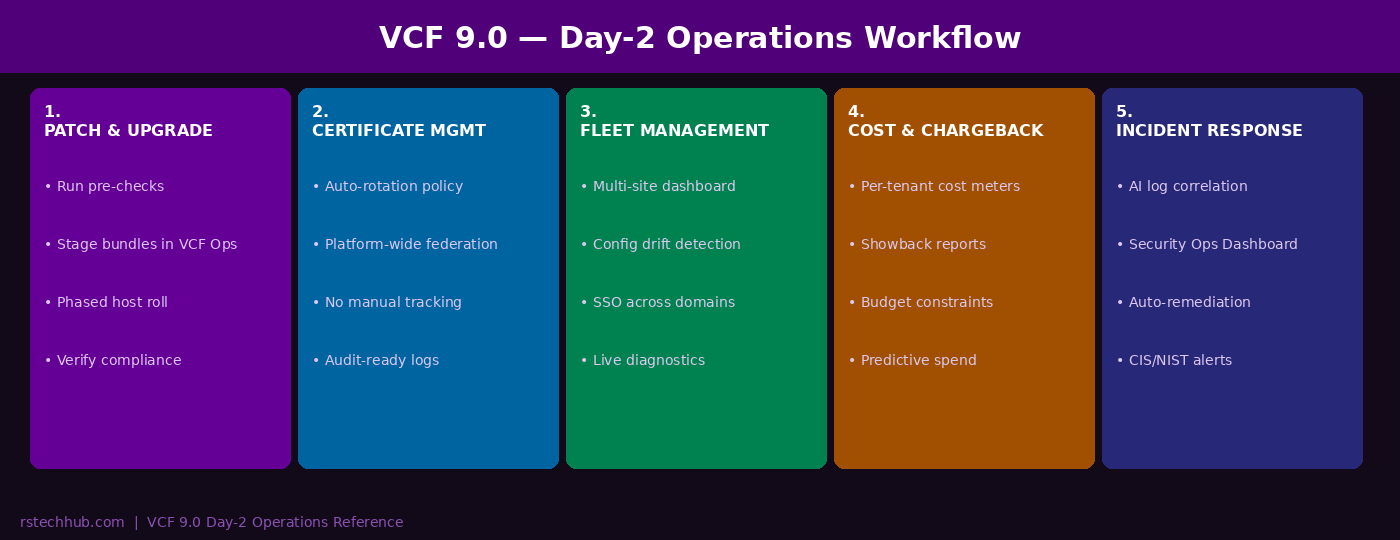
VCF Operations handles this through a single lifecycle workflow. You pick a target version, it stages the bundle, runs pre-checks across all components, and orchestrates the upgrade sequence automatically. The pre-checks are worth mentioning, they catch known incompatibilities, insufficient storage headroom, and hosts not in the expected state before the maintenance window starts.
- Open the VCF Operations console and navigate to Lifecycle Management to configure, pre-check, and initiate your infrastructure patching plans → Lifecycle Management
- Check available bundles and download staging
- Run pre-upgrade checks, resolve any warnings
- Schedule the maintenance window and set phased rollout pace
- Monitor progress per-host; VCF handles sequencing
- Verify compliance scan post-upgrade
2. Certificate Management
The End of the Midnight Cert Scramble
Certificate expiry has caused more 2am phone calls in my career than I’d like to admit. Expired certificates are one of the most common causes of unexpected outages in VMware environments, and one of the most avoidable. Certificate expiry tracking is usually manual in a DIY stack, living in a shared spreadsheet. When a cert expires, remediation involves digging through multiple product consoles.
VCF 9.0 introduces platform-wide automated certificate rotation. You define your global rotation policies under Fleet Management in the VCF Operations console (Fleet Management → Certificates), renewal X days before expiry, auto-approve for platform certs, require approval for workload certs. The platform then handles renewals across vSphere, vSAN, NSX, and the management layer automatically, with every certificate tracked centrally in one dashboard. Identity federation across workload domains is also managed centrally, eliminating the drift where one domain gets SSO reconfigured and the others don’t.
3. Fleet Management at Scale
One Console Across All Sites
Onboard each VCF deployment into VCF Operations and they appear as members of your fleet. From there, apply policy, push patches, and view compliance status across all of them from the same console. Configuration drift detection runs continuously, if a host setting changes outside of a sanctioned change window, VCF Operations flags the drift, shows you exactly what changed, and corrects it where auto-remediation is enabled. The AI-assisted log correlation can cross-reference logs from compute, storage, and networking simultaneously and surface the probable root cause before you’ve manually opened three separate product consoles.
4. Cost Management and Chargeback
Finally, Actual Numbers for Finance
VCF 9.0 builds cost tracking into the platform. Resource consumption is tracked per tenant and per workload domain in real time, mapped to cost based on the rates you configure, and exposed through dashboards built to share with finance teams. Chargeback goes a step further: configure budget limits per tenant, set alerts when consumption approaches the limit, and enforce quotas that prevent provisioning requests that would breach budget. That changes the conversation from “infrastructure costs what it costs” to “infrastructure costs are a known variable we can forecast and constrain.”
5. Security Operations and Compliance
Continuous, Not Point-in-Time
The Security Operations Dashboard shows your platform’s security posture in real time, configuration compliance scanning against CIS, NIST, and custom baselines; certificate status; active vulnerability information from Broadcom’s advisory feed; and remediation tracking. The practical difference is the “continuous” part. Instead of a quarterly compliance scan producing a report you spend weeks remediating, VCF’s scanning runs constantly. Items that drift out of compliance get flagged immediately, and for low-risk settings, auto-remediation closes them before they appear in an audit. vDefend integrates with the dashboard too, so east-west traffic anomalies surface in the same console as configuration compliance.
The Honest Day-2 Assessment
VCF 9.0’s day-2 story is genuinely stronger than in 5.x. The consolidation of lifecycle management, certificate operations, fleet visibility, cost tracking, and security compliance into VCF Operations removes real operational friction. The caveat is the learning curve. VCF Operations is a different interface than vCenter and the fleet management model requires a mental shift. Teams new to VCF entirely will need a few weeks before the operational model clicks. The Broadcom hands-on labs are worth the time investment before going live.