
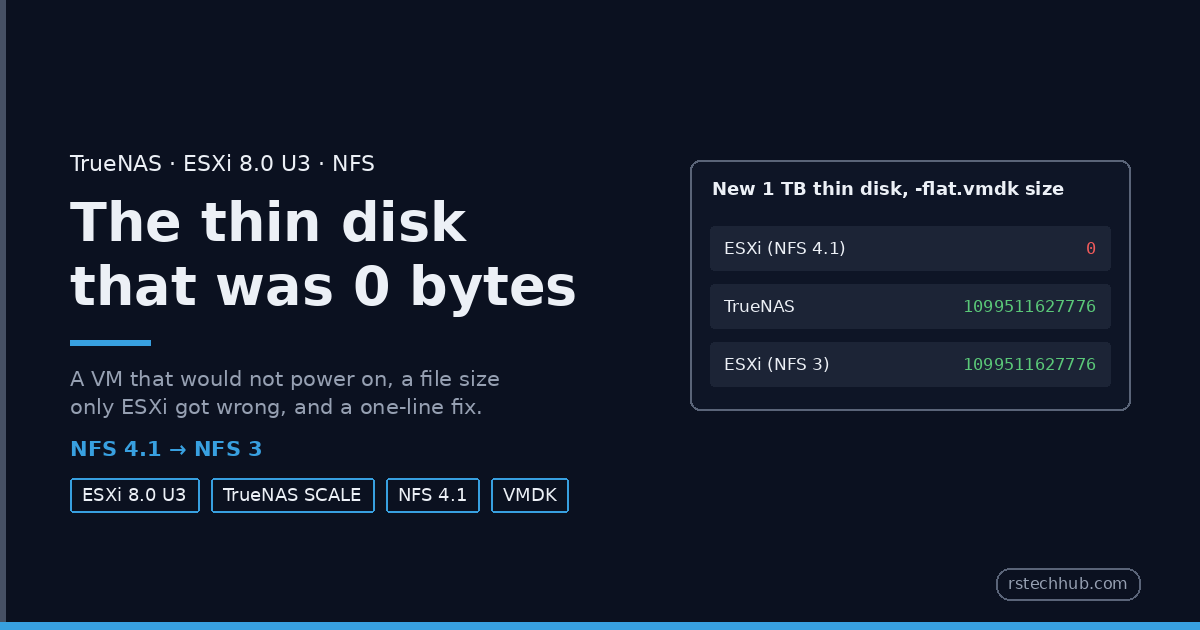
I was building a Veeam hardened repository for Veeam Part 2: a small Ubuntu VM with a 1 TB thin disk on my TrueNAS NFS datastore. The VM was created without a complaint. Then it refused to power on.
| Version | |
|---|---|
| ESXi | 8.0 Update 3 (build 24859861) |
| NAS | TrueNAS SCALE 25.10 on a Dell R620 |
| Datastore | NFS 4.1, AUTH_SYS, one 10GbE storage VLAN (set up in TrueNAS Part 5) |
| Disk | 1 TB, thin provisioned |
The symptom
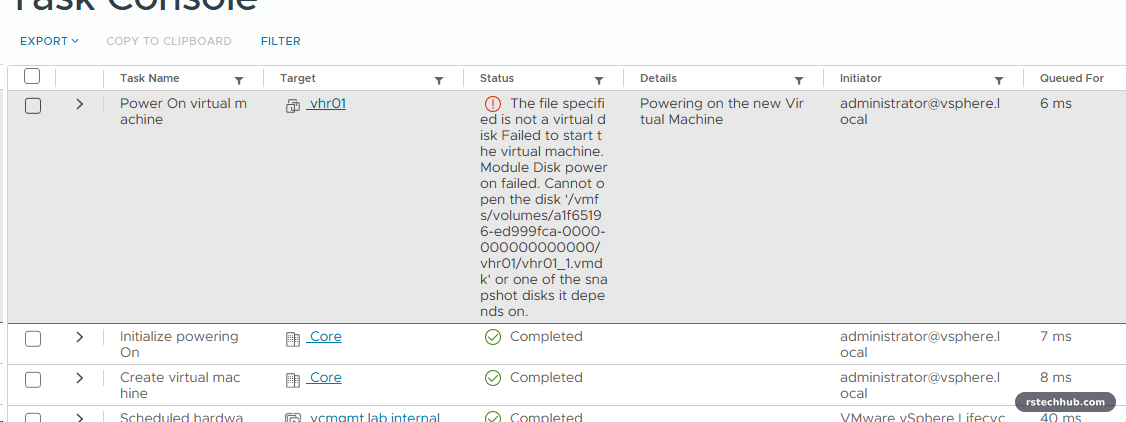
The full message: Module Disk power on failed. Cannot open the disk ‘<datastore>/vhr01/vhr01_1.vmdk’ or one of the snapshot disks it depends on. It was the first VM disk ever created on that datastore. Everything I had tested before, in Part 5, was mounting and file writes.
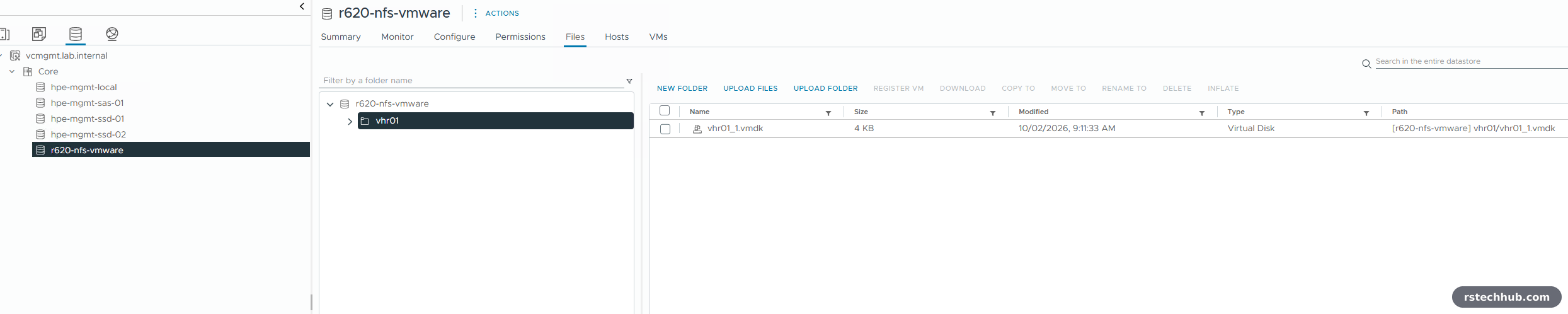
The datastore browser looked fine. One “Virtual Disk”, 4 KB used, which is normal for a thin disk nobody has written to.
What ESXi saw
A VMDK is two files: a small text descriptor and a -flat.vmdk holding the data. The browser shows them as one. The ESXi shell does not.
[root@esx:~] ls -la r620-nfs-vmware/vhr01/
-rw-------    1 root     root             0 Oct  2 08:11 vhr01_1-flat.vmdk
-rw-------    1 root     root           477 Oct  2 08:11 vhr01_1.vmdk
Zero bytes. The descriptor was correct and asked for 2147483648 sectors, which is 1 TB. On a thin disk over NFS, ESXi creates the data file and then sets its size without writing anything. That second step had, as far as ESXi could tell, not happened. The vmkernel log had nothing useful.
Narrowing it down
I created test disks of different sizes in a new folder, straight from the shell.
vmkfstools -c 10G -d thin ztest/t10g.vmdk
vmkfstools -c 1T  -d thin ztest/t1t.vmdk
ls -la ztest/
-rw-------    1 root     root             0 Oct  2 08:14 t10g-flat.vmdk
-rw-------    1 root     root  1099511627776 Oct  2 08:14 t1t-flat.vmdk
So it was not a quota and not a size limit: the 1 TB disk was fine and the 10 GB one was empty. A few minutes later it got stranger. The original vhr01_1-flat.vmdk now showed its full 1 TB, while the 10 GB file and a new 20 GB one still showed 0.
Then the same folder from the TrueNAS shell:
truenas:~$ ls -la tank/vmware/ztest/
-rw------- 1 root root   10737418240 Oct  2 09:14 t10g-flat.vmdk
-rw------- 1 root root 1099511627776 Oct  2 09:14 t1t-flat.vmdk
-rw------- 1 root root   21474836480 Oct  2 09:15 t20g-flat.vmdk
Every file had the right size on the NAS. ESXi was creating them correctly and then reporting a size it had cached, a size that was out of date. At power-on it trusted that 0 and refused the disk.
Why I suspect delegations
NFS 4.1 lets the server hand a client a delegation, permission to cache a file’s data and attributes locally. TrueNAS SCALE uses the Linux kernel NFS server, which gives out delegations whenever file leases are enabled, and on my box the fs.leases-enable sysctl was 1.
NFS 3 has no delegations. If the cached attributes are the problem, NFS 3 should not show it. I have not proven the delegation part. Turning leases off on TrueNAS and retesting 4.1 would, and I may come back to it. What I did test is the fix.
The fix: mount as NFS 3
TrueNAS already had NFSv3 enabled alongside v4, so nothing changed on the NAS. On the host, with no VM disks left on the datastore:
esxcli storage nfs41 remove -v r620-nfs-vmware
esxcli storage nfs add -H 192.168.48.100 -s tank/vmware -v r620-nfs-vmware

for s in 10G 20G 1T; do vmkfstools -c $s -d thin ztest3/t$s.vmdk; done
ls -la ztest3/
-rw-------    1 root     root     10737418240 Oct  2 08:20 t10G-flat.vmdk
-rw-------    1 root     root  1099511627776 Oct  2 08:20 t1T-flat.vmdk
-rw-------    1 root     root     21474836480 Oct  2 08:20 t20G-flat.vmdk
All three correct, straight away. The VM disk was recreated on the NFS 3 datastore, the VM booted, and later that day a Veeam backup copy wrote 53.7 GB to it at 562 MB/s without a hiccup. (The share path is the full /mnt path of the dataset; I have shortened paths in these listings.)
One clean-up step in vCenter: it remembered the old NFS 4.1 datastore and named the new mount r620-nfs-vmware (1). Remove the old, inaccessible entry, then rename the new one back.

Are you affected?
First, which of your NFS datastores are 4.1. ESXi keeps the two versions in separate lists:
esxcli storage nfs41 list    # NFS 4.1 mounts
esxcli storage nfs list      # NFS 3 mounts
Then look for data files that ESXi thinks are empty. A healthy thin disk reports its full provisioned size even if nothing has been written to it, so a 0-byte -flat.vmdk is wrong. Run this from the ESXi shell, inside the datastore’s folder:
cd <datastore mount point>
find . -name '*-flat.vmdk' -size 0
Any hit is worth comparing with ls -la on the NAS side. If the NAS shows the right size and ESXi shows 0, you are looking at the same thing I was. If both show 0, the disk really is broken and this post is not your answer.
Switching a datastore that already has VMs
Mine was empty, which made the fix a two-line job. Most people’s will not be. You cannot change the NFS version of a mounted datastore in place, and you must not mount the same export as NFS 3 and NFS 4.1 at the same time, so the datastore has to be emptied first:
- Storage vMotion every VM and template off it. Check the datastore’s VMs tab is empty, and look for ISOs still attached to CD drives, host scratch or log locations, and HA heartbeat datastores pointing at it.
- Unmount the NFS 4.1 datastore from every host.
- Remove the old datastore object from vCenter if it lingers as inaccessible.
- Mount the export again as NFS 3 on every host, with the same name everywhere. In the New Datastore wizard that is NFS → NFS 3.
- Storage vMotion the VMs back.
In a cluster, every host must mount it with the same version. Mixed versions show up as separate datastores in vCenter, which is your clue something went wrong.
If you want to stay on NFS 4.1
I have not tested this. It is the next thing I would try, and it would prove or disprove the delegation theory. With leases off, the Linux NFS server stops handing out delegations, so ESXi has nothing to cache attributes against.
- In TrueNAS SCALE: System → Advanced Settings → Sysctl → Add. Variable
fs.leases-enable, value0, enabled. - Restart the NFS service.
- Test on a separate NFS 4.1 test share, not your production datastore: create a few thin VMDKs of different sizes and compare
ls -laon ESXi and on TrueNAS.
Two cautions. The setting applies to every NFS client of that NAS, not just ESXi, and Samba can use the same kernel leases for SMB oplocks, so file shares on the same box may behave differently. And even if it works, NFS 3 is simpler and is still what most people run against TrueNAS. If you try it, I would like to hear how it went.
Two things I would tell myself a week ago
- Test a datastore with a real VM disk, not just a file. My Part 5 tests copied files and pinged with jumbo frames. All passed. The problem only appears when ESXi creates a sparse VMDK and then reads its size back.
- Never mount the same export as NFS 3 and NFS 4.1 at the same time, even on different hosts. The two versions lock files differently, and VMware does not support mixing them.
What changed
TrueNAS Part 5 now mounts the datastore as NFS 3, with an update note, and the vmware/Add-NfsDatastore.ps1 script in my lab-tools repository defaults to NFS 3 with a -NfsVersion switch for anyone who wants 4.1.