
In Part 1 I built the network for my four-node VCF 9 management domain. Next on the list was ESX on the four Dell R640s, MD01 to MD04. That meant an ISO in the iDRAC console, the same installer screens four times, then DNS, NTP, SSH and the certificate fixed by hand on every host before the VCF Installer would accept it. And I knew I’d be doing it again: every failed bring-up, every 9.0 to 9.1 test, every “let’s start clean”.
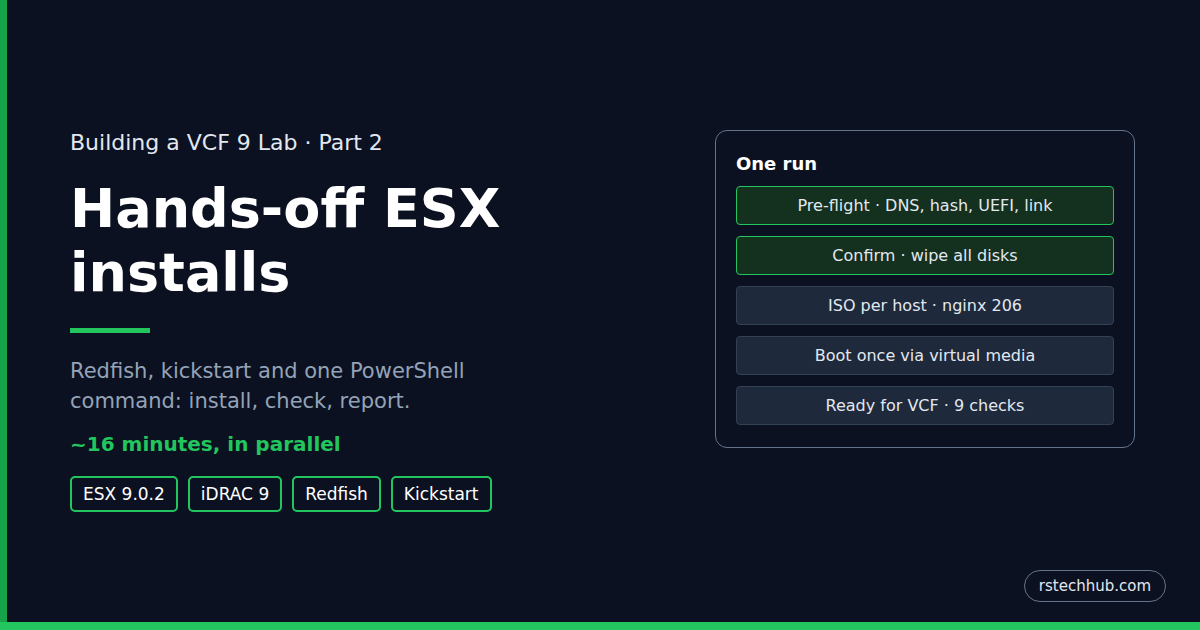
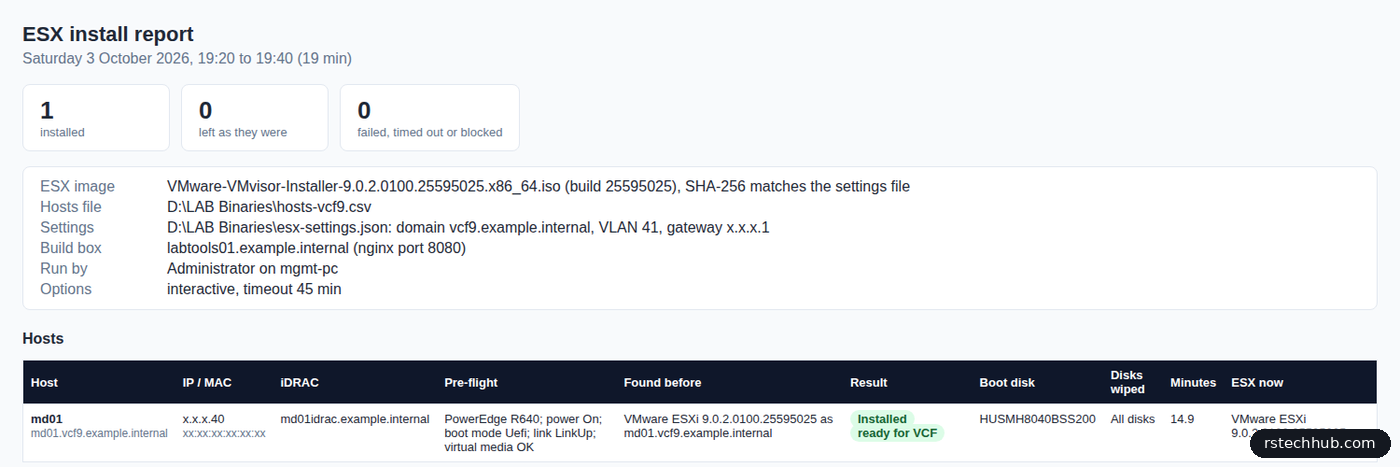
So I automated it. One PowerShell command now checks the servers, builds a kickstart ISO per host, boots each one from it through the iDRAC, waits for the install, logs in and checks the host is ready for VCF, and hands me an HTML report. The hosts install in parallel, about 16 minutes whether it’s one or two, and the only thing I type is the host name to confirm the wipe.
Update, 6 October 2026: version 1.5 of the kit sets MTU 9000 on the host at first boot and proves jumbo frames reach the gateway, retries SSH through the host’s last reboot, and can ask for passwords instead of reading the vault (-NoVault). The details are below.
How it fits together
Three machines take part, and I only ever sit at one of them:
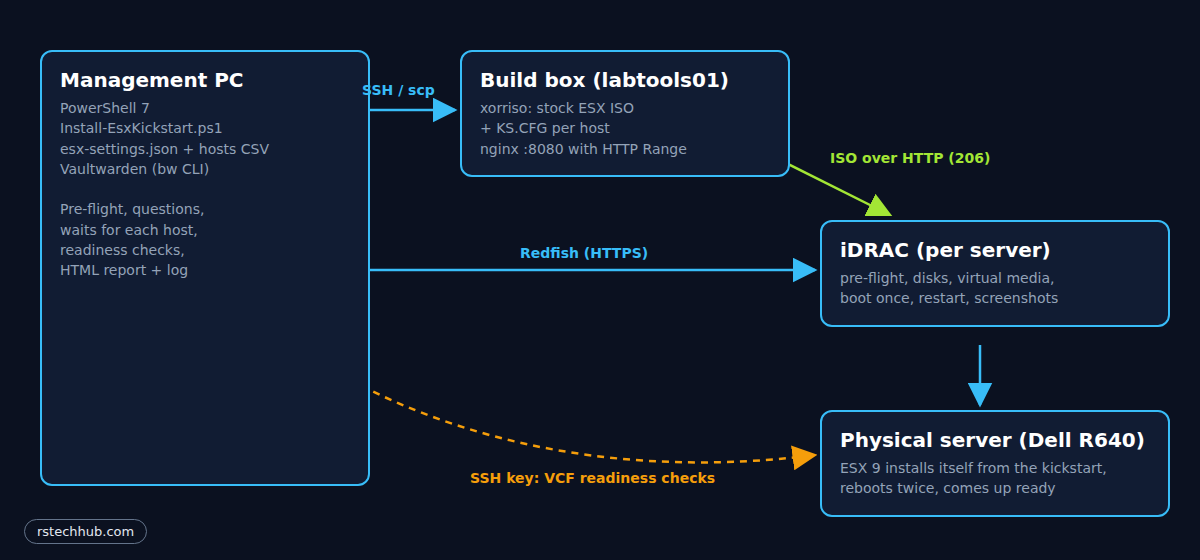
- Management PC (Windows, PowerShell 7): runs
Install-EsxKickstart.ps1. It talks to the iDRACs over Redfish and to the build box over SSH. - Build box: labtools01, the first VM from the Ubuntu template in Core Infrastructure Part 8. It unpacks the stock ESX ISO, adds a kickstart file per host, repacks it with xorriso and serves it with nginx.
- iDRAC: mounts the host’s ISO over HTTP as virtual media, boots the server from it once, and reports the disks, NICs and boot mode for the pre-flight checks.
The kickstart
Everything the installer would normally ask is answered by a kickstart file on the CD. The interesting parts:
clearpart --alldrives --overwritevmfs
install --firstdisk={{BOOTDISK}} --overwritevmfs
network --bootproto=static --device={{MAC}} --ip={{IP}} --netmask={{NETMASK}} --gateway={{GATEWAY}} \
        --nameserver={{DNS}} --hostname={{FQDN}} --vlanid={{VLAN}} --addvmportgroup=0

%firstboot --interpreter=busybox
esxcli network ip dns search add --domain={{DOMAIN}}
esxcli system ntp set {{NTPARGS}} --enabled=true
vim-cmd hostsvc/enable_ssh
vim-cmd hostsvc/start_ssh
esxcli network vswitch standard set -v vSwitch0 -m {{MTU}}
esxcli network ip interface set -i vmk0 -m {{MTU}}
esxcli network ip set --ipv6-enabled=false
/sbin/generate-certificates
clearpart --alldriveswipes every local disk. That’s deliberate: the NVMe drives come out empty and eligible for vSAN ESA, so there’s no separate wipe step before the VCF bring-up. It’s also why the script makes you type the host name.--firstdisktakes a disk model, not a position. ESX goes on the 400 GB SAS SSD and nowhere else. If no disk matches, the installer stops instead of guessing.--devicepicks the uplink by MAC address, read from the iDRAC, and--vlanidtags management traffic from the first boot.- The MTU goes on vSwitch0 and vmk0 from the first boot. My network runs 9000 on every VLAN, so the hosts do too, and the checks below prove it before the VCF Installer builds its own distributed switch.
generate-certificatesruns after the hostname is set, so the host certificate is issued to its FQDN. The VCF Installer checks that.
The first-boot section also adds an SSH key for root. More on why in the readiness checks below.
A run
The hosts file is a CSV I edit in Excel: name, IP, iDRAC and the management NIC’s Redfish ID. Only the hosts in it are ever touched. The lab values (domain, gateway, DNS, NTP, VLAN, build box, ISO and its SHA-256) live in a separate settings file, so nothing lab-specific is written into the scripts.
PS> .\Install-EsxKickstart.ps1 -HostsCsv .\hosts-vcf9.csv
md01: DNS OK (md01.vcf9.example.internal <-> x.x.x.40)
Checking SHA-256 of VMware-VMvisor-Installer-9.0.2.0100.25595025.x86_64.iso...
ISO SHA-256 OK
md01: iDRAC login read from the vault

Pre-flight checks (Redfish)...
md01: PowerEdge R640, power On, boot mode Uefi, link LinkUp, virtual media OK -> OK

md01: VMware ESXi 9.0.2.0100.25595025 as md01.vcf9.example.internal
md01: install ESX build 25595025 on this host? (already this build, y/N): y
md01: installing DELETES ALL DATA ON EVERY DISK in this server (boot disk, VMFS, vSAN, everything).
Type md01 to confirm: md01

md01: disks found by the iDRAC
# Model               Size GB Media Protocol Controller
1 INTEL SSDPE2KE016T8 1600.00 SSD   PCIe     CPU.1
2 INTEL SSDPE2KE016T8 1600.00 SSD   PCIe     CPU.1
3 INTEL SSDPE2KE016T8 1600.00 SSD   PCIe     CPU.1
4 HUSMH8040BSS200      400.00 HDD   SAS      NonRAID.Integrated.1-1
md01: install ESX on which disk? [1-4]: 4
md01: root password read from the vault
Built /srv/ks/esx-ks-md01.iso  (md01.vcf9.example.internal  x.x.x.40  VLAN 41  disk HUSMH8040BSS200)
Build box serves the ISOs with Range support (206)
md01: booting http://labtools01:8080/esx-ks-md01.iso (ForceRestart)
Before it asks anything, it checks what would otherwise fail halfway through: forward and reverse DNS for every host, the ISO’s hash against the one in the settings file, and over Redfish the BIOS boot mode, the power state, link on the management port and the iDRAC’s virtual media. A host that fails is marked blocked with the reason and the rest carry on.
Then it shows what each host runs now and asks. The default follows the state: Enter on a host that’s already on this build leaves it alone. A yes needs the host name typed back, because the next thing that happens is every disk in that server being wiped. -Force skips the questions for a rebuild where I mean it, and -DryRun stops after the ISOs are built and served, without rebooting anything.
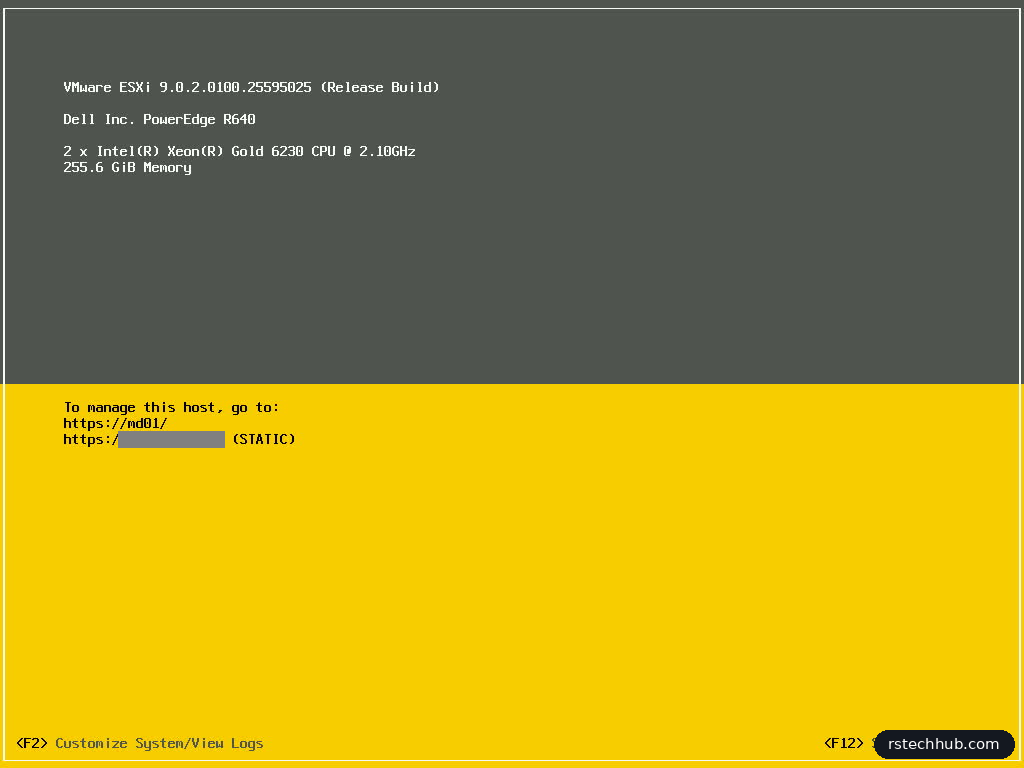
All hosts reboot within seconds of each other and install in parallel. The script checks every 30 seconds and counts a host as done only when it answers on 443 with a certificate issued to its own FQDN and SSH is up, which proves the first-boot section ran. On my R640s that’s 15 to 16 minutes: MD03 and MD04 together took 16.3 and 16.2.
Is it ready for VCF?
“It came back” isn’t the same as “the VCF Installer will accept it”. So once every host is up, the script logs in to each one with an SSH key and checks:
| Check | Why |
|---|---|
| ESX build | The ISO I meant is the one that installed |
| vmk0 address and management VLAN | Static IP and VLAN tag from the kickstart |
| DNS search domain | The VCF Installer resolves hosts by FQDN |
| NTP servers and sync | Bring-up fails on time drift; the script waits for sync |
| IPv6 disabled | Matches the rest of the lab |
| Certificate SAN | Must contain the host’s FQDN |
| vmk0 MTU | 9000 from the settings file |
| 9000-byte ping to the gateway, no fragmenting | Jumbo frames work end to end before the bring-up |
| Disks eligible for vSAN | Every disk but the boot disk empty (vdq -q) |
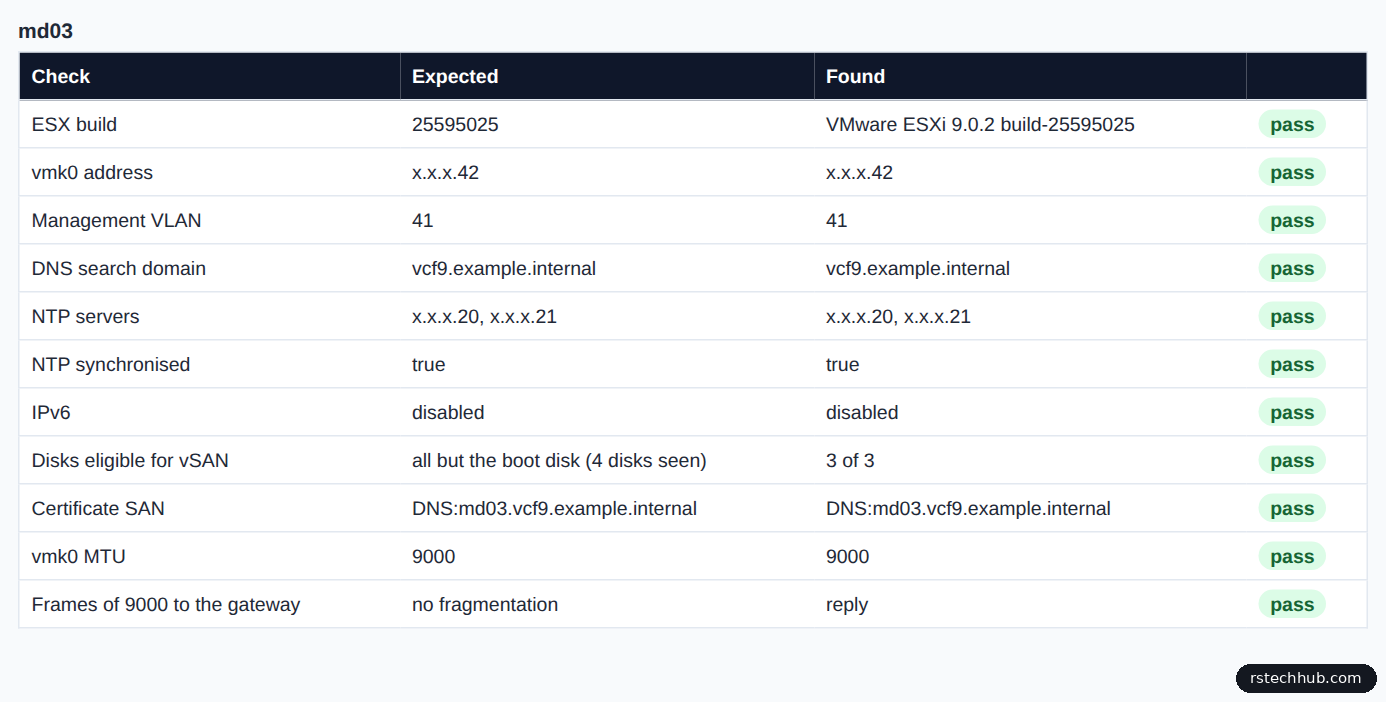
All of it lands in an HTML report per run: what each host ran before, the pre-flight results, the boot disk, how long it took, the checks and the console screenshots. A transcript log sits next to it.
Passwords from the vault
My iDRAC logins and ESX root passwords already live in Vaultwarden, one entry per host. Vaultwarden can’t hand a password to a script on its own: everything is encrypted with my master password and only a Bitwarden client can decrypt it. The Bitwarden CLI is the client a script can drive, so with the settings pointing at iDRAC {name} and ESXi root {name}, I unlock the vault once per window and the run asks for nothing else. Each host gets its own root password, built into its own ISO, and the ISOs are deleted when the run ends. When the vault isn’t available, -NoVault skips it and the script simply asks.
$env:BW_SESSION = bw unlock --raw
.\Install-EsxKickstart.ps1 -HostsCsv .\hosts-vcf9.csv
What caught me out
None of this worked first time. In the order I hit them:
- PowerShell 7 and the iDRAC.
Invoke-RestMethod -Credentialwaits for the server to ask for credentials, and the iDRAC refuses the request instead.-Authentication Basicfixed it. - “Passwords do not match”. A password piped from Windows to bash arrives with a trailing
\ron each line. The build script strips it. - “Boot Failed: Virtual Optical Drive”. The one that took longest. The iDRAC had the ISO mounted and the BIOS was in UEFI mode, yet the server couldn’t boot it, even by hand from the boot menu. iDRAC virtual media reads an ISO in pieces with HTTP Range requests, and Python’s
http.server, which I’d used to serve it, ignores them and always sends the whole file. nginx answers with 206 Partial Content and the server booted straight away. The script now refuses to reboot anything until the build box returns a 206. - “Unable to locate the ISO” (RAC0720). An old copy of the script tried to start Python on the port nginx already had. Worth checking file sizes after every update.
- SYS518, “data sources unavailable”. The iDRAC says this while the server is in POST or the Lifecycle Controller is busy. The script waits 30 seconds and retries.
- REMOTE HOST IDENTIFICATION HAS CHANGED. A reinstall gives the host new SSH host keys. The script removes the old ones from
known_hostsas each host finishes. - The key was there and still refused. My readiness checks first used my ed25519 key. The kickstart added it, it survived the reboots, and ESX still said no: its sshd runs with
fipsmode yes, and FIPS mode doesn’t accept ed25519. The script now creates an ECDSA P-384 key just for the hosts. - The key worked by hand and failed in the script. The kickstart’s first-boot section reboots the host once more, right after it first answers with its own certificate and SSH. The readiness checks landed in that window and gave up on the first try. They now retry for five minutes.
- Bitwarden CLI and Vaultwarden. The CLI ignores the Windows certificate store, so it needed my lab root CA exported to PEM and pointed to with
NODE_EXTRA_CA_CERTS. Then CLI 2026.9 failed to log in withKeyIdBackfillError: it calls an endpoint Vaultwarden 1.37 doesn’t have yet (vaultwarden #7750). CLI 2026.8.0 works.
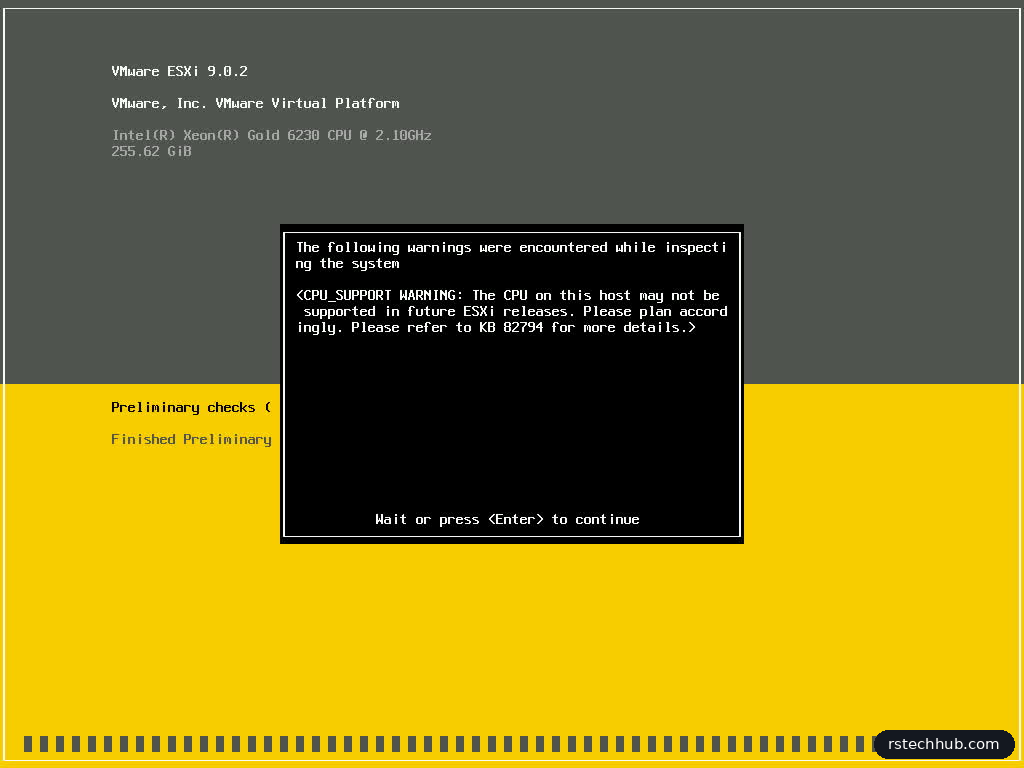
A few things look wrong on the console and aren’t. The installer warns it couldn’t get a DHCP address: it tries before it reads the kickstart, and the static address comes later. My Xeon Gold 6230s get a CPU support warning (KB 82794): Cascade Lake still runs ESX 9, but a future release may drop it. The installer’s header calls the server “VMware Virtual Platform”; once installed, esxcli hardware platform get reports a Dell PowerEdge R640 as it should. And the iDRAC lists the SAS SSD as “HDD”.
Get the scripts
The kit is in my lab-tools repository with a README covering the build box setup and the settings file. The examples use placeholder names and addresses; adjust them to your lab.
What’s next
Four R640s on ESX 9.0.2, each with its own name, certificate, time source and empty vSAN disks. Next is the VCF Installer appliance and the bring-up of the management domain.