
Update, October 2026: the R620 has been retired. TrueNAS now runs on a Dell R730xd with far more storage, covered in Part 6. The steps in this post still apply on the new server.
undefinedAdvanced ZFS Tuning for 384GB RAM
With 384GB RAM there are four additional kernel parameters worth tuning beyond the ARC limit. These are Linux OpenZFS module parameters set via /sys/module/zfs/parameters — not the TrueNAS Sysctl UI which handles general Linux kernel parameters only.
Dirty Data Max
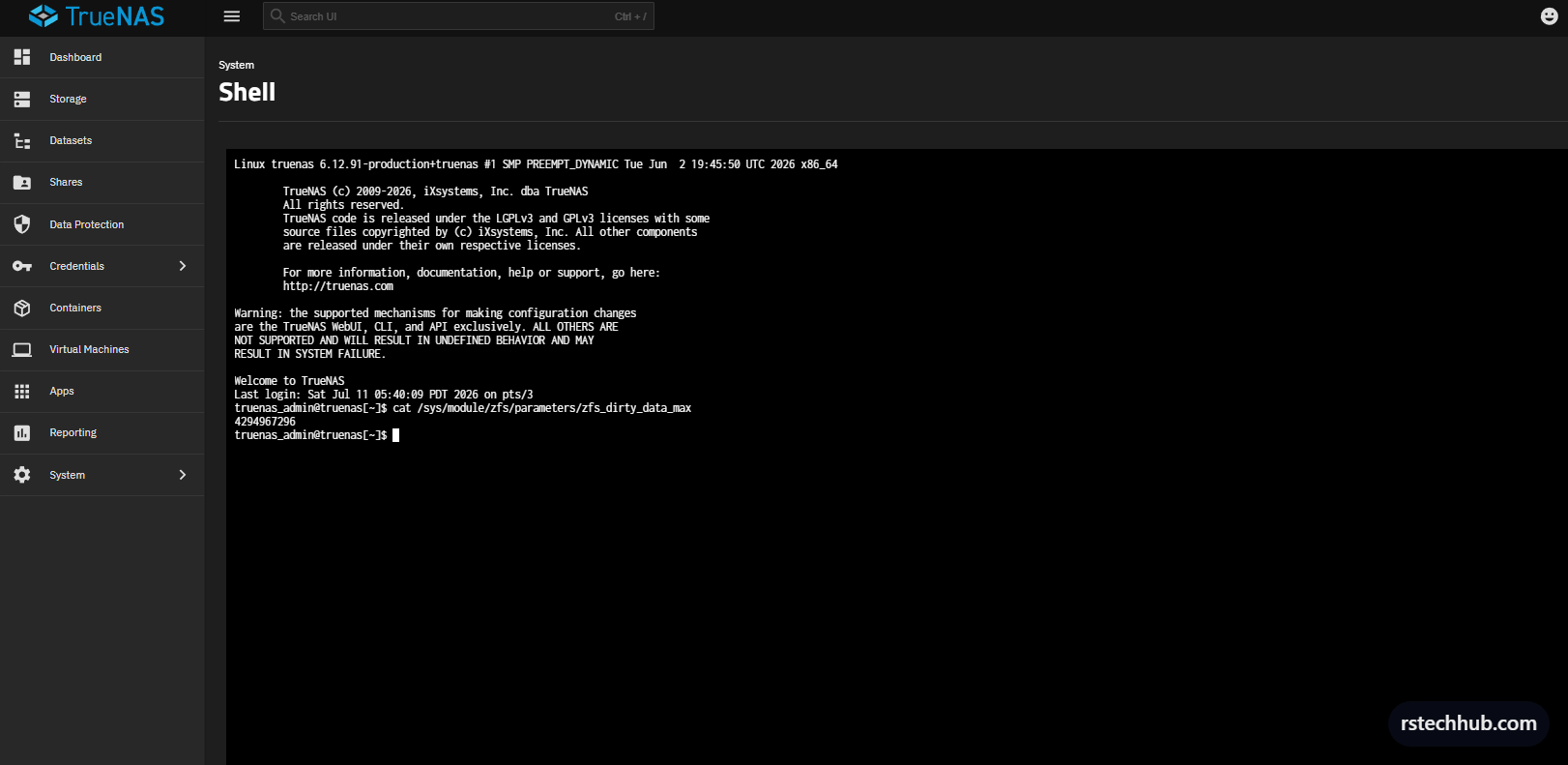
The default dirty data limit is 4GB. This controls how much unwritten data ZFS allows to accumulate in RAM before forcing a flush to disk. With 384GB available, 4GB is far too conservative — it causes unnecessary write stalls during large VM deployments or OVA extractions. Increasing it to 16GB allows much larger write bursts to coalesce before hitting disk.
sudo bash -c 'echo 17179869184 > /sys/module/zfs/parameters/zfs_dirty_data_max'
cat /sys/module/zfs/parameters/zfs_dirty_data_max
Prefetch and TXG Timeout
Two more parameters worth setting. Disable the prefetch algorithm — with a large ARC it tends to aggressively cache data the workload never re-reads, polluting the cache. Setting zfs_txg_timeout to 10 seconds (up from 5) allows larger transaction groups to form before writing, improving write coalescing for sequential NFS workloads.
sudo bash -c 'echo 1 > /sys/module/zfs/parameters/zfs_prefetch_disable'
sudo bash -c 'echo 10 > /sys/module/zfs/parameters/zfs_txg_timeout'
cat /sys/module/zfs/parameters/zfs_prefetch_disable
cat /sys/module/zfs/parameters/zfs_txg_timeout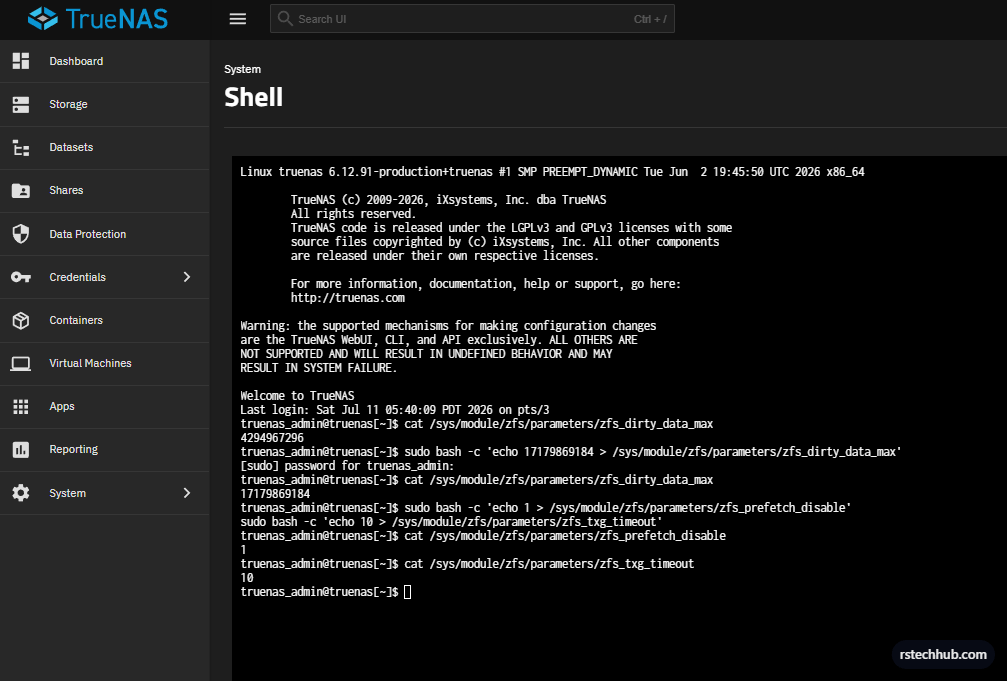
Primary Cache
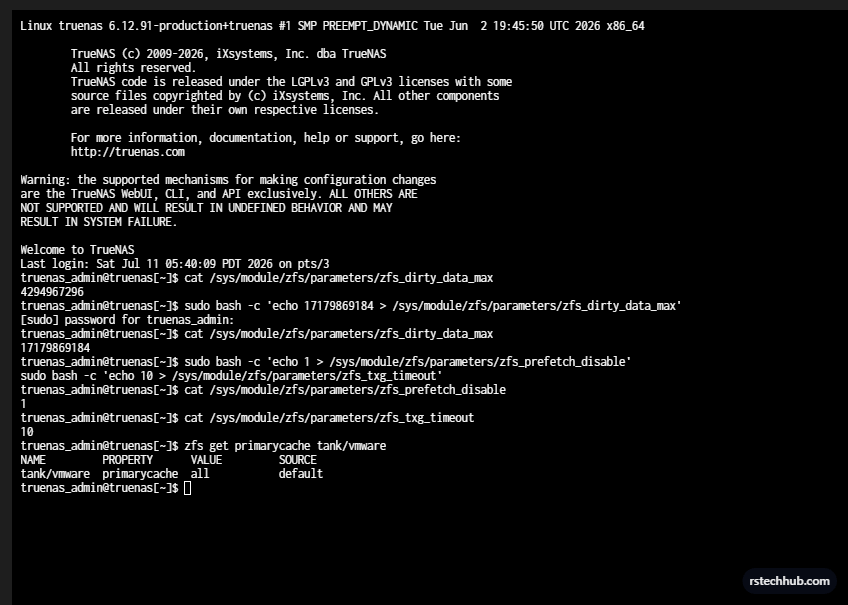
Primary cache is already set to all by default. ZFS caches both data blocks and metadata in the ARC without any configuration change needed. Nothing to do here.
Persisting All Parameters on Boot
Update the init script created earlier to include all four parameters in a single command. Go to System > Advanced > Init/Shutdown Scripts and edit the existing entry.
sudo bash -c 'echo 343597383680 > /sys/module/zfs/parameters/zfs_arc_max && echo 17179869184 > /sys/module/zfs/parameters/zfs_dirty_data_max && echo 1 > /sys/module/zfs/parameters/zfs_prefetch_disable && echo 10 > /sys/module/zfs/parameters/zfs_txg_timeout'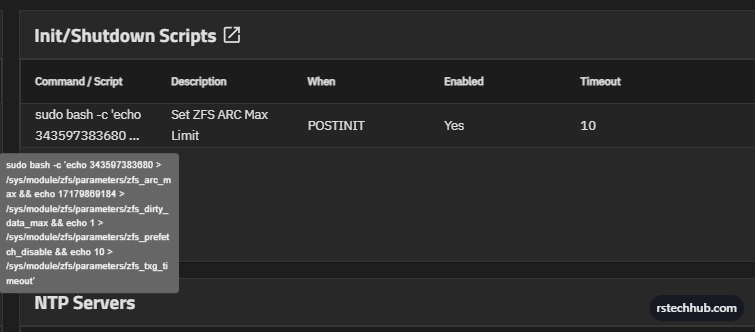
All four parameters now applied on every boot. The complete tuning summary for this R620:
- zfs_arc_max: 320GB — caps ARC, leaves headroom for OS and NFS stack
- zfs_dirty_data_max: 16GB — allows large write bursts without stalling
- zfs_prefetch_disable: 1 — prevents prefetch cache pollution with large ARC
- zfs_txg_timeout: 10 seconds — larger transaction groups, better write coalescing
- Dataset sync: Disabled — removes synchronous write overhead for VMware NFS
- Dataset record size: 64K — optimised for VMDK I/O patterns