
I have two Dell R740xd servers that have been sitting idle with old ESXi installs on them. They’re going to run my nested labs: VCF 5.x on one and VCF 9.0 on the other, each as a set of nested ESX hosts. Before any of that can happen, the hosts need a clean install, a place in my management vCenter, a network the nested hosts can actually talk on, and fast storage.
This post covers all of that. It took an afternoon, and along the way I fixed four things in my install script and found a loose cable.
Related posts: the install kit is the one from Building a VCF 9 Lab, Part 2, the vCenter is the one from Core Infrastructure, Part 5, the switch is the one from Building a VCF 9.1 Lab, Part 1, and the datastore is the TrueNAS share I tuned in TrueNAS Scale Part 8.
The hosts
| esx1 | esx2 | |
|---|---|---|
| CPU / RAM | 2× Xeon Gold 6230, 256 GB | 2× Xeon Gold 6230, 256 GB |
| Data disks | 10× 3.84 TB SAS SSD | 3.84 TB NVMe, 4× 400 GB SAS SSD, 1.92 TB SSD |
| Boot device | HPE NS204i-p (2× M.2) | HPE NS204i-p (2× M.2) |
| Network | 2× 10G SFP+ (DAC) | 2× 10G SFP+ (DAC) |
| Nested lab | VCF 5.x | VCF 9.0 |
Yes, that’s an HPE boot card in a Dell server. It works fine as a mirrored M.2 boot device, but it caused one of the problems below.
Which ESXi version
My management vCenter runs 8.0 U3, and the rest of the core hosts are on 8.0 U3 builds, but not the same ones. One R740xd had U3h, the other U3j. I want every physical host on the same build where I can, so both R740xds got a clean install of Dell’s customised ESXi 8.0 U3 image (A11, build 25429389). vLCM can bring everything to one patch level afterwards.
Why not ESX 9? These hosts sit in the 8.0 management vCenter, and the nested labs bring their own ESX versions inside the VMs. The physical layer only has to be stable.
Installing with the kickstart kit
I used the same kit as for the R640s in the VCF 9 lab: one PowerShell command checks the hosts over Redfish, builds a kickstart ISO per host, boots each server from it through the iDRAC and checks the result. I made a copy of the kit for ESXi 8 with its own settings file and hosts file. The first dry run blocked both hosts, and that turned into three fixes in the script.
Fix 1: finding the management port
My hosts file named the first onboard port, which has no cable on these servers. Rather than look up every port by hand, I made the script pick the fastest port that has link when the hosts file says auto or leaves it empty. It also falls back to that port when the named one is down.
That exposed a Redfish quirk. Add-in NICs report the link state on the partition (NIC.Slot.4-1-1) but the MAC address on the port (NIC.Slot.4-1). The script was reading an empty MAC, so the kickstart would have had no uplink. It now takes the MAC from the parent port.

Fix 2: a boot card the iDRAC can’t see
The script asks which disk ESX goes on, using the iDRAC’s list of drives. The HPE NS204i-p isn’t in that list, because the Dell iDRAC doesn’t know about it. ESX sees it fine, as “HPE NS204i-p Gen10+ Boot Controller”.
My first idea was to target it by driver (nvme_pcie). That would have gone badly on esx2, which also has a Samsung NVMe data drive on the same driver. Targeting the model name is safe, so there’s now a BootCardModel setting. The disk prompt offers it as B, the default, and U for USB or SD.

Fix 3: the build number
Dell names its ISOs differently from Broadcom’s stock images, so the script couldn’t read the build number from the file name. A small regex change fixed that.
The install, and fix 4
Both hosts installed in about twelve minutes. Then the script crashed.
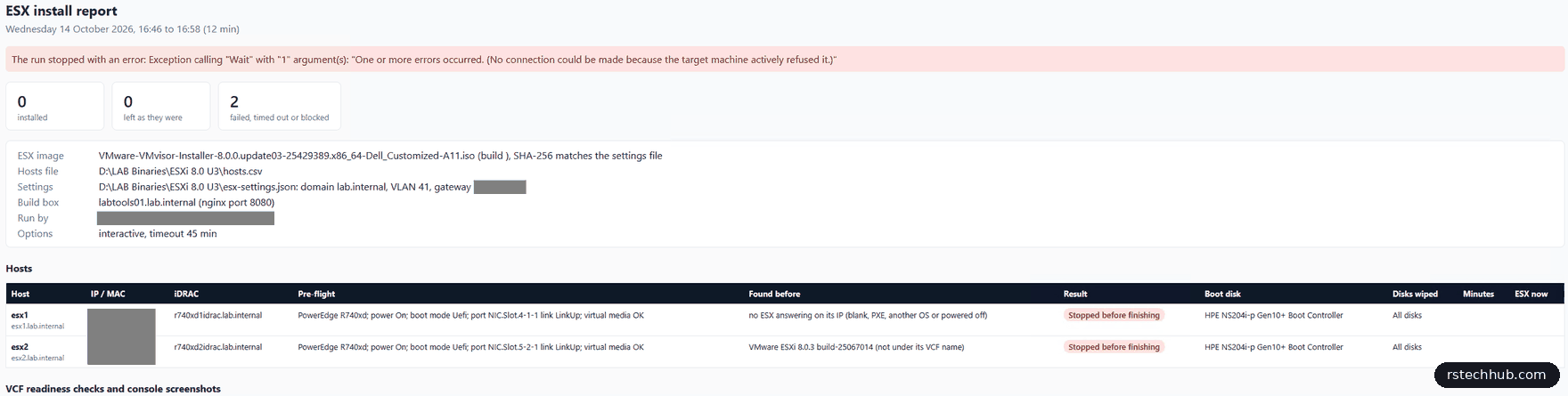
While it waits for a host, the script checks the HTTPS certificate and then SSH. A host that’s rebooting after the install answers on 443 a moment before SSH is listening, and a refused connection threw an exception the loop didn’t catch. Both servers were sitting at the console with the right build and IP.
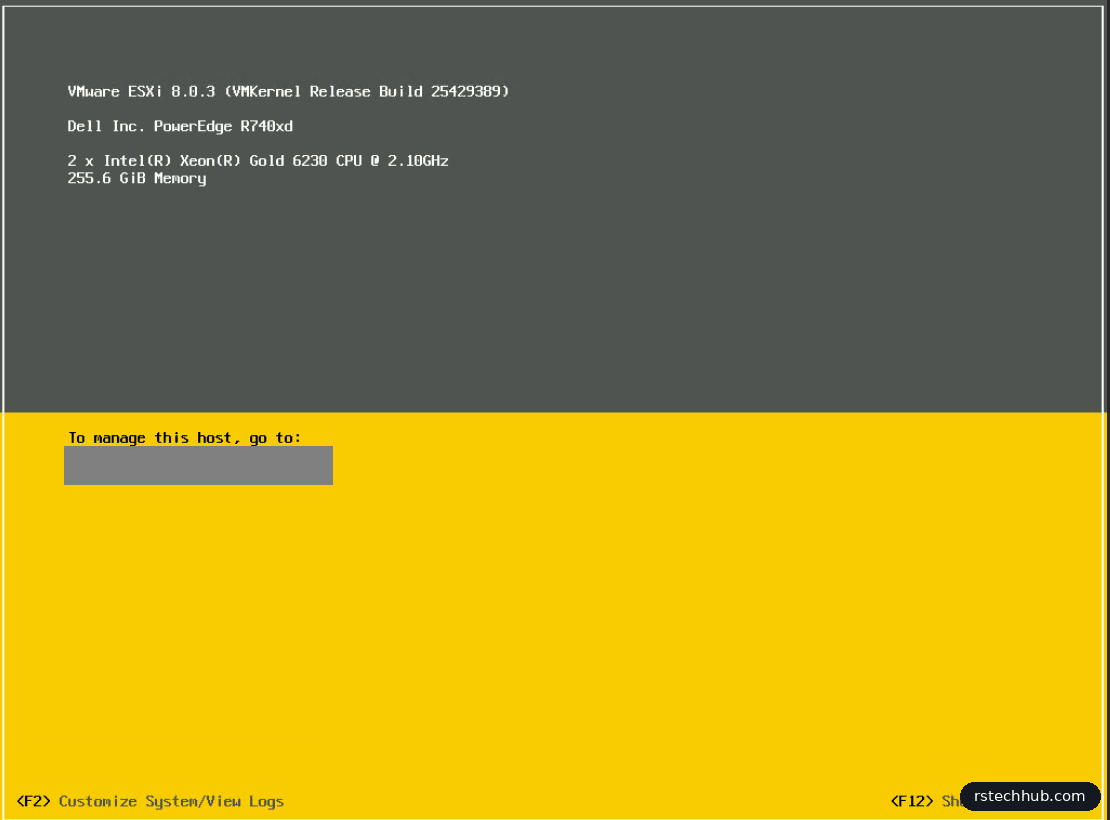
I ran the separate check script to cover the readiness checks the crash had skipped. Both hosts passed: build, management IP and VLAN, DNS search domain, NTP synced, IPv6 off, and a certificate issued to the host’s FQDN. The fix is one line, a try around the SSH test.
All four fixes are in lab-tools as v1.6 and v1.6.1.
Adding the hosts to vCenter
The nested hosts get their own cluster in the management vCenter, Nested-Labs, with HA, DRS and vSAN off. Nested ESX VMs don’t need HA, and I’d rather place them myself. I added both hosts with lockdown mode disabled.
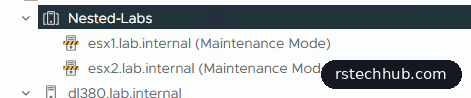
One thing I noted for later: vCenter is on U3i and the hosts are now on U3j. vCenter should be the same or newer, so it gets updated before I patch the hosts with vLCM.
A distributed switch for the nested hosts
I created vds-nested, version 8.0.3, with two uplinks and Network I/O Control on. I unticked the default port group, because I wanted to name and configure each one myself. Then I set the MTU to 9000 and changed discovery to LLDP in both directions, which my MikroTik switch understands.
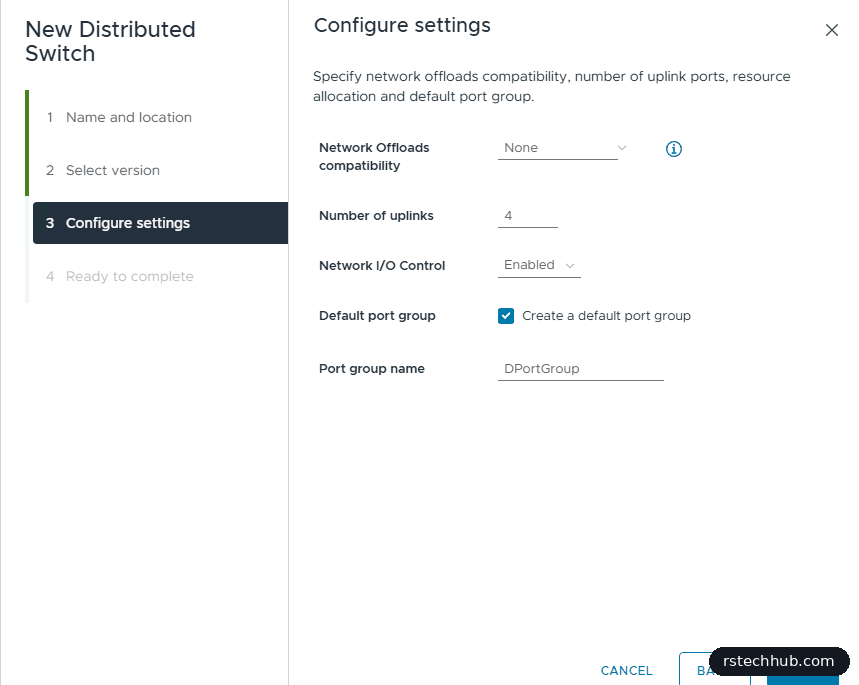
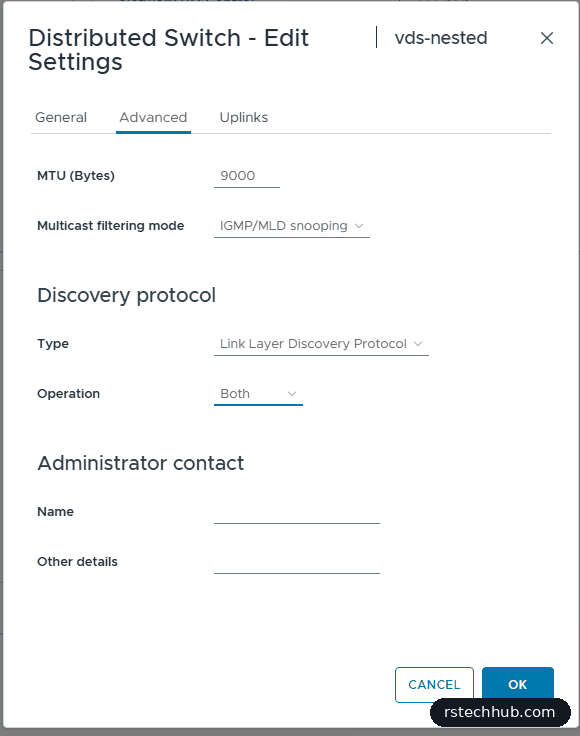
Two port groups to start with: pg-mgmt-41 on VLAN 41 for host management, and pg-nfs-48 on VLAN 48 for storage.
The loose cable
Before I moved the hosts onto the switch, I checked their physical adapters. esx1 had both 10G ports up and seeing the same VLANs, which tells me the switch ports are trunked the same.
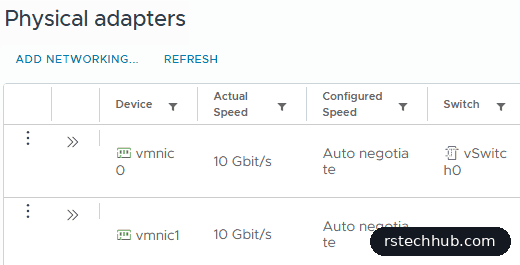
esx2 had one port down. The pre-flight had already flagged it, and I’d put it on my list. On the CRS326 the switch port showed no SFP module present at all:
/interface ethernet monitor sfp-sfpplus13 once
    status: no-link
    sfp-module-present: no
The DAC wasn’t seated in the switch. A push until it clicked brought the link up at 10 Gbps. But the port still wouldn’t have worked, because it had never been added to the tagged list for my server VLANs. CURRENT-TAGGED in RouterOS only lists ports that are up, so a dead port hides this. The configured list showed it:
:put [/interface bridge vlan get 1 tagged]
/interface bridge vlan set 1 tagged=([/interface bridge vlan get 1 tagged],"sfp-sfpplus13")
/interface bridge port set [find interface=sfp-sfpplus13] frame-types=admit-only-vlan-tagged
If I hadn’t checked, I’d have had one uplink on esx2 that passed no traffic, and found out the first time the other port failed.
Moving the hosts onto the switch
Add and Manage Hosts does it in one pass. On the “Adapters on all hosts” tab I assigned vmnic0 to Uplink 1 and vmnic1 to Uplink 2, and the assignment applies to both hosts.
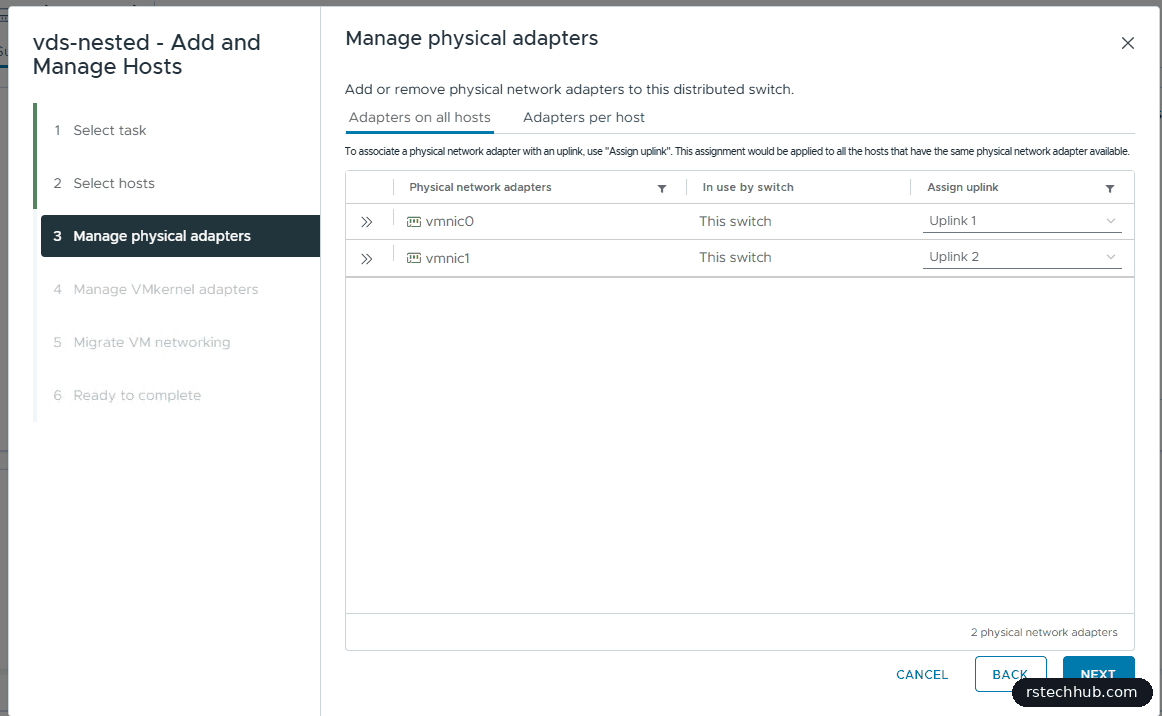
The next page warns you loudly. Once both NICs move to the distributed switch, vmk0 on the standard switch has no uplink left, so the host would drop off the network. Assigning vmk0 to pg-mgmt-41 on the same page clears the warning. vCenter moves the NICs and the VMkernel adapter together and rolls back if a host loses contact.
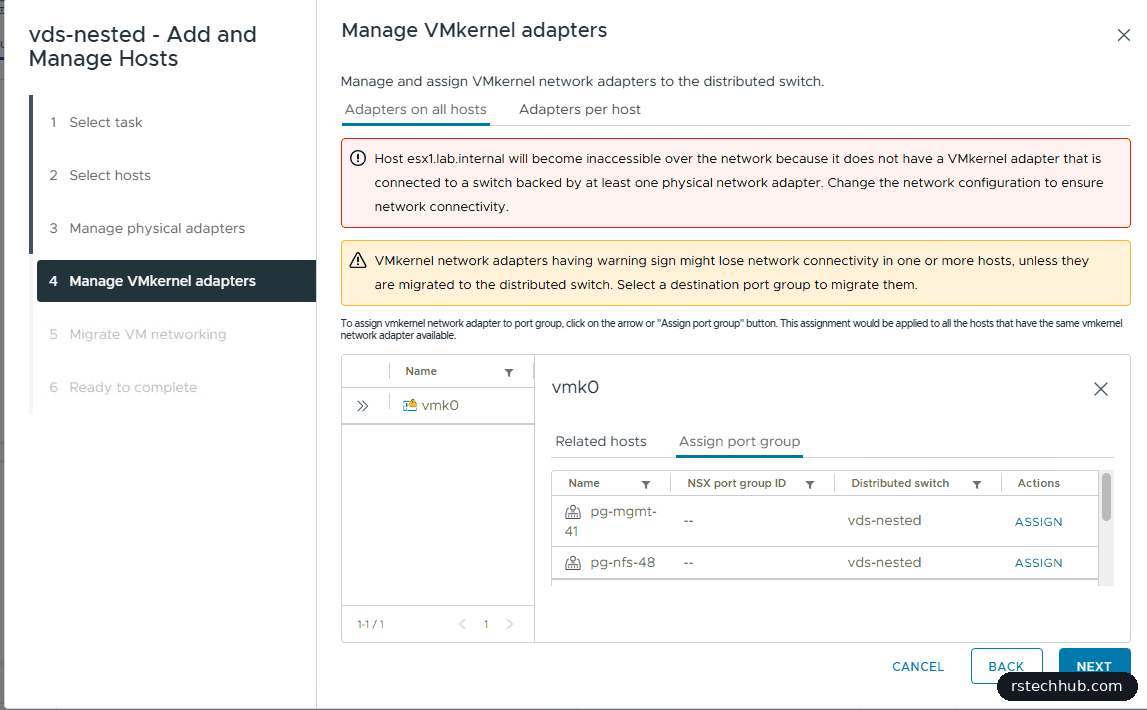
Both hosts moved in a few seconds with no rollback.

Storage over NFS 3
The nested hosts’ disks will live on the TrueNAS NFS datastore. Each host got a VMkernel adapter on pg-nfs-48 with MTU 9000, a static IP on the storage VLAN, no gateway and no services ticked. The storage VLAN is flat, so the hosts reach TrueNAS directly.
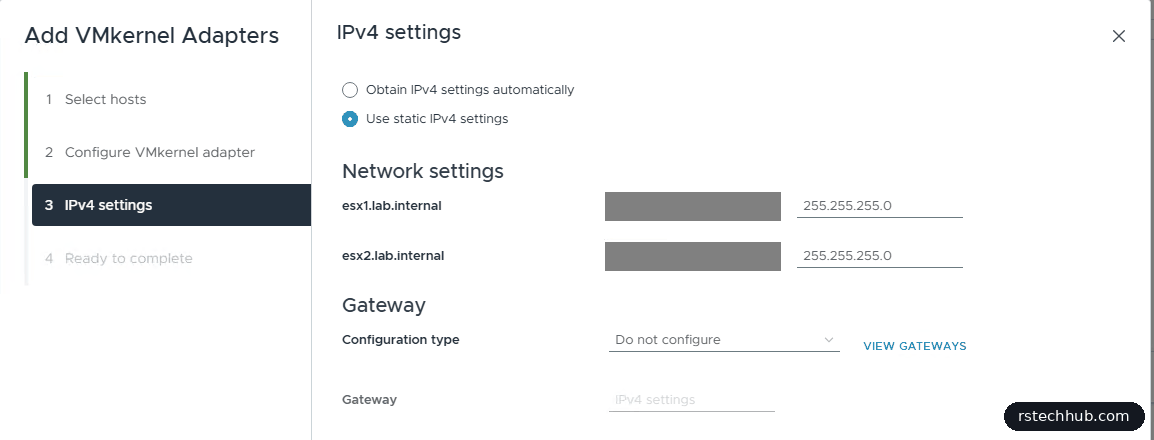
Then a jumbo frame test from each host to TrueNAS. 8972 bytes of payload plus headers makes a 9000-byte packet, and -d stops it being fragmented, so a reply proves the whole path takes jumbo frames:
vmkping -I vmk1 -d -s 8972 -c 3 <truenas-storage-ip>
3 packets transmitted, 3 packets received, 0% packet loss
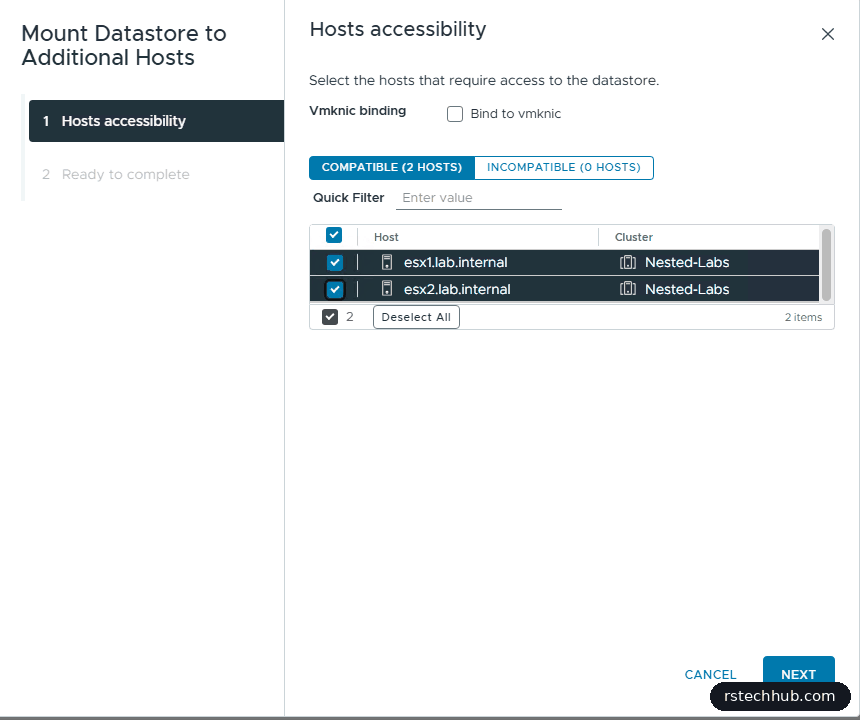
Both hosts passed, at under a millisecond. I mounted nfs-truenas-01 on both with “Mount Datastore to Additional Hosts”. I left “Bind to vmknic” unticked, because that option is only for NFS 4.1. This datastore is NFS 3 because of the ESXi 8.0 U3 NFS 4.1 bug I hit earlier.
The port group for nested ESX
This is the part that matters most for nested labs. A nested ESX host is a VM whose vmnics carry traffic for its own VMs, each with its own MAC address. A normal port group drops frames from MAC addresses it didn’t assign. The old fix was promiscuous mode, which floods every frame to every port and costs a lot of CPU.
MAC Learning on a vSphere 8 distributed switch does it properly. The switch learns which MACs sit behind each port and only sends frames there. I created pg-nested-trunk as a VLAN trunk for VLANs 40 to 50, so the nested hosts can tag their own management, vMotion, vSAN and TEP traffic, with these security settings:
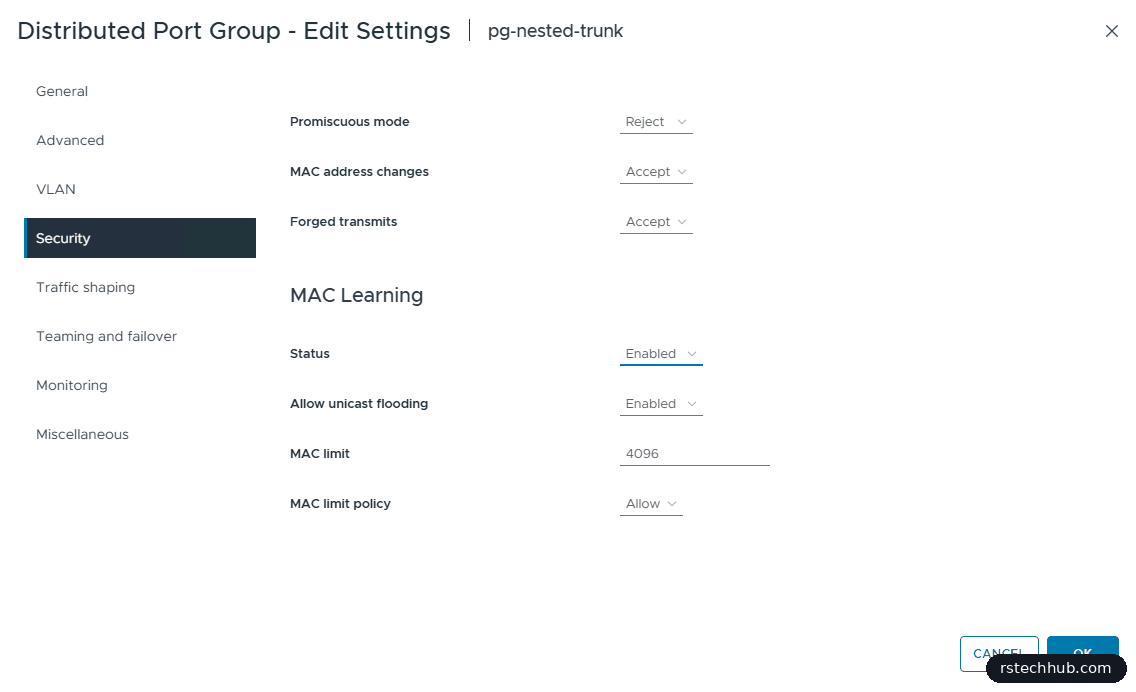
- Promiscuous mode: Reject. MAC Learning replaces it.
- MAC address changes and forged transmits: Accept, because the nested VMs send from MACs that aren’t the vmnic’s own.
- MAC learning on, with unicast flooding allowed so the first frame to an unknown MAC still arrives.
- MAC limit 4096 with the policy left at Allow, which is plenty for a nested lab.
What’s next
Both hosts are installed, in vCenter, on two 10G uplinks with jumbo frames, and have the shared datastore and a nested-ready port group. Next I’ll update the management vCenter and use vLCM to put every physical host on the same build. Then the first nested hosts go on.