
What this backs up
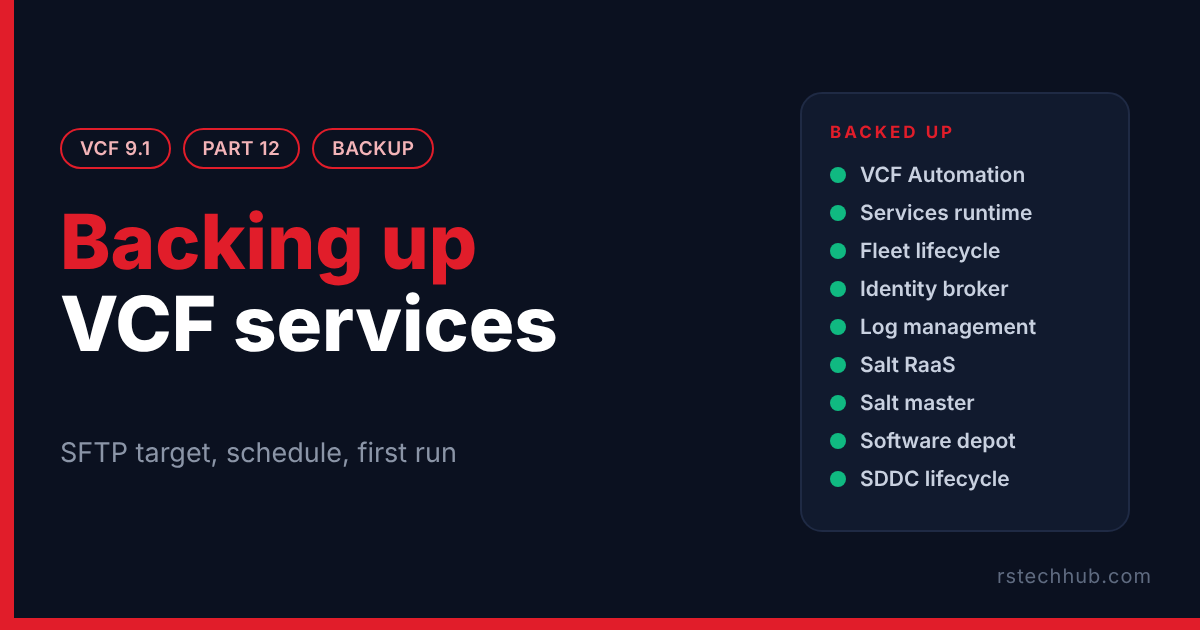
In 9.1 the management services have a backup of their own, separate from the vCenter backup and the SDDC Manager one. It covers VCF Automation, the services runtime, fleet lifecycle, the identity broker, log management, Salt, the software depot and SDDC lifecycle. The target has to be an SFTP server. The rest of the lab is covered by the jobs from the Veeam series, so this needed a target of its own.
In Part 11 I held off on the identity broker certificate until this backup worked. This post is that backup.
A small Linux VM as the target
I built the target as an Ubuntu 24.04 VM, cloned from the template in Core Infrastructure Part 8. It lives on the DL380’s own datastore, outside the vSAN cluster it protects. It has 2 vCPU, 4 GB of memory, a 40 GB system disk and a second 200 GB thin disk for the backups. I gave it a static address and a DNS record before the first boot.
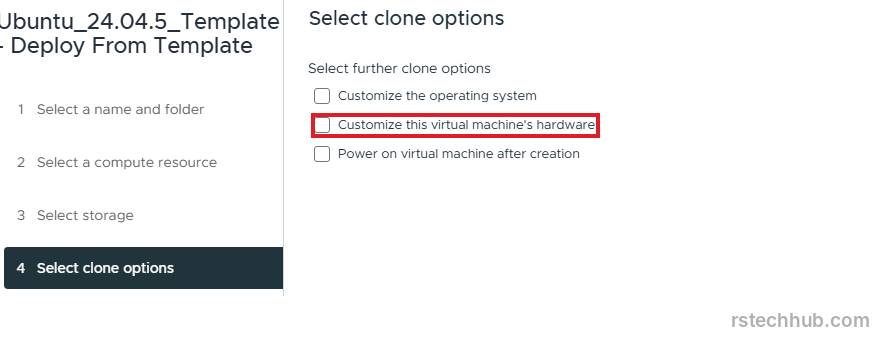
I ticked the hardware box so I could add the second disk before the first power on.
A clone carries the template’s SSH host keys and machine ID, which means every clone would show VCF the same host key. I regenerated both on first boot. Then I formatted the second disk, mounted it and created a service user with its own folder. Before touching VCF I logged in over SFTP from another machine and changed into that folder. If that fails, VCF fails too, with a less helpful message.
Which host key?
VCF shows the server’s SSH fingerprint and asks you to confirm it. Broadcom’s article on SFTP backup registration failures says VCF 9.0 and later want an ECDSA host key, and that the server must also offer an RSA SHA-2 signature algorithm. That article is about SDDC Manager. I could not find documentation for which key type the management services dialog expects, so I checked what my server offered: an ECDSA key and an RSA key, with ecdsa-sha2-nistp256 and rsa-sha2-512 in the algorithm list. Stock Ubuntu 24.04 does that out of the box.
The dialog fetched the RSA fingerprint, not the ECDSA one, and accepted it. I can only report what happened in my lab.
Where the setting lives
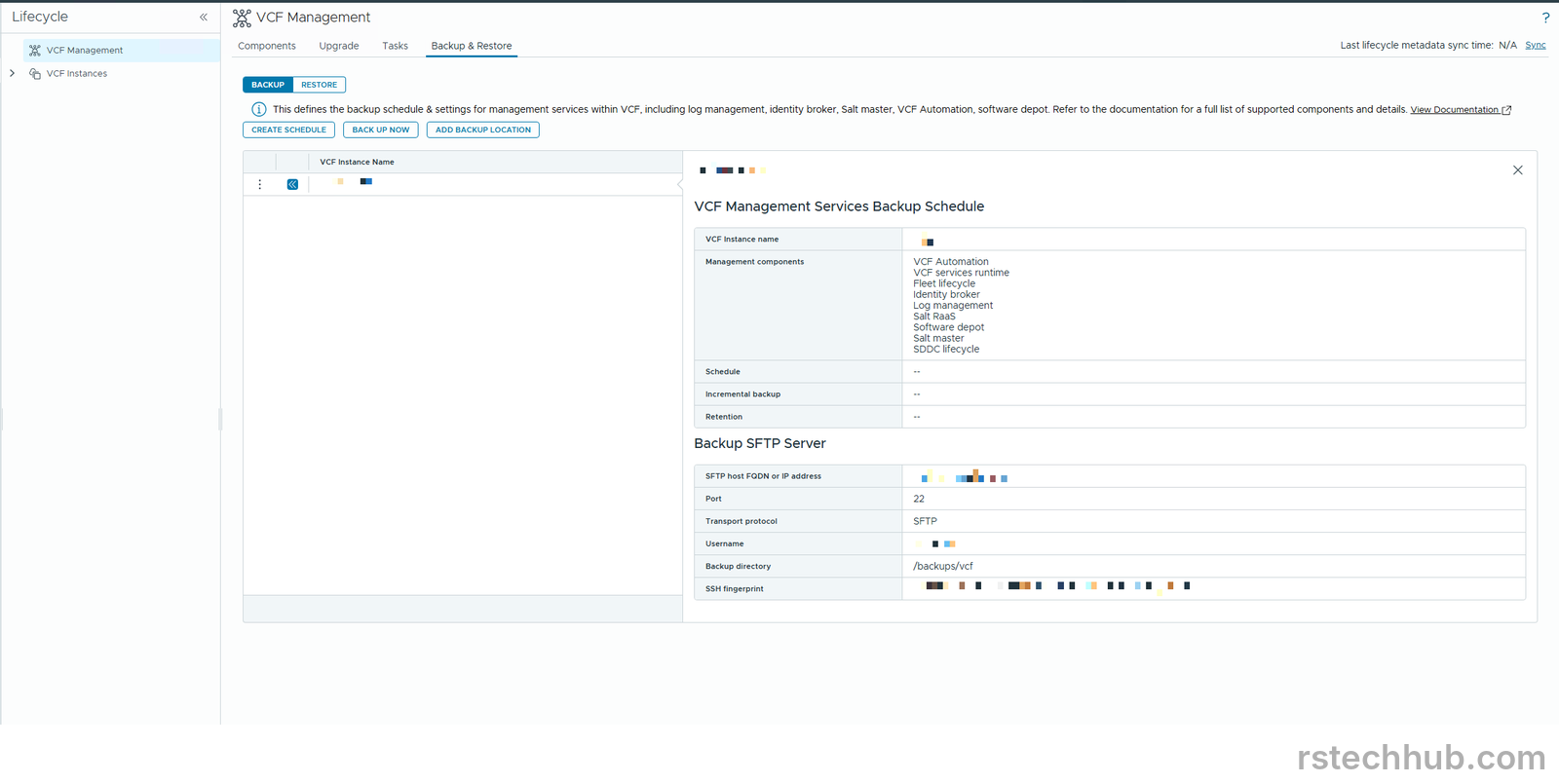
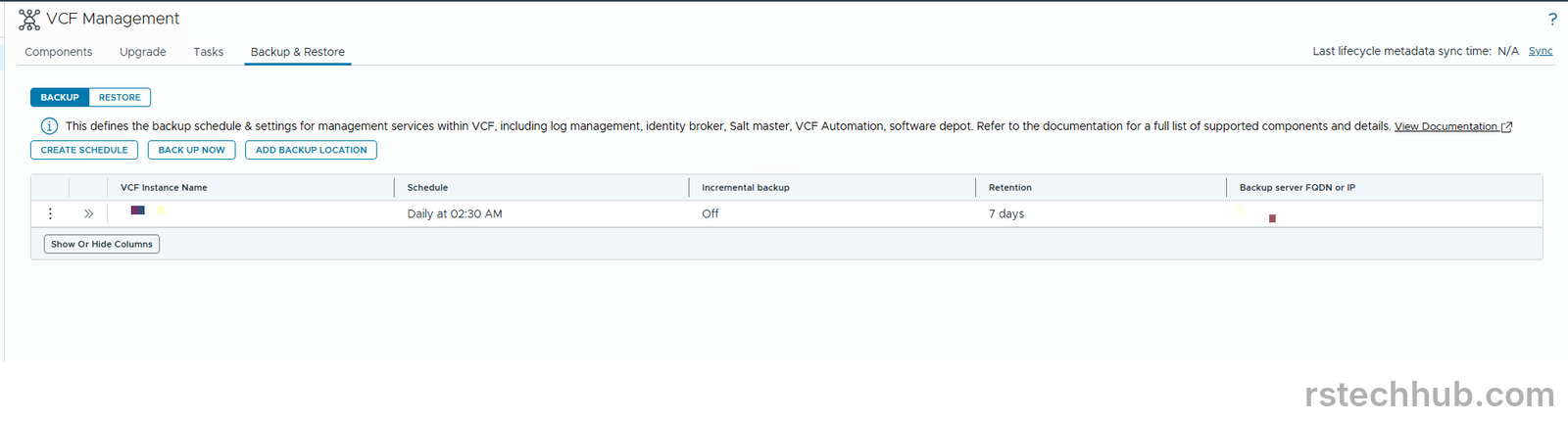
It is under Build > Lifecycle > VCF Management > Backup & Restore. I lost time here. Broadcom’s 9.0 page puts it under Fleet Management, and in 9.1 that menu has no Lifecycle entry. Broadcom’s 9.1 page would not load for me, so I went by two 9.1 blog posts that pointed at Build, and they were right.
Add Backup Location asks for the VCF instance, the host, port 22, a user, a password, the backup directory and an encryption passphrase. Keep that passphrase somewhere safe, because a restore needs it.
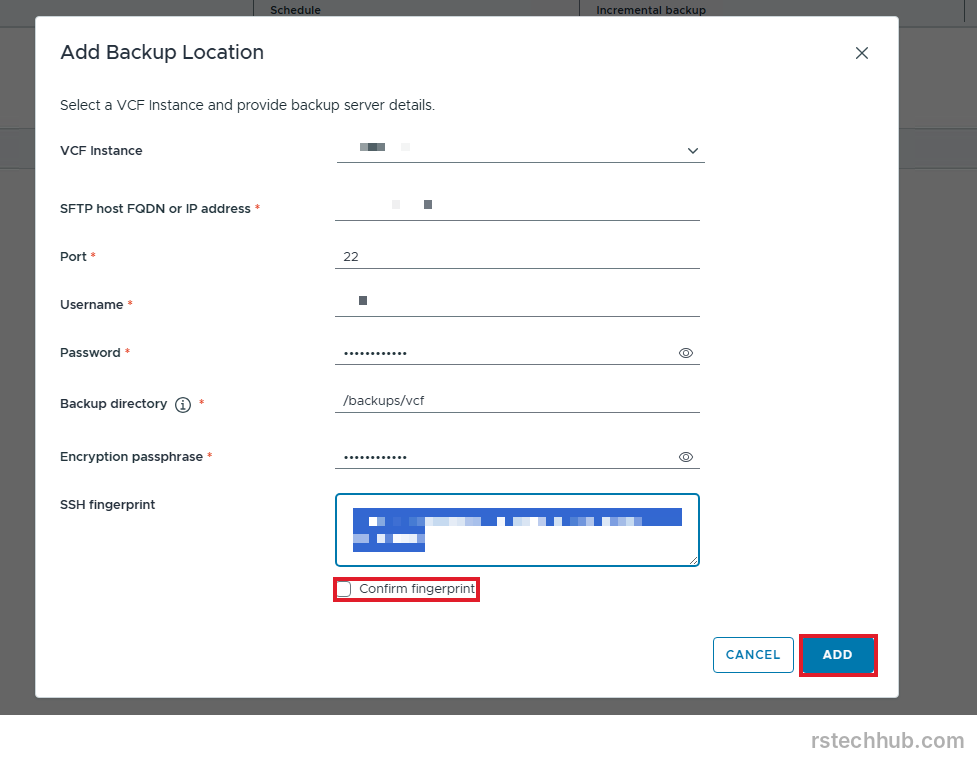
Fetch the fingerprint, tick Confirm fingerprint and click Add. The task took about ten minutes. While it ran, the log on the SFTP server showed the appliances logging in as the backup user.

The first backup
Back Up Now lists all nine components with every box ticked. I left them ticked. The backup took about 35 minutes.
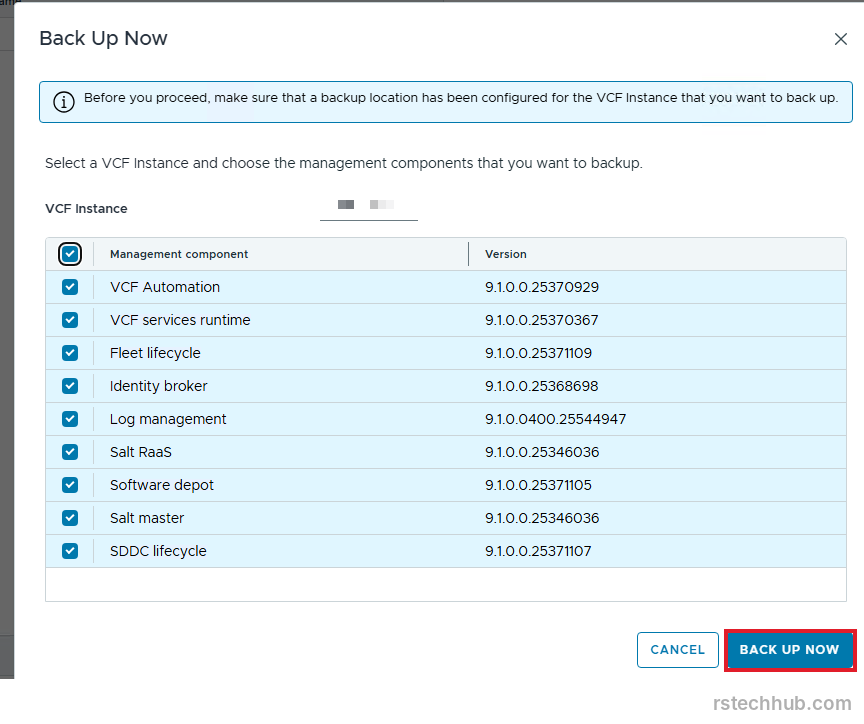
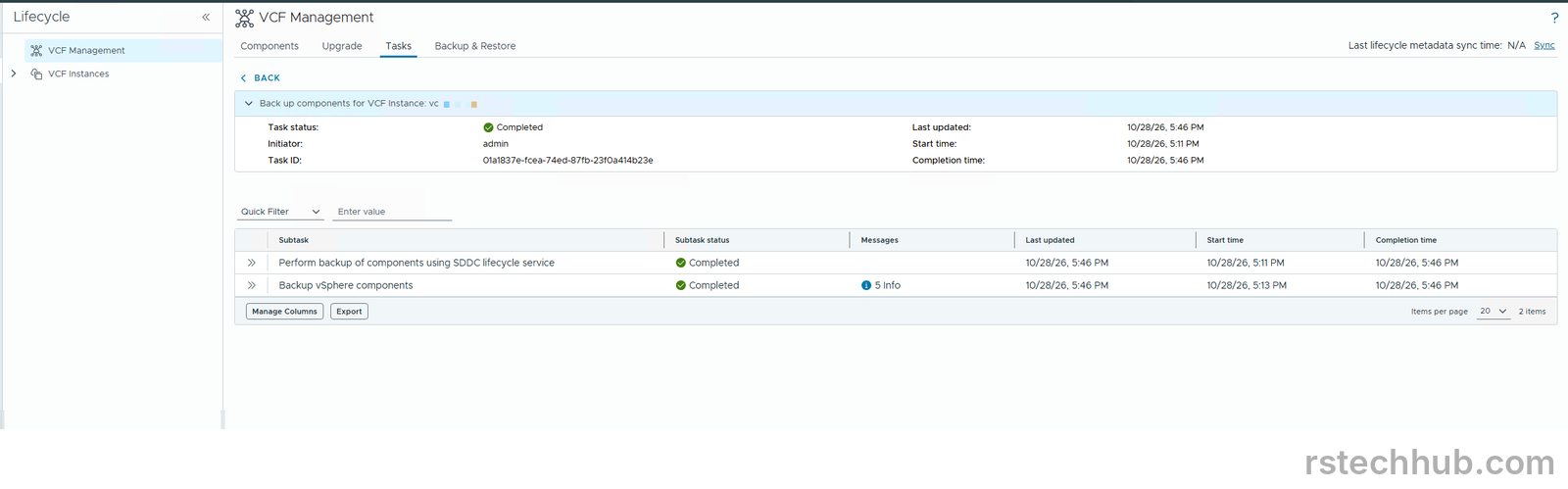
On disk it came to 633 MB. VCF Automation was 513 MB of that, fleet lifecycle 63 MB, Salt RaaS 27 MB, SDDC lifecycle 10 MB and the identity broker 8.3 MB. The remaining four are a few MB each or less. A 200 GB disk is far more than this needs.
The schedule
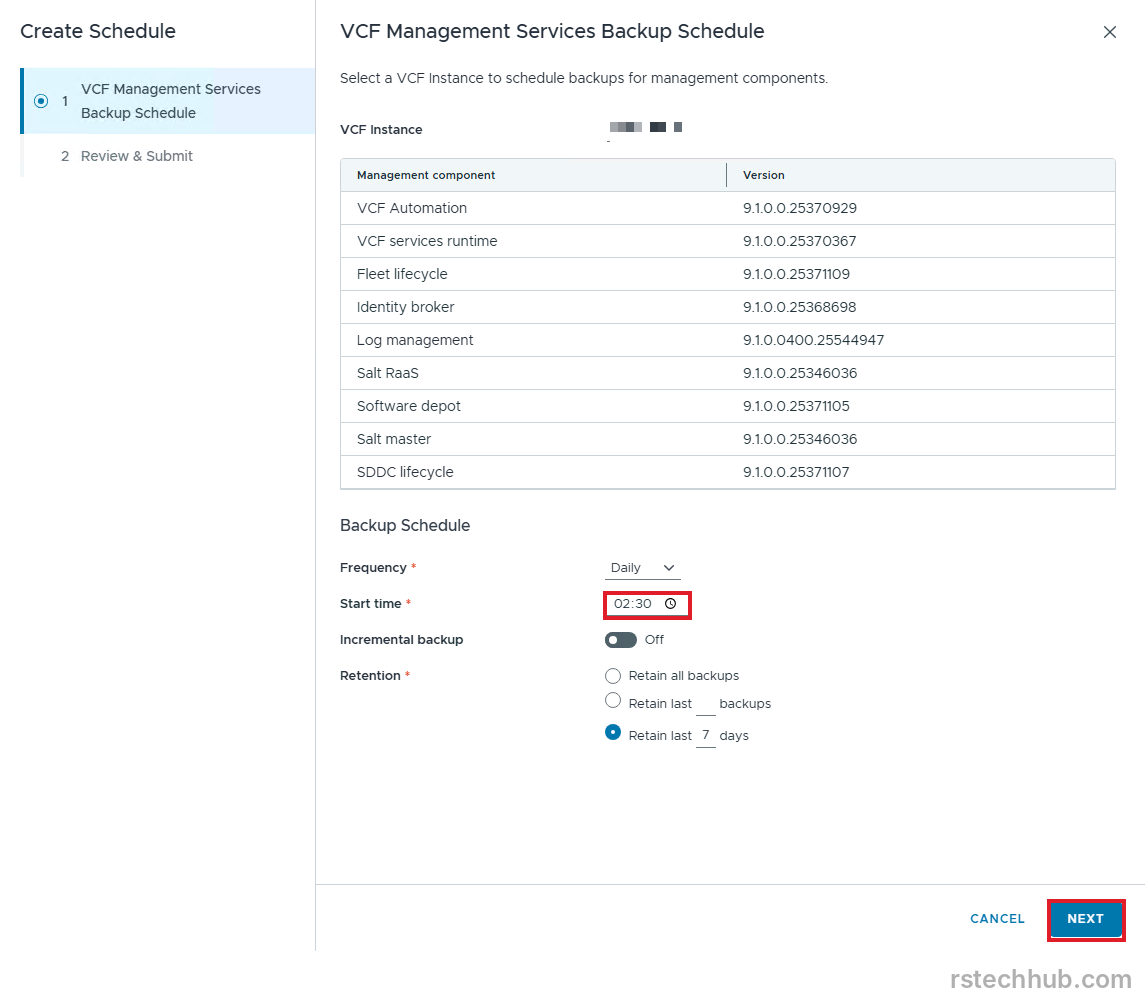
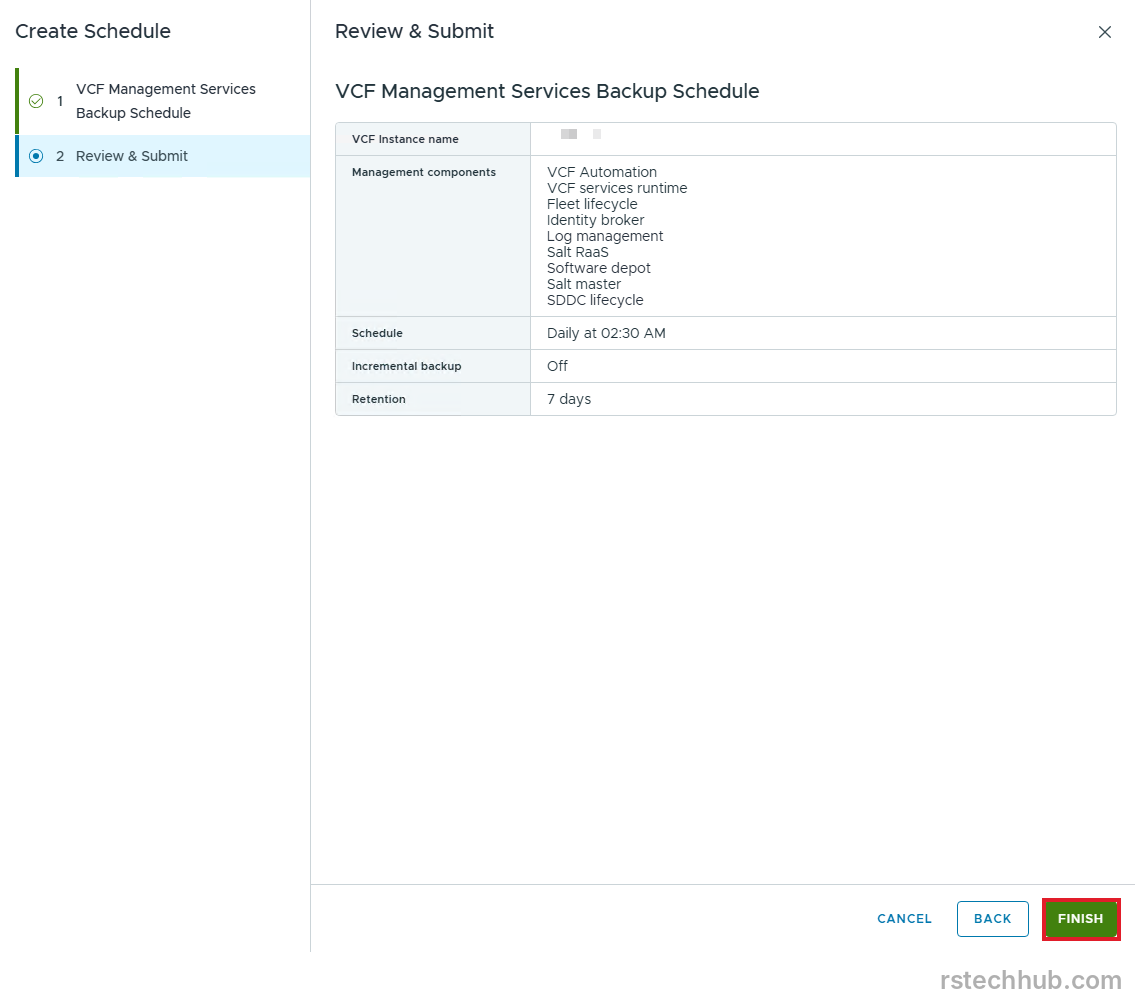
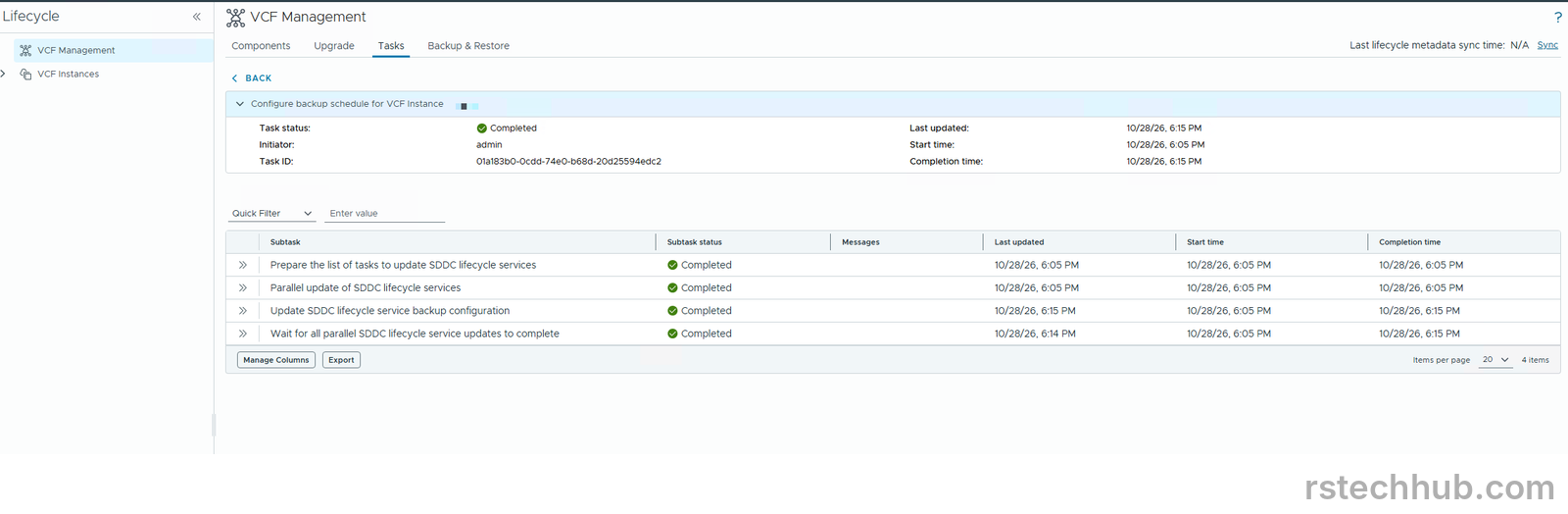
Create Schedule asks for a frequency, a start time, incremental on or off and a retention. I chose daily, incremental off, and 7 days. The default start was 23:30, right after my nightly vCenter backup, so I moved it to 02:30. Seven daily copies at this size come to about 4.4 GB, assuming later runs match the first one.
Result
All nine management components now back up to the SFTP server, daily at 02:30, with seven days kept. The first scheduled run finished overnight. The target now holds 1.8 GB, against 633 MB after the manual run, so the second set comes to roughly 1.2 GB.
Lesson
Go by the documentation for the exact version you run, and compare any fingerprint a dialog shows with what the server really has. I got both wrong at the start: a 9.0 menu path in a 9.1 console, and an assumption about which host key the dialog would show.
Next
With a backup in place I could touch the identity broker. That work, and the certificates for the rest of the fleet, is in the second half of Part 11. Patching is next.